Tobii TX300 Eye Tracker
11
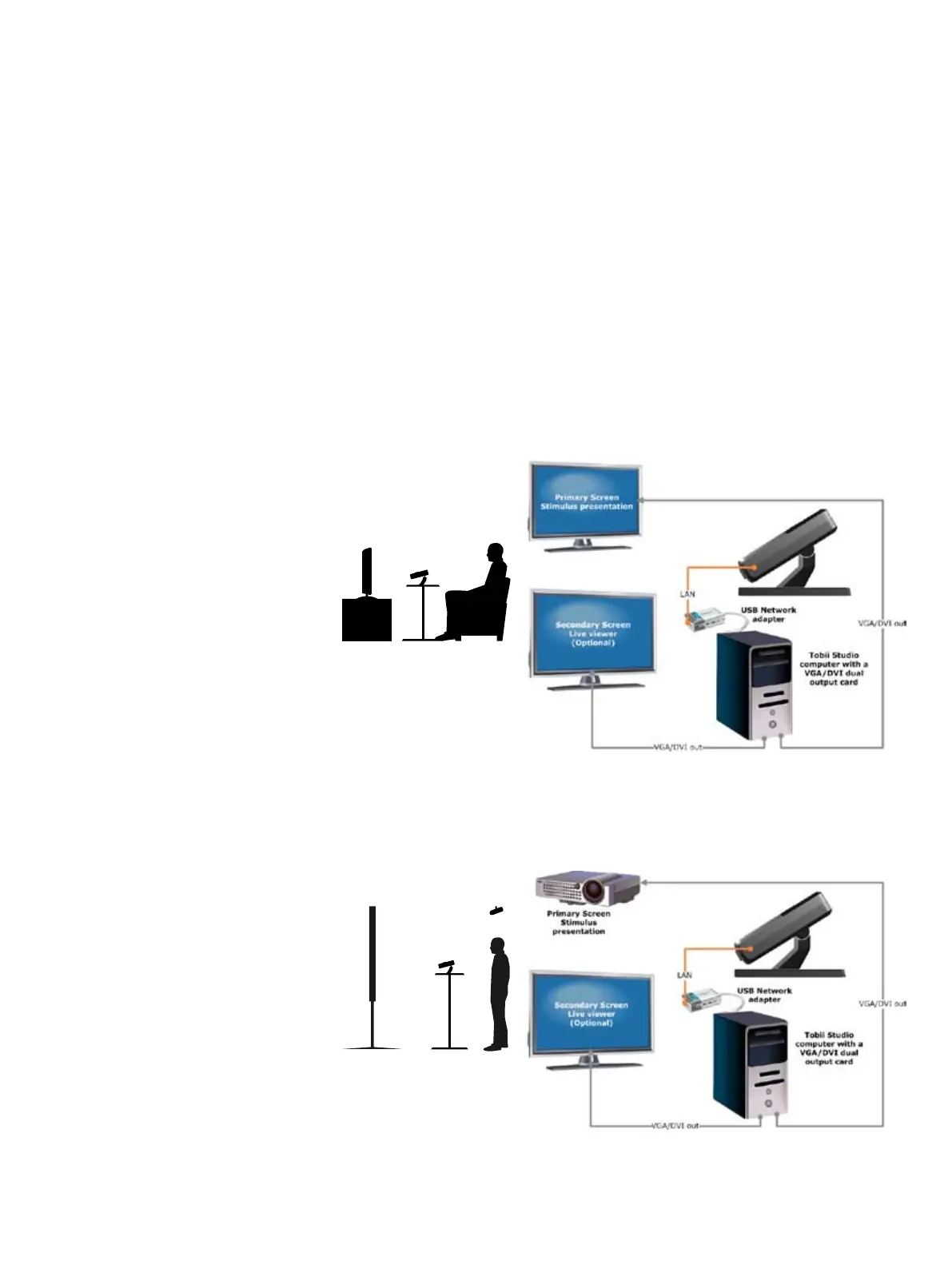
Tobii setups with a standalone eye tracker
Monitor, TV and Projection screen
The Tobii standalone eye trackers facilitate eye tracking using multiple types of stimuli such as TV,
monitor and projection screen. The drawing depicts a monitor, but it can be replaced by a TV or projection
screen as long as the input comes from the computer.
To record the participant’s reactions, the conversation between the test leader and test participant and
the test participant’s feedback when using a think-aloud protocol, you need to connect an external user
camera and microphone to the computer running Tobii Studio. The setups below do not include the user
camera and user sound.
To use the user camera and sound option or the Live Viewer in Tobii Studio, a Professional or Enterprise
edition of the software is required.
Monitor/TV setup
Projection screen setup


 To Next Page