Tobii TX300 Eye Tracker
13
Advanced setups for Tobii Eye Trackers
External video stimulus recording
This setup is suitable when using a Tobii Eye Tracking system for eye tracking data analysis when
the stimulus is presented from a separate computer or other RGB or VGA source. This could include
usability testing on a computer game, or when stimulus is presented on a computer running a different
operating system such as OSX, Linux or Unix.
Note that if the external application runs on the Windows operating system, and does not use 3D
graphics acceleration, it may be more suitable and less complex to instead run this on the same
computer as Tobii Studio, and use the Screen Recording option in Tobii Studio.
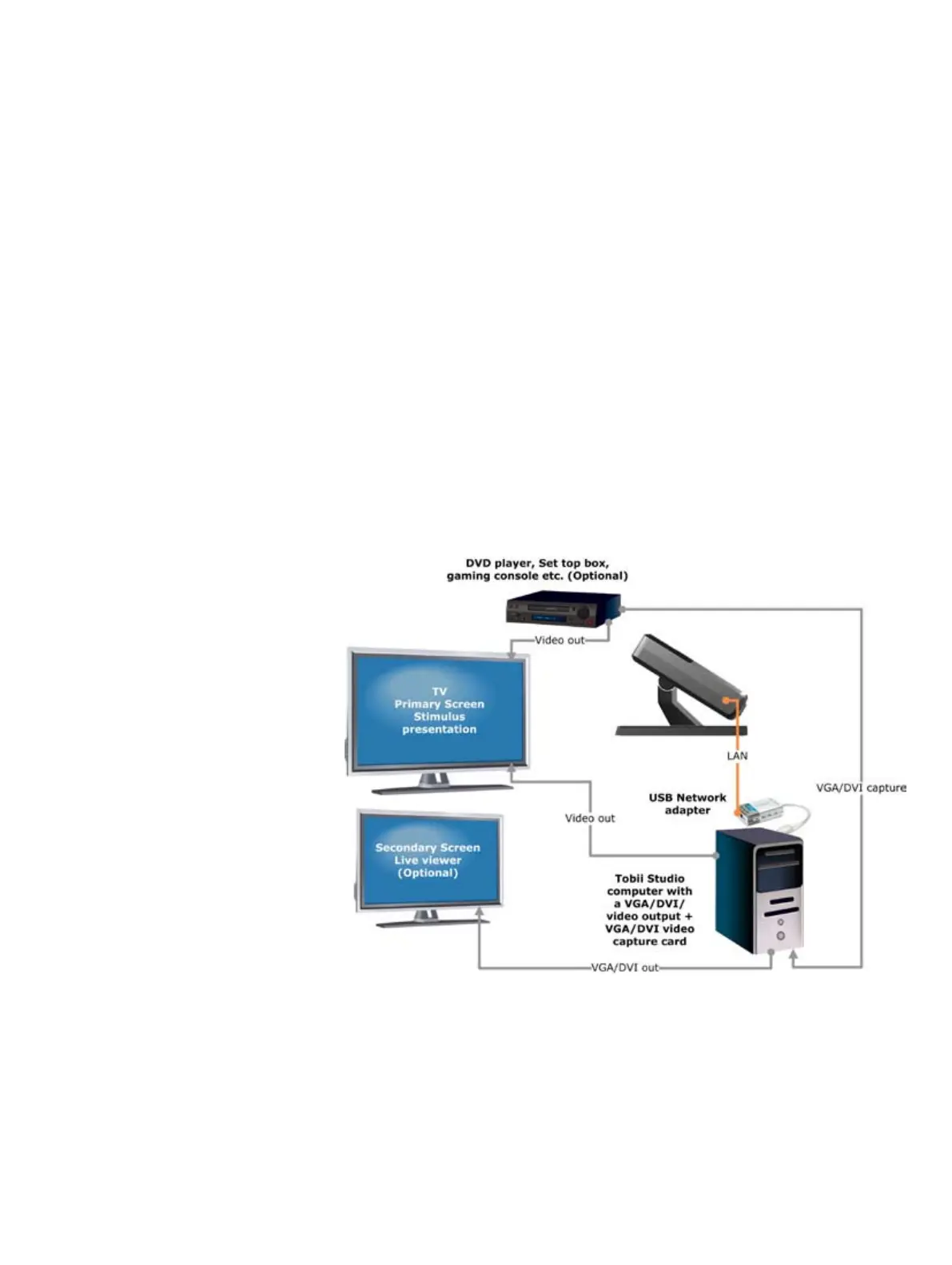
For this setup, the image from the Tobii Studio computer has to be displayed on the screen of a Tobii Eye
Tracker during calibration (to display the calibration points). The external stimulus computer, however,
should be shown on the Tobii Eye Tracker display during the actual test. Both computers must therefore
be connected to the Tobii Eye Tracker. To switch between the inputs, press the source button on the
Tobii Eye Tracker.
The video shown on the eye tracker display must be sent to Tobii Studio to record the video stream and
synchronize it with the gaze data. If the stimulus is presented from an analogue video source, e.g., a VCR
or an analogue video camera, a similar setup with slightly modified components can be used.
Tobii X series External Player setup


 To Next Page