Tobii E-Prime
®
integration setup
E-Prime
®
is a leading software package for designing and conducting psychological experiments from
Psychology Software Tools. There is a comprehensive package called “E-Prime
®
extensions for Tobii” for
integrating the E-Prime
®
software with the Tobii eye tracking system. This enables you to use E-Prime
®
to design sophisticated stimulus, like gaze-contingent, conditional and counter-balanced experiments.
The Tobii extensions for E-Prime
®
offer a set of native E-Prime
®
objects tailored for the Tobii eye tracking
system. These offer functions on two different levels:
TET level - In this mode, E-Prime•
®
controls the Tobii Eye Tracker processing unit directly, without
using Tobii Studio at all. E-Prime
®
performs calibrations, collects gaze data and saves this to file.
Tobii Studio level - In this mode, E-Prime•
®
remote controls Tobii Studio. Timing is synchronized
between E-Prime
®
and Tobii Studio, data is collected by both E-Prime
®
and/or Tobii Studio. In this
mode, Tobii Studio can be used for data visualization and analysis.
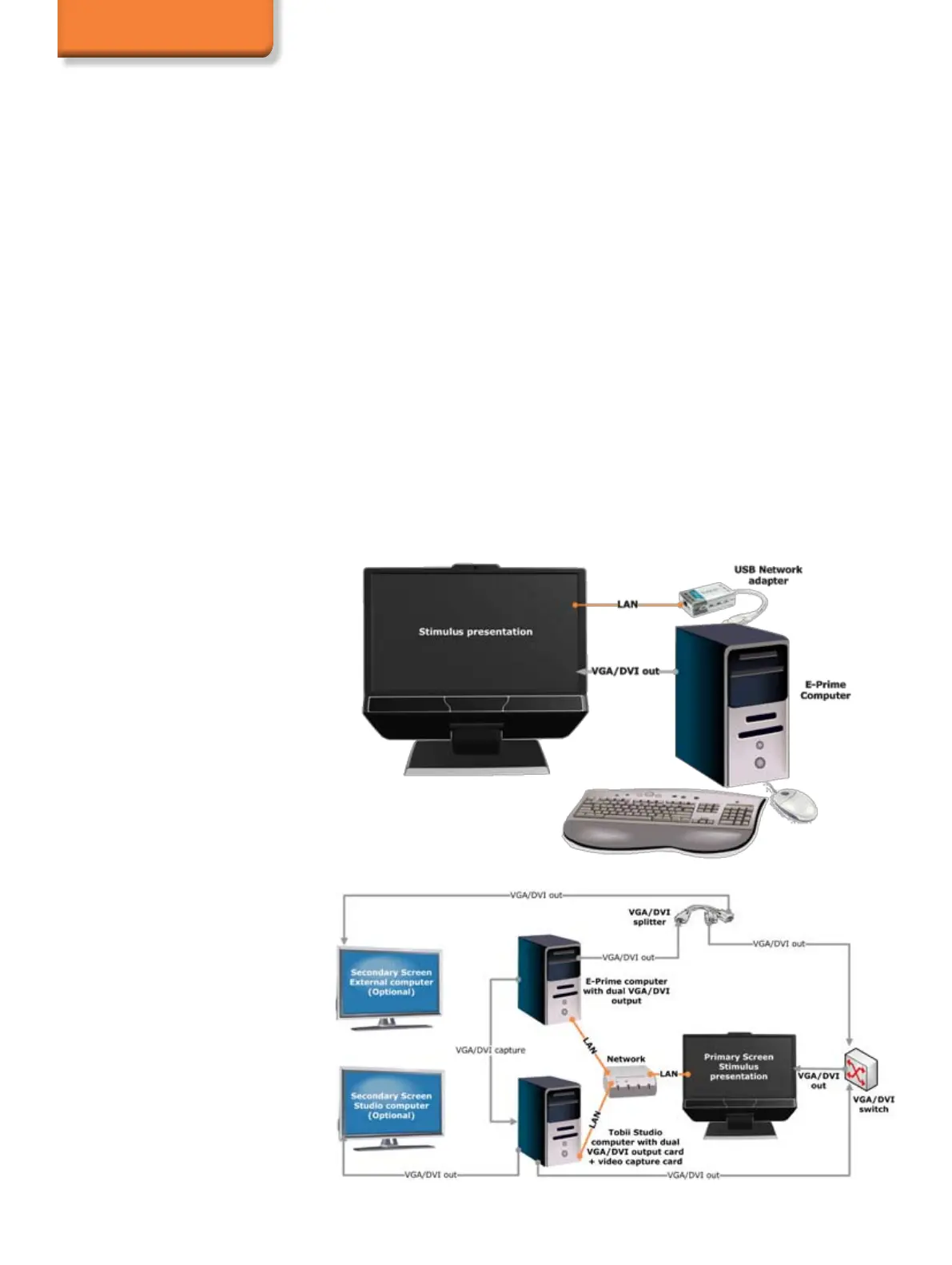
It is recommended to run the E-Prime
®
software on a separate computer, which communicates with
the Tobii Eye Tracker processing unit and Tobii Studio software over TCP/IP. An RGB capture card can
be used to capture a video of the stimulus presented by E-Prime
®
in Tobii Studio for visualizations and
post-recording analysis.
For more information about E-Prime
®
, please visit www.pstnet.com.
Two computer setup
Basic setup


 To Next Page