Need help?
Do you have a question about the Tomy SX-300E and is the answer not in the manual?
Read manual thoroughly for complete understanding and correct operation.
Intended for commercial/light-industrial use only, not for medical or industrial purposes.
Pictorial symbols and text warnings/cautions indicate potential hazards and required actions.
Warnings regarding power plug, cables, extensions, and modifications to prevent shock/fire.
Avoid hazardous locations like dusty, wet, or near flammable gases/water sources.
Precautions on using correct parts, avoiding internal contamination, and securing the unit.
Ensure proper grounding; avoid wet hands on switches and bending exhaust hoses.
Warnings on opening lid under pressure, abnormal gauges, steam, and sealed/cracked items.
Avoid blocking safety valves, exceeding pressure limits, and sterilizing unsafe items.
Exercise extreme caution with hot sterilized articles and high-temperature liquids.
Unplug before maintenance, check for damage, and perform regular plug checks.
Do not use flammable articles; prevent chamber contamination to avoid damage.
Cautions regarding placement of hands, draining water, maintenance, and cable usage.
Be careful of steam, gasket bands, thermal heads, and paper cutter blades.
Details how steam is generated and used for sterilization, including process stages.
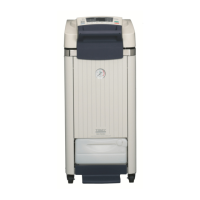
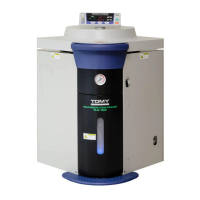
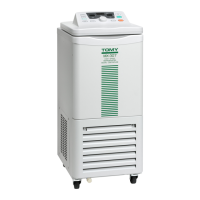
Identifies key parts of the main autoclave unit and their functions.
Provides descriptions for hinges, lid components, sensors, safety valves, and drain ports.
Details the meaning and purpose of each indicator and display on the control panel.
Provides detailed descriptions for each key's function in setting and operating the autoclave.
Details the visual indicators for preparation, process stages, and operation completion.
Warnings on placement near chemicals, dust, water, and requires a firm, level surface.
Specifies ventilation, clearances, caster stoppers, manual folder, and environmental conditions.
Details proper power plug connection, grounding, and avoiding extensions for safety.
Specifies voltage, current, and power supply requirements for SX-300E, SX-500E, SX-700E.
Outlines the complete procedure from powering on, operation, to powering off the autoclave.
Provides a step-by-step guide for safely switching the autoclave's power supply on and off.
Details safe procedures and warnings for opening and closing the chamber lid.
Instructions on checking the pressure gauge to ensure it reads '0 MPa' before operation.
Procedure for checking the water level in the exhaust bottle and refilling it.
Ensures proper sterilization by checking sterilizing water for contamination and correct volume.
Instructions on loading articles, avoiding damage, and preventing chamber blockage.
Guidance on using sterilizing bags, containers, and material compatibility for optimal results.
Guide to setting temperature, time, exhaust speed, and cooling fan for sterilization.
Crucial warnings before starting, including pressure limits, safety valves, and steam.
Explains buzzer signals, indicator lamps, and lid unlocking to signify process end.
Instructions and warnings for safely removing hot sterilized articles and liquids from the chamber.
Detailed steps for draining sterilizing water, ensuring it has cooled sufficiently.
Enables liquid sterilization with adjustable exhaust speed and cooling fan settings.
Allows sterilization followed by a warming period to prevent coagulation of media.
Provides heating followed by warming, useful for dissolving agar and preventing coagulation.
Enables saving and recalling custom operating condition settings for quick access.
Allows setting a waiting time before operation begins.
Enables checking of set and actual operational parameters during use.
Allows adjustment of the temperature threshold for releasing the chamber lid interlock.
Procedure to set or modify the duration of the warming phase.
Allows changing the display format for time units (hours, minutes).
Configures exhaust settings for liquid sterilization: normal or variable.
Optional sensor for monitoring material temperature, ensuring accurate sterilization.
Enables output of temperature and pressure data, with selection of parameters.
Connects an external sensor to measure and record chamber temperature.
Covers printer setup, output modes (continuous/after operation), and holder installation.
Procedures for setting date/time and adjusting printing intervals for operations.
Allows manual printing of stored operating conditions or a test print.
Crucial warnings to unplug the unit and wait for cooling before performing maintenance.
Instructions for cleaning external surfaces and the internal chamber with detergent and ethanol.
Details weekly tasks for cleaning internal/external parts and inspecting safety features.
Instructions for cleaning and checking the power plug for safe operation.
Highlights the need for a test run after replacement to ensure no steam leaks.
Advises caution when handling the spring band due to its elastic force.
Instructions for correctly installing the new gasket and securing the spring band.
Steps to conduct a test run after gasket replacement to check for steam leaks.
Provides a table of common issues, causes, and corresponding countermeasures.
Details specific error codes (E01-E30), their causes, and recommended actions for resolution.
Instruction to disinfect contaminated equipment before returning or requesting repairs.
Provides contact details for assistance, service, and inquiries with Tomy Seiko Co., Ltd.
Detailed technical specifications for SX-300E, SX-500E, SX-700E, including dimensions and capacity.
 General
| Brand | Tomy |
|---|---|
| Model | SX-300E |
| Category | Laboratory Equipment |
| Language | English |

 To Next Page