09
Tips:
To make the drone rotate in the other direction, push the right joystick
to the other direction in Step 2.
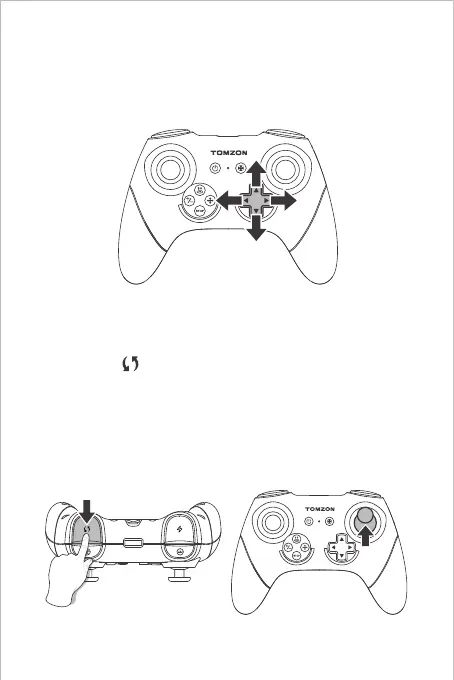
If the drone is tilted to certain direction, instead of a stable state, press
the fine-tuning button after takeoff to the opposite flight direction to
reach the stable state.
Fine-tuning
3D Rotation
Step 1: Press “ ” (rotate button) to enter the rotation mode and the
remote control beeps continuously.
Step 2: Push the right joystick upwards and the drone immediately
rotates forward 360°.
Aerobatic Flight
Step 1 Step 2


 To Next Page