- 14 -
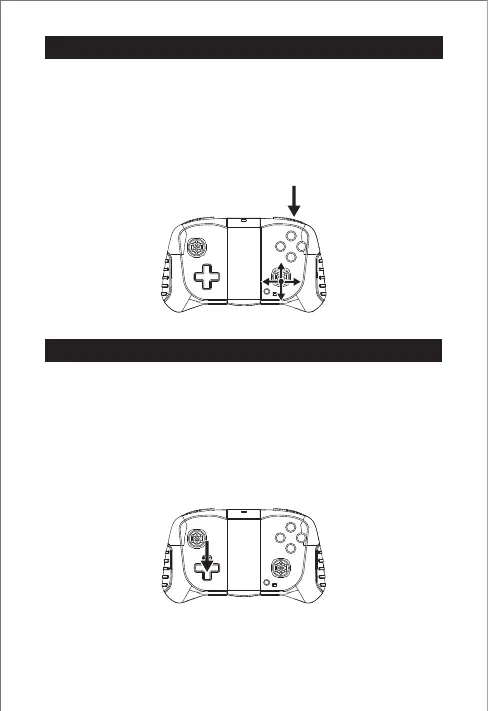
Step 1: Press the "3D Roll" button to start the roll mode, at this time the
remote control keeps beeping.
Step 2: Push the right stick forward, and the drone will roll forward 360°
immediately.
Tip: If you want to roll in other directions, please push the right stick to
other directions.
If the drone keeps tilting in a certain direction after take-off, rather than
hovering smoothly in a specific position, it may be affected by the air
currents in the environment the drone is in.
Please operate the position shown in the icon to make fine adjustments.
For example, if the drone keeps flying to the left, you need to fine-tune the
operation of the drone to the right.
3D Flip mode
Fine tuning


 To Next Page