Tone Commander 8610/8620 User Guide 3
6) MORE
4
Key – cycles through the menu option groups in Setup
Mode.
7) Message Waiting Indicator – a bright red indicator is lit when
messages are waiting, controlled by the network (page 11).
8) Multifunction Keys – select call appearances, activate network
features, or dial personal speed dial numbers. Red and green
indicators on the keys show call appearance and feature status.
The optional 8030X Button Expansion Module provides 30
additional multifunction keys.
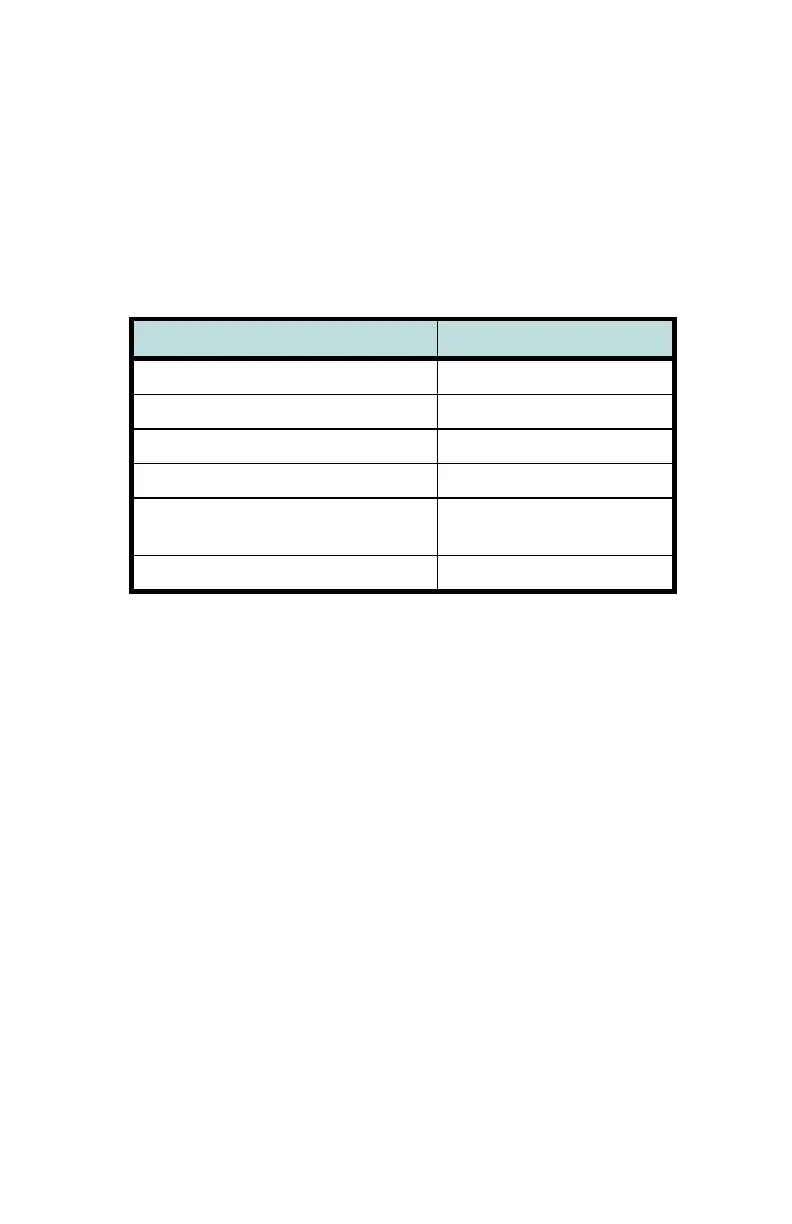
Call Appearance State Indication
Idle
OFF
Call Ringing
Green – flashing
In Use by You
Green – on steady
On Hold by You
Green – winking
In Use at Another Terminal
or an Activated Feature
Red – on steady
On Hold at Another Terminal
Red – winking
9) Volume Keys – adjust the receiver/speaker volume when on a call;
adjust the ringer volume when on-hook (pages 18 and 19).
10)
MUTE Key – mutes the microphone when using the speakerphone
or handset/headset. A red indicator on the key is lit when mute is
active (page 16).
11)
SPKR (Speaker) Key – activates the speakerphone. A green
indicator on the key is lit when the speakerphone is in use (page
16).
12) Dial Pad – dials telephone numbers, and sends DTMF tones to
external equipment such as voice mail systems. The dial pad is
also used for number entry during setup.
13)
TRAN (Transfer) Key – places the current call on hold, and selects
an idle call appearance for transferring the call. A second press
completes a transfer (page 9).
14)
CONF (Conference) Key – adds other parties to a conference call
(page 9).



 To Next Page