EasyManua.ls Logo

Tone Commander 8610 - User Manual

Tone Commander 8610
52 pages
Print Icon
To Next Page IconTo Next Page
Loading...
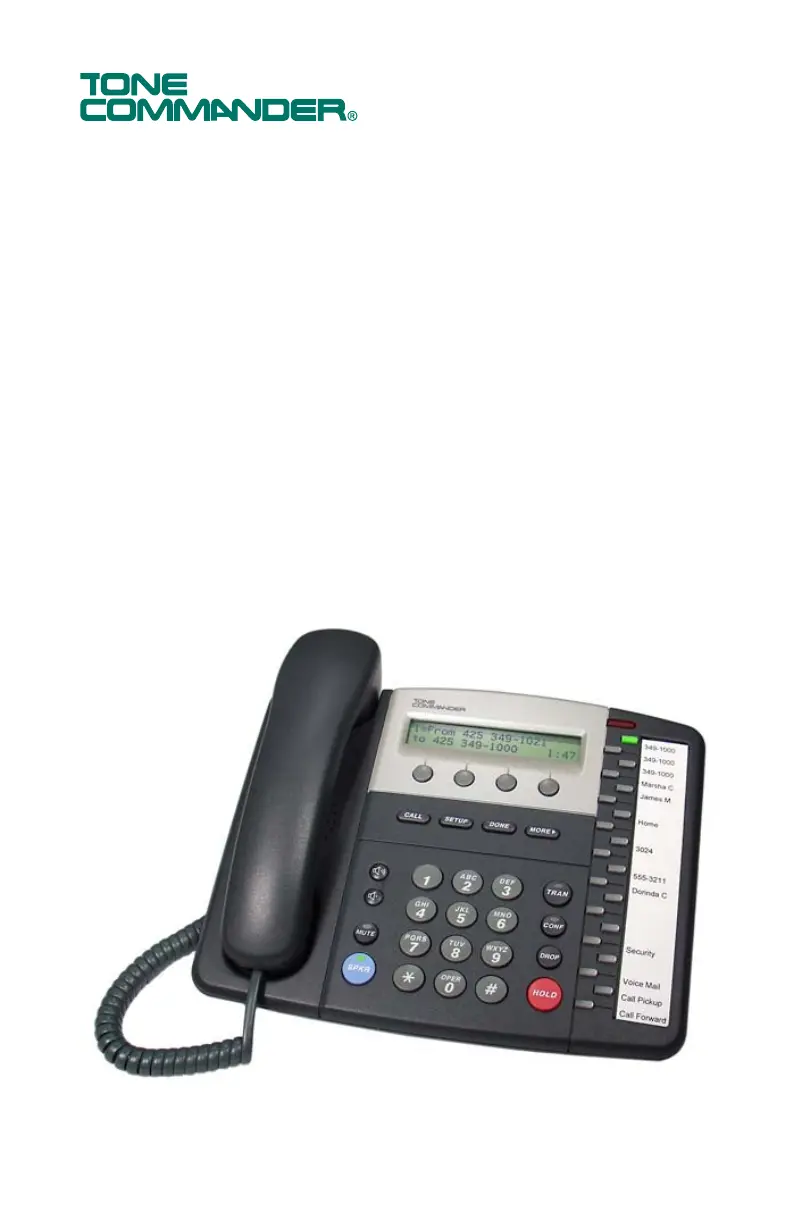
8610 / 8620
ISDN Telephone
User Guide

Other manuals for Tone Commander 8610

Questions and Answers

  • B
    Bill LopezAug 18, 2025
    What to do if my Tone Commander Telephone is locked up?
    • G
      Garrett DuncanAug 18, 2025
      If your Tone Commander Telephone is locked up, first press the SETUP key to display the Setup Menu. Then select ADMIN, press the MORE4 key, select RESTART, and choose YES. This will cause the telephone to attempt re-initialization with the network. If the Setup Menu does not function, disconnect and reconnect the line cord or local power supply to cycle power on the phone.
  • W
    William LewisAug 20, 2025
    What to do if my Tone Commander Telephone display is blank?
    • J
      Joanna HammondAug 20, 2025
      If your Tone Commander Telephone display is blank and there are no lit LEDs: * For an 8610T or 8620T, verify connection to an external NT1 and verify power connection to the NT1. * For an 8610U or 8620U, verify connection to an external power supply and make sure the line cord is plugged into the U IN jack on the phone. If power is connected to the phone, but the display remains blank, replace the phone.
  • C
    Christine NorrisAug 22, 2025
    Why can't I hear ringing on my Tone Commander 8610?
    • M
      Marissa EdwardsAug 23, 2025
      If inbound calls to a specific line cause the LED to flash, but there is no audible ringing, press the Vol5 key while not on a call to enable the ringer.
  • W
    webbjillAug 25, 2025
    How to troubleshoot L1 initialization issues on Tone Commander 8610?
    • C
      Crystal LongAug 26, 2025
      If L1 does not initialize on your Tone Commander Telephone: * For an 8610T or 8620T, locate the external NT1 device for the phone; verify connection between the U (LINE) connector on the NT1 and the Telco ISDN line. * For an 8610U or 8620U, verify connection between the U IN jack on the phone and the Telco ISDN line.
  • J
    Joseph WilsonAug 27, 2025
    What causes Terminal Error on Tone Commander 8610 Telephone external NT1?
    • M
      Michael MorrisAug 28, 2025
      If the External NT1 indicates a Terminal Error on your Tone Commander Telephone, verify the connection and correct the polarity of all wire pairs between the phone and the S/T (TERMINAL) connector on the NT1. On a multipoint line, verify correct connections and polarity to the partner phone as well. Verify termination settings on both phones and the NT1.
  • M
    mwoodsAug 30, 2025
    What to do if Tone Commander 8610 Telephone doesn't fully initialize?
    • F
      frederick52Aug 30, 2025
      If your Tone Commander Telephone appears operational but full initialization is not achieved, determine which protocol layer is not initializing by observing the startup diagnostic display.
  • H
    Hannah GonzalezSep 2, 2025
    Why does my Tone Commander Telephone take long to synchronize?
    • B
      Brian GrantSep 2, 2025
      The network may take up to 3 minutes to synchronize L1 and L2 with the phone. If there is an external NT1, verify correct line and terminal status indications on the NT1.
  • L
    Lucas LindseySep 4, 2025
    What to do if my Tone Commander 8610 L2 does not initialize?
    • C
      carpenterstephenSep 4, 2025
      Restart your Tone Commander Telephone. If the problem persists, contact your service provider.
  • J
    Justin WilliamsSep 7, 2025
    How to resolve NT1 issues with Tone Commander Telephone?
    • P
      Patricia StevensonSep 7, 2025
      For a standalone or single rack-mount NT1, press the NT1 reset button or cycle NT1 power by temporarily disconnecting its stand-alone power supply or removing the NT1 from the rack.
  • T
    Tiffany BlakeSep 9, 2025
    How to adjust voice level on Tone Commander 8610 headset?
    • H
      Hannah MoraSep 9, 2025
      If, when using a specific headset with your Tone Commander Telephone, the voice level to other parties is not loud enough, press XMT+ as many times as required.

Summary

Introduction

Controls and Indicators

Operation

Placing and Answering Calls

Procedures for initiating and receiving telephone calls.

Key Phone Features

Using network services, speakerphone, voice announce, and headset functions.

Call Management

Managing active calls including holding, transferring, and conferencing.

Call History and Directories

Accessing and utilizing call logs and the phone's directory.

User Options

Phone Setup and Key Configuration

Setting up phone angle, labeling keys, and configuring programmable functions.

Directory and Call Settings

Managing directory entries and configuring call preferences and time/date.

Ringing and Audio Settings

Customizing ringtones, audio modes, and display contrast.

Security Settings

Setting up security measures like call log password protection.

Appendix B Warranty and Service

Appendix C UL;FCC Statements

Tone Commander 8610 Specifications

General IconGeneral
BrandTone Commander
Model8610
CategoryTelephone
LanguageEnglish

Related product manuals