20 Tone Commander 8610/8620 User Guide
User Options
Adjusting the Telephone Angle
The stand can be installed in two positions for desktop use. Select the
position that provides the best screen readability and easy control
operation for the phone’s location.
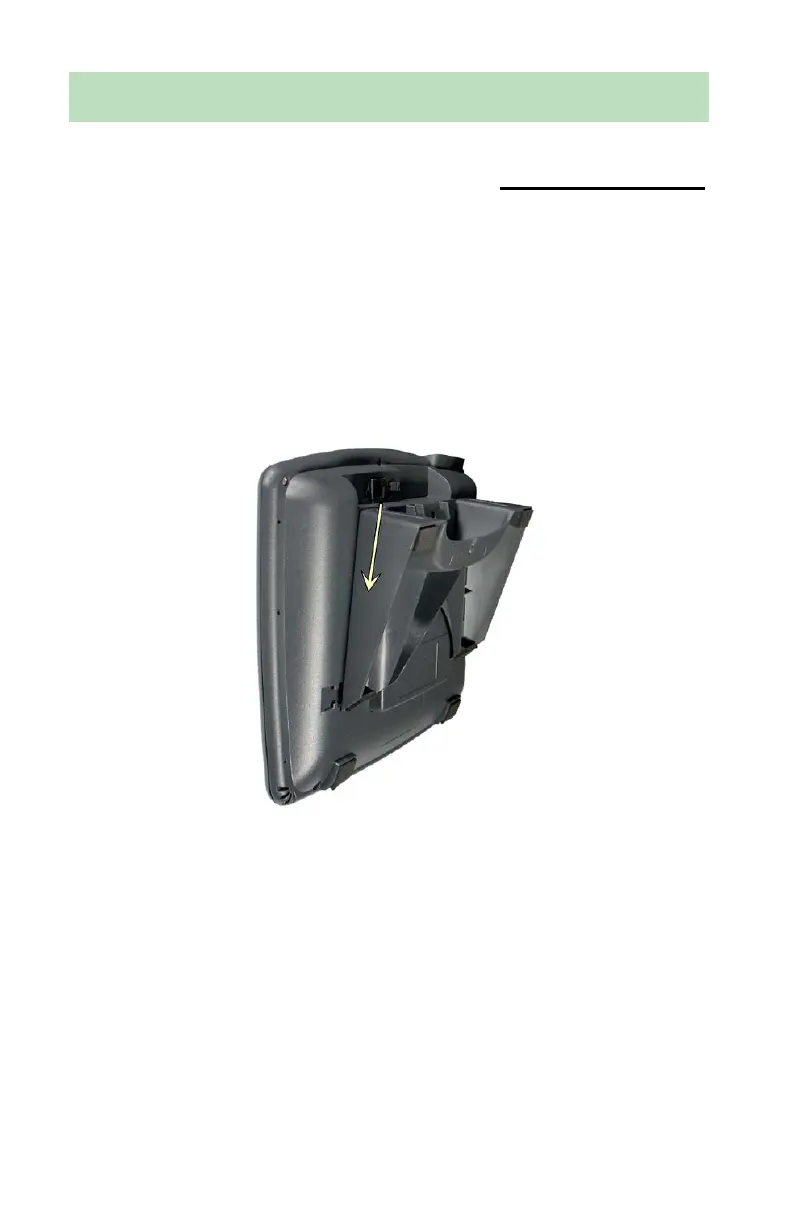
• If you need to remove the stand, press it down to disengage the
snap tabs, then lift off the stand.
The low desktop stand position is shown; the removal procedure is
the same for high desktop and wall mount positions.
Stand Removal
• Rotate the stand as needed; refer to the pictures on the following
page.
• Install the stand by inserting the tabs on the telephone into the large
openings in the stand’s upper slots, then pressing the stand toward
the top of the telephone until it locks into place.
If your telephone includes an 8030X Button Expansion Module, use
the double-width stand supplied with the 8030X.



 To Next Page