13
Coin Acceptor
13
6. Maintenance
To make sure UCA2 always works smoothly, please clean the internal sensors
regularly:
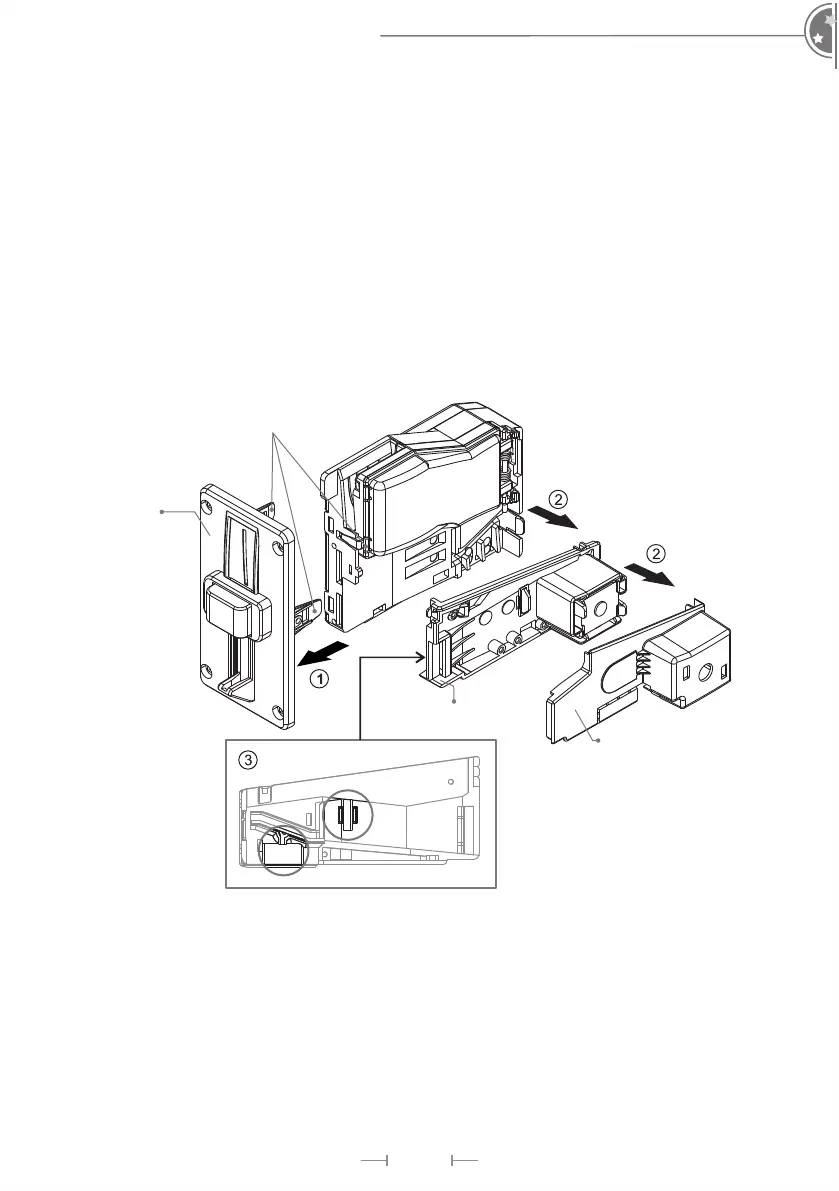
To clean the internal sensors:
1. Remove bezel by releasing mounting clips and pulling it out.
2. Release the clip and remove lower base cover plate and hood.
3. Use a soft, dry cloth, or towel to clean lens
Bezel
Lower Base
Cover Plate
Mounting Clips
Hood


 To Next Page