Sologic A801 5
Sologic A801
ENGLISH
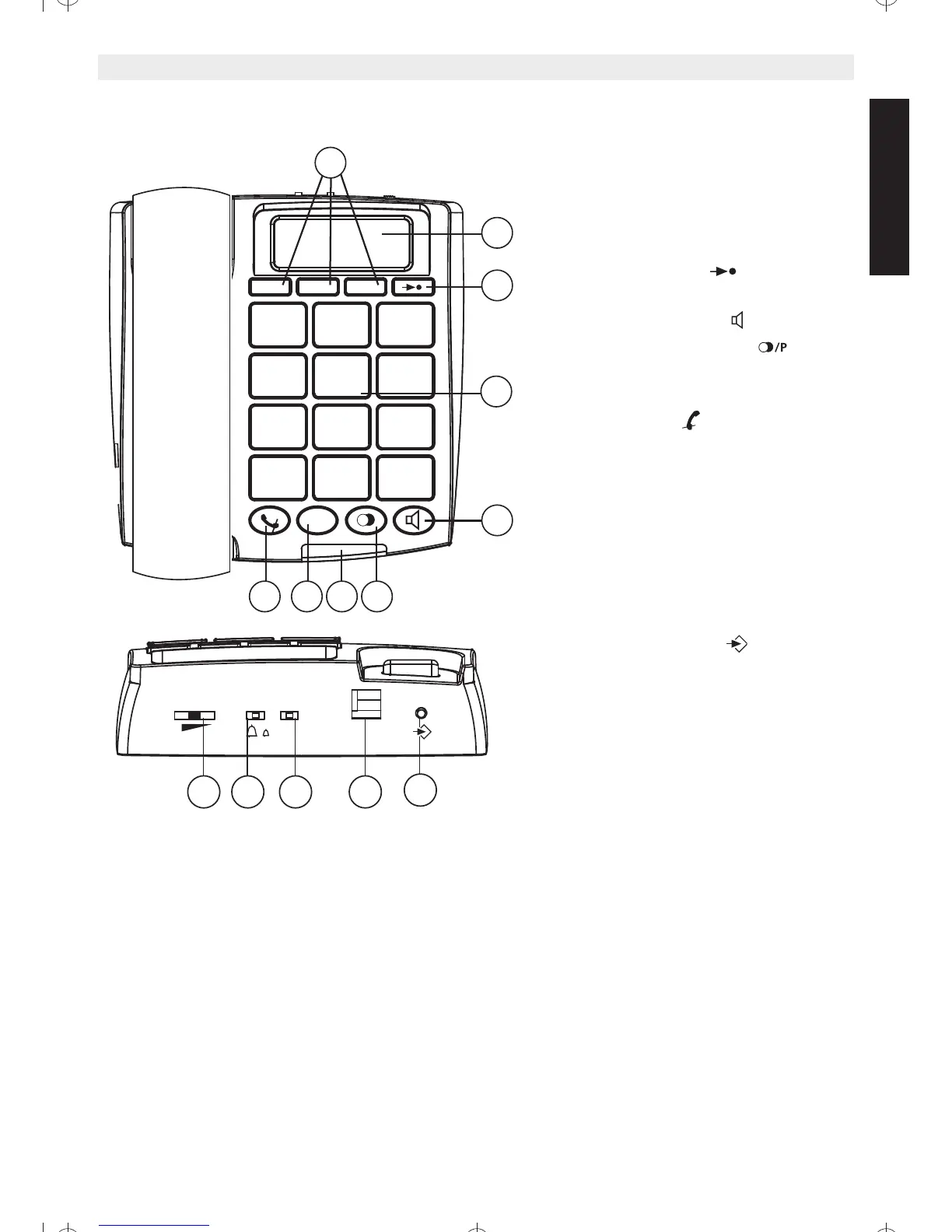
5 Buttons/LED
1. Direct Memory buttons
2. LCD display
3. Memory button
4. Keypad
5. Handsfree button
6. Redial/Pause button
7. Incomming call LED
8. Flash button R
9. Mute button
10. Program button
11. Line cord connector
12. Flash time switch
13. Ring volume selector
14. Handsfree volume switch
6 Installing the line cord
For installation, do the following:
• Put the telephone on a flat surface.
• Plug one end of the linecord into the telephone wall outlet and the other end
into the Line connector on the backside of the telephone (11).



 To Next Page