8 Topcom Twintalker RC-6404
Topcom Twintalker RC-6404
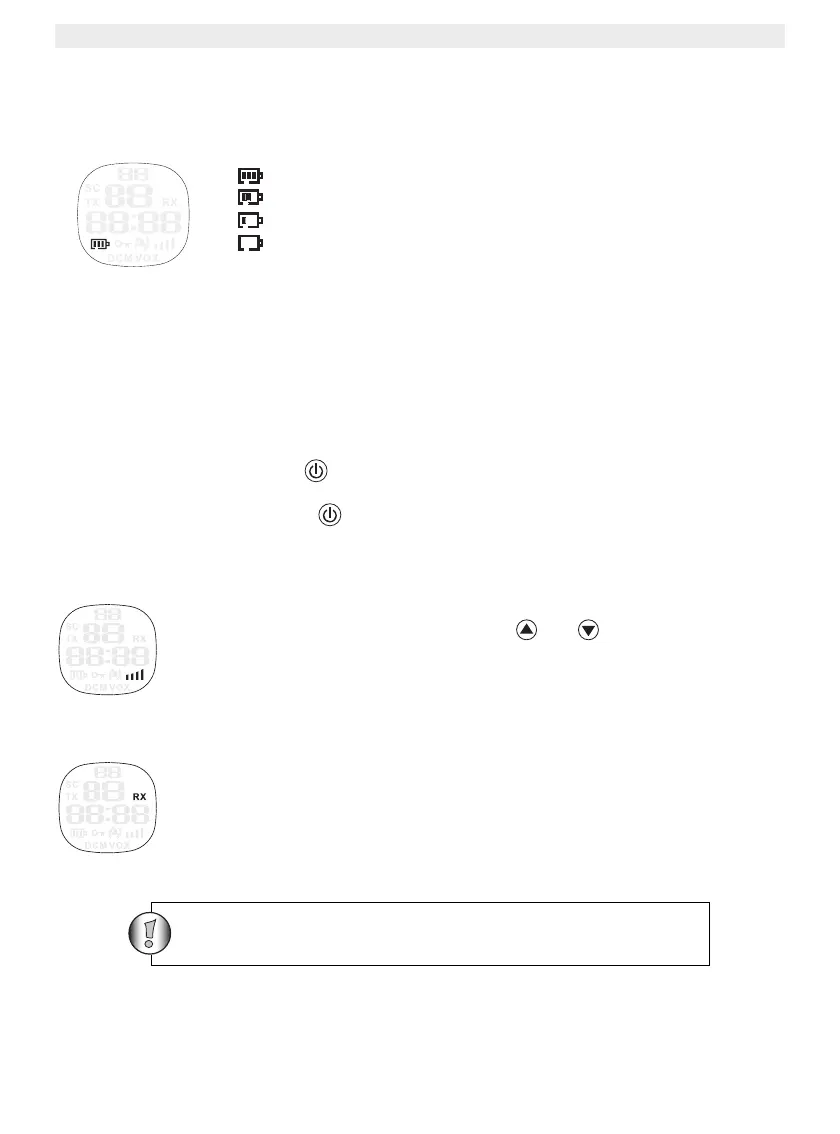
12 Battery Charge Level/Low Battery Indication
The BATTERY CHARGE LEVEL is indicated by the number of squares present inside the
BATTERY icon on the LCD Screen.
Battery Full
Battery 2/3 charged
Battery 1/3 charged
Battery empty
When the BATTERY CHARGE LEVEL is low, the BATTERY icon will flash to indicate that
the batteries need to be replaced or recharged.
13 Using the Twintalker 9100
13.1 Turning the Unit ON/OFF
• To activate; press and hold . The unit will “beep” and the LCD Screen will display the
current channel, CTCSS code and time.
• To switch off; press and hold again. The unit will “beep” and only the time is
displayed.
13.2 Adjusting Speaker Volume
The Speaker Volume can be adjusted using and . The Speaker Volume
level is displayed on the LCD.
13.3 Receiving a Signal
The unit is continuously in the RECEIVE mode when the unit is ON and not
transmitting. When you receive a signal on the current channel, the RX icon is
displayed.
In order for other people to receive your transmission, they
must be set on the same channel and CTCSS code






 To Next Page