Chapter 2 Standard Features 13
Display and Touchscreen
To adjust display settings including brightness, wallpaper, sleep
interval, font size, and orientation, go to Settings > Display.
Home Screen
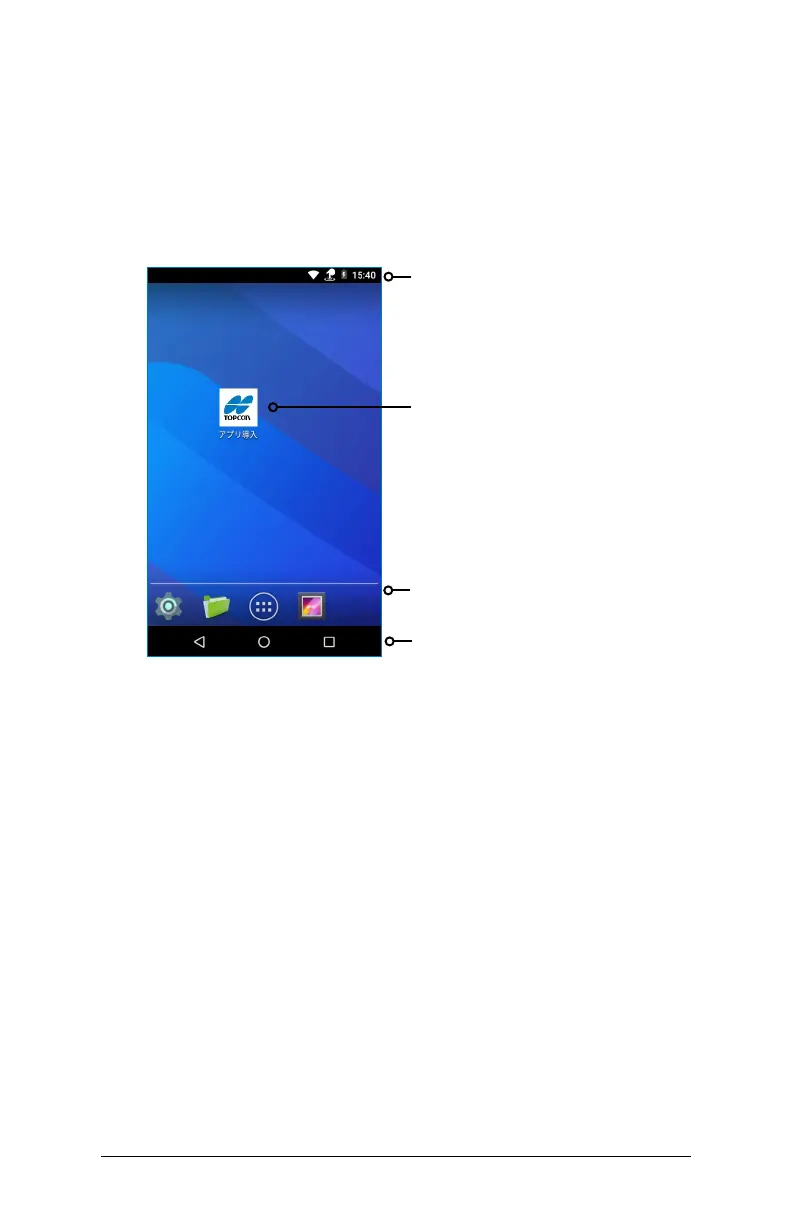
The Home screen consists of the following elements:
Touchscreen Touch Control Setting
To adjust the Touchscreen Control setting, go to Settings > Touch
Control. Select the profile you want the screen optimized for: Finger,
Stylus, or Wet.
Note: When using the FC‑600 in wet conditions, you must use
your finger or the blunt tipped stylus that is included. A hard‑tipped
stylus will not work. Other third party styli might work with the
FC‑600 touch profiles.
Status Bar and Icons
Web Link for Downloading Apps
Favorites Tray
Navigation Bar



 To Next Page