16 FC-600 Field Computer Owner’s Manual
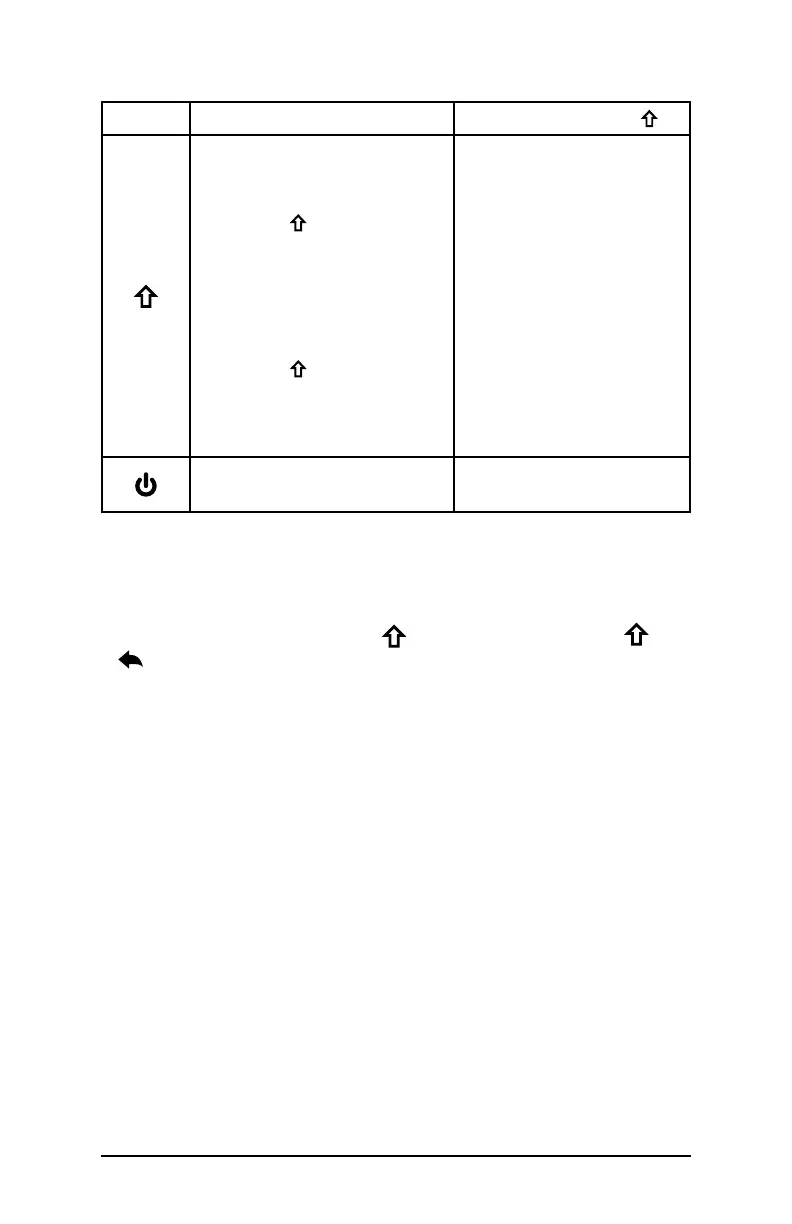
Button Press and Release
Shift Function
Shift (Function)
Use specific shift
function: Press and
release first, then press
and release the button
with the desired shift
function.
Turn shift function on
for all keys: Press and
release twice. To
turn shift o, press and
release again.
See green LED description
See description of the
specific buttons
Power
Restart
None
The following functions are only available via programmable keys:
Volume Control
Control the volume on the FC-600 using the programmable keys.
The default volume keys are P8 ( + P4) for volume up and
+ for volume down. The keys can be customized according to
what is most comfortable for you by going to Settings > Keypad.
Screenshots
Taking screenshots on the FC-600 is enabled via the programmable
key\s. There is no default key for taking screenshots. To enable this
function:
1. Go to Settings > Keypad.
2. Select a key you would like to program to take screenshots
(P1–P8).
3. Scroll up and select Screenshot.



 To Next Page