EasyManua.ls Logo

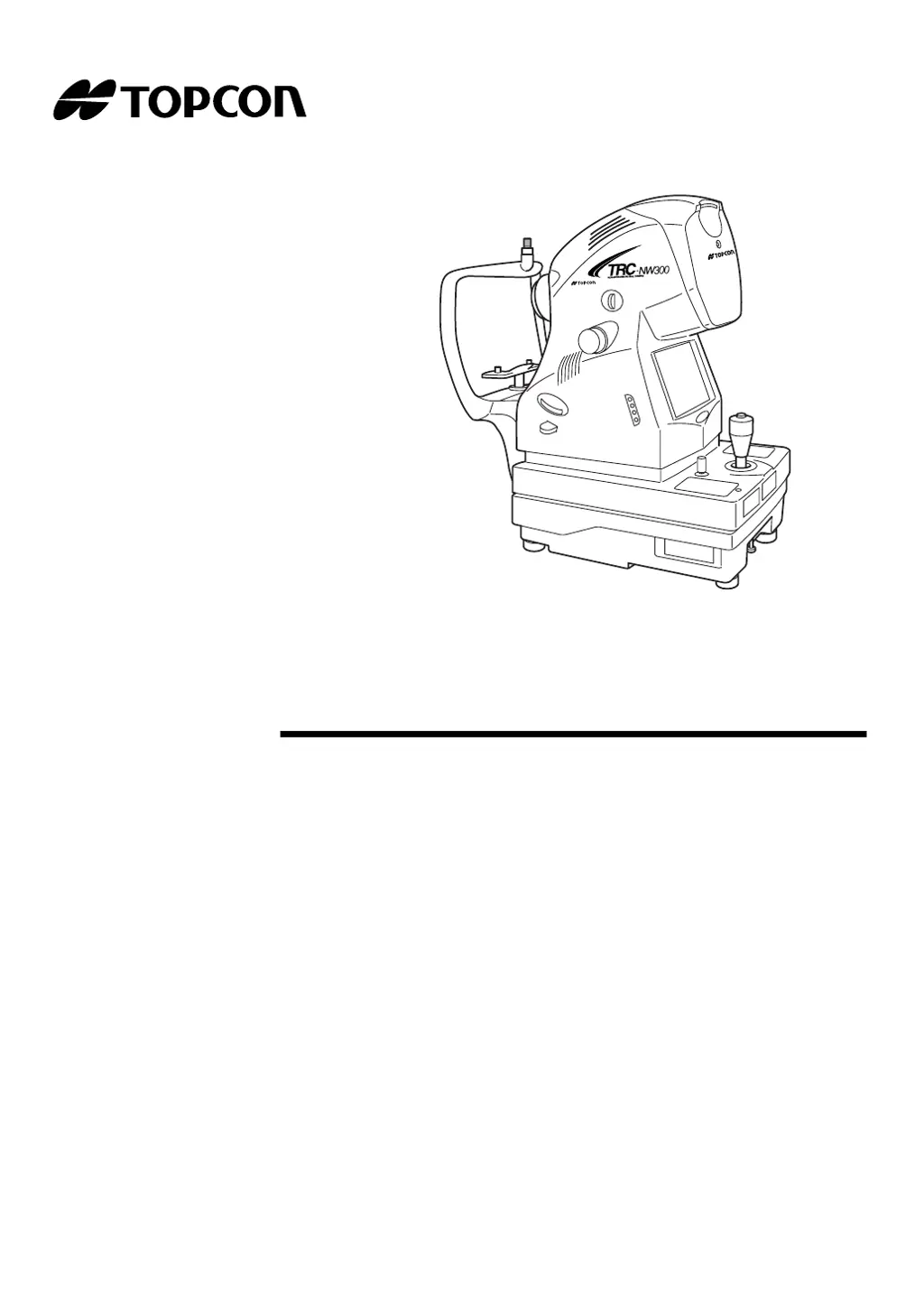
Topcon TRC-NW300 - User Manual

Topcon TRC-NW300
88 pages
Print Icon
To Next Page IconTo Next Page
Loading...
INSTRUCTION MANUAL
NON-MYDRIATIC RETINAL CAMERA
TRC-NW300

Table of Contents

Questions and Answers

  • A
    Anthony LinSep 8, 2025
    Why doesn't the "AUTO" function work on my Topcon Laboratory Equipment?
    • G
      George GardnerSep 8, 2025
      If the "AUTO" function does not work on the Topcon Laboratory Equipment, it may be because the diopter compensation lens is not inserted, or the external fixation target is set. Set the diopter compensation lens selector to "0" or set the internal fixation target.
  • A
    ashleesantosSep 10, 2025
    Why won't the illumination lamp turn on in my Topcon TRC-NW300 Laboratory Equipment?
    • R
      regina57Sep 10, 2025
      If the illumination lamp does not turn on in the Topcon Laboratory Equipment, it could be due to the power save function being on, a loose lamp terminal, a blown fuse, or a burned-out lamp. Press the Photography switch to cancel the power save function, refasten the lamp terminal, change the fuse, or change the lamp.
  • A
    Amy PerezSep 12, 2025
    Why can't I see the internal fixation target on my Topcon TRC-NW300?
    • J
      Janice CruzSep 12, 2025
      If the internal fixation target cannot be seen on the Topcon Laboratory Equipment, it could be due to incorrect centering, setting to external fixation target, or a blown fuse. Adjust centering, reset to internal fixation target, or change the fuse.
  • E
    elizabeth23Sep 13, 2025
    Why is the xenon lamp not turning on in my Topcon TRC-NW300?
    • A
      Alicia FrazierSep 14, 2025
      If the xenon lamp does not turn on in the Topcon Laboratory Equipment, it could be due to the power save function being on, the xenon lamp having reached its end of life, or an anomaly in the external recording device. Press the Photography switch to cancel the power save function, change the xenon lamp, or check the power supply, settings, and paper of the external recording device.
  • C
    Christine EstradaSep 15, 2025
    What to do if Topcon TRC-NW300 cannot get patient's pupil center?
    • G
      Gregory SmithSep 15, 2025
      If the Topcon Laboratory Equipment cannot get the patient's pupil center, ensure the patient's chin and forehead are correctly positioned on the forehead rest and chinrest, and that the patient is not facing sideways. Also, adjust the face height with the chinrest switch if the patient's face height is incorrect.
  • S
    Stephanie FuentesSep 18, 2025
    Why is nothing being recorded in the external recording device connected to my Topcon TRC-NW300?
    • B
      Brian StoneSep 18, 2025
      If nothing is recorded in the external recording device connected to the Topcon Laboratory Equipment, it could be due to an anomaly in the external recording device or incorrect cable connections. Check the power supply, settings, and paper of the external recording device, and verify and correct the cable connections.

Summary

Introduction, Safety & Nomenclature

Introduction to the Retinal Camera

Overview of the TRC-NW300, its purpose, and key features.

Safety Cautions and Warnings

Comprehensive list of warnings and precautions for safe operation and handling.

Instrument Component Identification

Identifies and labels the main parts and units of the instrument.

Operations & Procedures

Preparations and Initial Setup

Steps for assembling, connecting, and configuring the instrument before use.

Basic Operations and Photography

Explains the general flow and fundamental procedures for operating the camera.

Objective Operations and Special Photography

Details specific photography types and advanced operational modes.

Image Playback and Management

How to view, print, delete, and protect captured images.

Maintenance, Troubleshooting & Specifications

Troubleshooting Common Errors

Lists error messages and provides solutions for common operational issues.

Daily Checkups and Maintenance

Routine maintenance tasks and care instructions for optimal performance.

Technical Specifications

Detailed technical data, dimensions, and performance characteristics.

Electromagnetic Compatibility (EMC) Information

EMC standards, emissions, and immunity guidance for the instrument.

Optical Radiation Hazard Information

Information on light sources, photochemical hazards, and safety measures.

Topcon TRC-NW300 Specifications

General IconGeneral
TypeNon-Mydriatic Retinal Camera
Flash SystemLED
ConnectivityUSB, Ethernet
Power SupplyAC 100-240V, 50/60Hz
Field of View45°
DisplayLCD

Related product manuals