Rev. C, 06/07
13
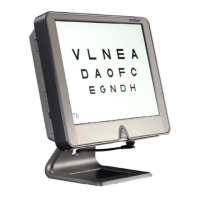
Using the VisiChart
VisiChart is controlled with the remote control. The chart below provides information on
each function
Button Function
ALT Provides access to lesser used functions
HOTV HOTV Chart
W4D Worth 4 Dot Test
Dot Fixation Dot
LTR Snellen Letter Chart
NUM Number Chart
E Tumbling E Chart
PIC Allen Pictures Chart
Round L & R Randomize the current chart
Round U & D Increase/Decrease chart size
RG Red/Green Duochrome Chart
CYC Randomize the chart every four seconds
MISC Custom Chart Sequence
HLINE Horizontal Line
VLINE Vertical Line descending in size
3LINE Three lines of same size
ETDRS ETDRS Charts
SGL Single Optotype
BLACK Black Screen
Up/Down Increase/Decrease Chart Size
Arrow Add a pointer to the Horizontal or Vertical Line – use up/down to move
400 – 10 Directly set the top line of the chart or the horizontal line to be that size
NOTE: For ALT functions, the ALT key should be pressed and released.
ALT - MISC Astigmatic Dials and Fixation Disparity
ALT - BLACK Exit VisiChart
ALT - W4D Toggle the Corner Size Indicator
ALT - HLINE Reverse the chart for white optotypes on black screen
ALT - RG Contrast Line – Use Up/Down to increase/decrease contrast percentage
ALT - HOTV Fixation Animation


 To Next Page