22
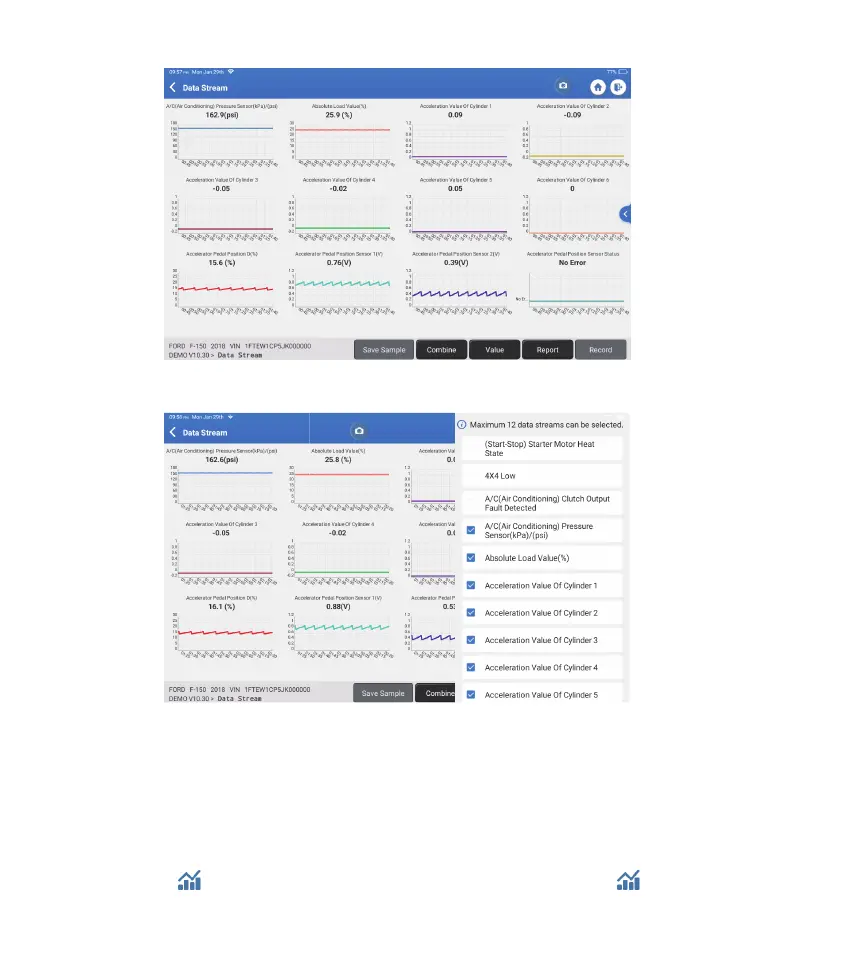
Tap “<“ on the right side of the screen. The following page will appear:
You can select specific data stream options to be viewed on the left.
Note: A maximum of 12 data streams can be displayed in this module.
Tap “Value” to view the data displayed in values.
Tap “Combine” to merge graphs for easier comparisons (A maximum of 4
values can be merged).
•
Report: To save the current data stream.
•
Record: To record the diagnostic data for further analysis.
•
: To view single data steam displayed in waveform. Tap “ ”.
The following page will appear:











 To Next Page