6
NO. Name Descriptions
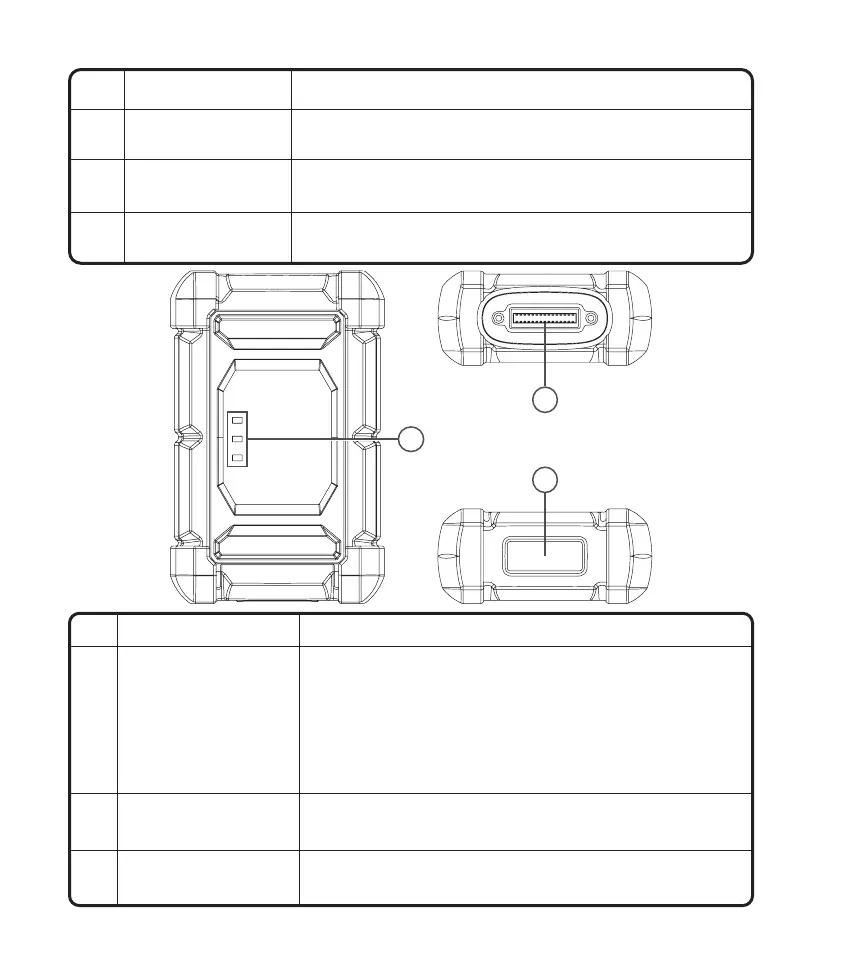
1 Indicator light
Three LED indicators are provided on each side, and the
prompts are as follows:
•
Power: Red light indicates power on.
•
Vehicle: Green flashing means communicating with the
vehicle
.
•
I/O: Purple solid light means the USB is connected to the
host.
2 DB30 diagnostic port
Plug for the diagnostic cable whose OBD 16-pin connector is
linked to the DLC of the vehicle.
3 Type-C port
Type-C port is designed for stable communication while ECU
Programming or IMMO Key Programming.
2
1
3
Remove and install added modules on the backend.
Used for communication between the function
module and the tablet.
Keep the tablet standing on a surface or hang the
tablet on the steering wheel.
Secure the tablet from shock and accidental dropping.
8
Backplane
Pin
Adjustable Stand
Rubber Corner
Protections
9
10
7











 To Next Page