EasyManua.ls Logo

Topeak Alien Series - User Manual

Topeak Alien Series
4 pages
Print Icon
To Next Page IconTo Next Page
Loading...
user's Guide for Alien seyies tool
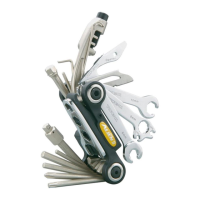
Alien" The ultimate tool for road
and mountain biking
Alien XT
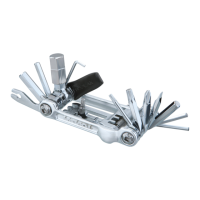
Alien XS
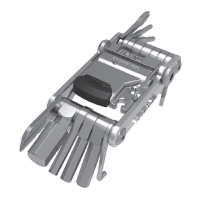
Alien RX
Congratulations on your purchase of the
Topeak Alien" series tool. The first two piece design
mini tool serving the needs of both the
dedicated road and mountain cyclist.
The Alien series tools fold neatly for easy carrying.
Each tool is designed for
maximum durability and st'rength for years of use.
This guide will instruct you in the proper usage
of your Alien" series tool.
Please read the instructions and warning sections
carefully in order to use the Alien" series tool.
Separating the Alien'M series tool
•Alien DX and Alien
1. [lip safety lock into the open position
2. Hold the flattool section in one hand while depressing the
locking button with your thumb.
Slide Allen tool section off with your other hand.
3. Reassemble, reverse above procedure.
•Alien XT, Alien RX, and Alien XS
Simply press on the tab shown and slide the A section out.
ALike other tools, the knife blade on the Alien" series
tool have points or sharp cutting edges.
Be extremely careful not to cut yourself when
WARNING OPening, closing or using your Alien" series tool.
Using the T25 Torx Bit
Tighten disc brake rotor fixing bolts by T25 Torx Bit.
-==__ -±
4mmAllenKey =
iiiiiiiiil fiiiE
Using Locking Device on A section
The locking device has Two (2) main functions. Depressing the
lever allows tools to be unfolded and locked for use and unlocked
folded for storage. It also has a special function for
locking the knife into the closed position for added safety.
AThe A section contains a knife very sharp.
Please extremely cautious when use it.
It must be fully locked into position during use.
wARNINc Failure to lock knife during use can cause the tool
to fold closed, which can result in serious injury.
Using the 5mm and smm Allen Key
These two tools are combined.
Simply slide down the smm Allen
head to use the 5mm Allen key.
Slide up to use the smm Allen key.
Question and Answer IconNeed help?

Do you have a question about the Topeak Alien Series and is the answer not in the manual?

Summary

Users Guide for Alien Series Tool

Separating the Alien Series Tool

Instructions for disassembling Alien DX, Alien, Alien XT, Alien RX, and Alien XS tools.

Using Locking Device on A Section

Explanation of the locking device functions for tool deployment and knife safety.

Using the T25 Torx Bit

Guidance on using the T25 Torx bit for tightening disc brake rotor fixing bolts.

Using the 5 mm and 8 mm Allen Key

Instructions on how to use the combined 5mm and 8mm Allen keys.

Using Pedal Wrench

Mini Pedal Wrench Usage

Instructions for using the mini pedal wrench, including extension lever setup.

Tool Maintenance

Adjusting Folding Resistance

How to adjust the folding resistance of tool sections using various tools.

Optional Chain Tool Usage

Alien XS Chain Tool

Details on using the chain tool with the Alien XS, including handle and 5mm Allen key.

Alien DX and Alien Chain Tool

Instructions for accessing and using the tire lever on Alien DX and Alien models.

Alien Series Tool Overview

23-Function Folding Tool

Description of the Alien's 23 functions, including Torx T25 and 8mm open wrench.

Included Tools

List of included tools such as Allen wrenches, box wrenches, screwdrivers, and spoke wrenches.

Alien Tool Components

Tool Identification

Numbered list identifying each component of the Alien tool from 1 to 25.

Built-in Compartment

Information about the built-in compartment for storing the Torx T25 bit.

Summary

Users Guide for Alien Series Tool

Separating the Alien Series Tool

Instructions for disassembling Alien DX, Alien, Alien XT, Alien RX, and Alien XS tools.

Using Locking Device on A Section

Explanation of the locking device functions for tool deployment and knife safety.

Using the T25 Torx Bit

Guidance on using the T25 Torx bit for tightening disc brake rotor fixing bolts.

Using the 5 mm and 8 mm Allen Key

Instructions on how to use the combined 5mm and 8mm Allen keys.

Using Pedal Wrench

Mini Pedal Wrench Usage

Instructions for using the mini pedal wrench, including extension lever setup.

Tool Maintenance

Adjusting Folding Resistance

How to adjust the folding resistance of tool sections using various tools.

Optional Chain Tool Usage

Alien XS Chain Tool

Details on using the chain tool with the Alien XS, including handle and 5mm Allen key.

Alien DX and Alien Chain Tool

Instructions for accessing and using the tire lever on Alien DX and Alien models.

Alien Series Tool Overview

23-Function Folding Tool

Description of the Alien's 23 functions, including Torx T25 and 8mm open wrench.

Included Tools

List of included tools such as Allen wrenches, box wrenches, screwdrivers, and spoke wrenches.

Alien Tool Components

Tool Identification

Numbered list identifying each component of the Alien tool from 1 to 25.

Built-in Compartment

Information about the built-in compartment for storing the Torx T25 bit.

Topeak Alien Series Specifications

General IconGeneral
Torx WrenchT25
Allen Wrenches2, 2.5, 3, 4, 5, 6, 8, 10 mm
ScrewdriversPhillips
ColorSilver
Chain ToolYes

Related product manuals