User Manual of MT06
-
12
-
Note: Red box means the vehicle Online;
Yellow box means the vehicle offline;
Green box means the vehicle running.
② Vehicle Information Management
Centralized management of all vehicles in the platform, the “Kind, IMEI ID, Plate No.” are
mandatory terms, and the IMEI ID must be consistent with the tracker ID.
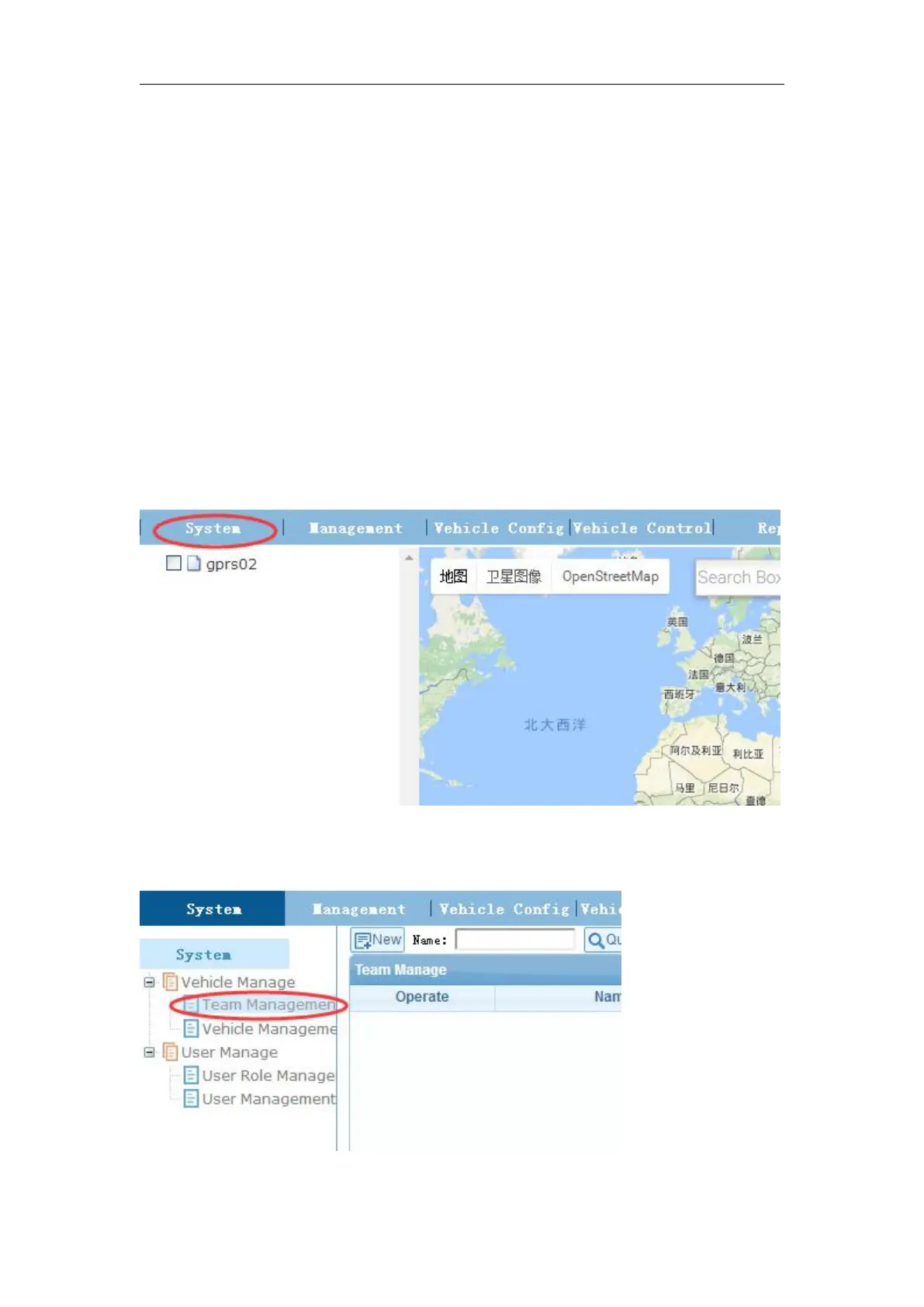
Set up a new team and new vehicle information. For example,
Add a new team
1) Login in with Manage chosen.
3) Click Team Management under Vehicle Manage.



 To Next Page