User Manual of MT06
-
5
-
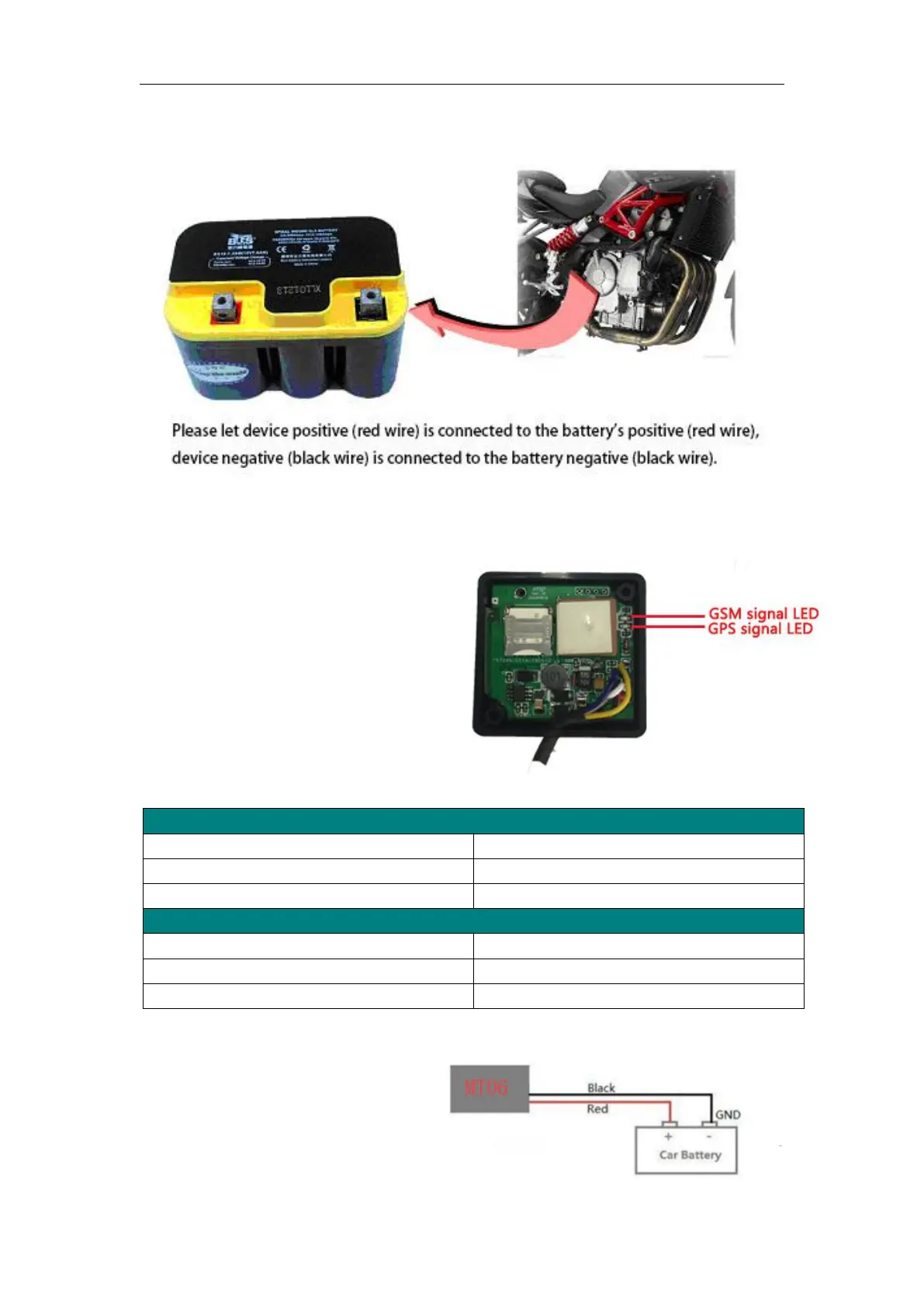
5.3 LED indications
Push the power switch to turn on/off battery
(battery is optional accessories)
5.4 Power/GND
Connect GND (Black) and power
(Red) wires to the battery of vehicle.
Flashing (every 0.1 second)
Initializing or back-up battery power is low
Flashing (0.1 second on and 2.9 seconds off)
Flashing (1 second on and 2 seconds off)
Flashing (every 0.1 second)
Flashing (0.1 second on and 2.9 seconds off)
Device is connected to the GSM network
Flashing (1 second on and 2 seconds off)
Device is not connected to the GSM network



 To Next Page