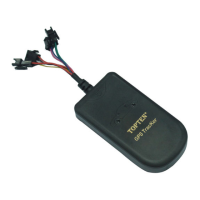
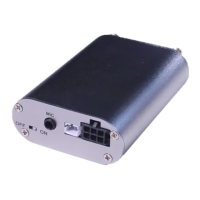
MT05S GPS Motorcycle/Vehicle Tracker User Manual
Page
Check the Vehicle’s Status
SMS command: 111111CHK (or 111111chk)
This instruction is used to inquiry the vehicle’s location & system’s status.
The system will send back the SMS, includes the similar information, such
as “Armed……”
Arm/Disarm the System by SMS
SMS command: 111111ARM (or 111111arm)
This SMS instruction is used to arm the system
When the system is armed, the movement alert is activated automatically.
When the motorcycle/car moves, the alarm will be triggered.
SMS command: 111111DSM (or 111111dsm)
This command is used to disarm the system & stop sending alert SMS.
Check the location by Google Map’s URL
SMS command: 111111MAP (or 111111map)
Upon receiving the SMS command, the tracker will automatically send back
the SMS including the Google map’s URL, user can use smart phone (GPRS
data service is enabled) to open the URL link, the car’s location will be showed
on the Google map.
User can also use the 2nd alarm-received phone to call the tracker; the
tracker will send back the same content with Google link.
Stop the Car by SMS
SMS command: 111111STP (or 111111stp)
This instruction is used to stop the motorcycle/car safely. If the car speed is
higher than 30Km/h, it will not carry out until the speed is lower than 30Km/h.
Restore the Stopped Car to Normal Status
SMS command: 111111RES (or 111111res)


 To Next Page