22” LCD Color Monitor Topview A2281Wd+
9
Main Menu
Item
Main
Menu
Icon
Sub Menu Item
Sub Menu
Icon
Description
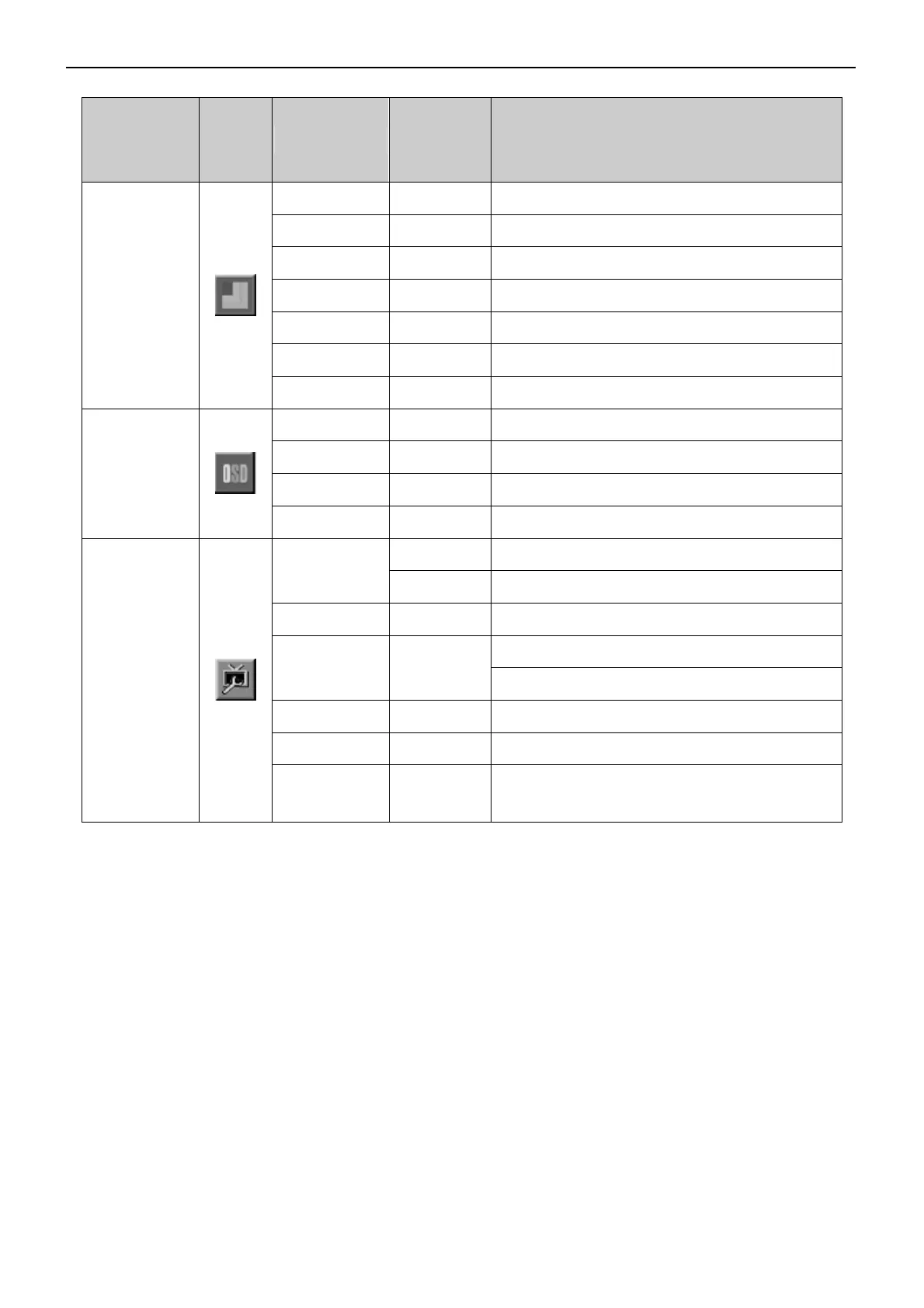
Frame Size Adjust Frame Size
Brightness Adjust Frame Brightness
Contrast Adjust Frame Contrast
Hue Adjust Frame Hue
Saturation Adjust Frame Saturation
Position Adjust Frame Position
Picture Boost
Bright Frame on or off Disable or Enable Bright Frame
H. Position Adjust the horizontal position of OSD
V. Position Adjust the vertical position of OSD
Timeout Adjust the OSD Timeout
OSD Setup
Language Select the OSD language
Digital Select Digital Signal Source as Input
Input Select
Analog Select Analog Signal Source as Input
Auto Config Auto adjust the picture to default
Select full format for display
Aspect Control
Select 4:3 format for display
Reset Reset the menu to default
DDC/CI Turn ON/OFF DDC/CI Support
Extra
Information
Show the information of the main image and
sub-image source


 To Next Page