EasyManua.ls Logo

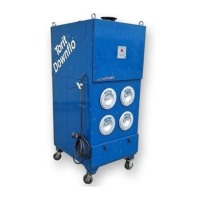
Torit Downflo SDF-6 - User Manual

Default Icon
54 pages
Print Icon
To Next Page IconTo Next Page
Loading...
Donaldson Company, Inc. © 1995
1
Torit
®
Installation
and Operation Manual
FOR TORIT FILTER CARTRIDGE SYSTEM DUST COLLECTORS
Torit Downflo
®
Models SDF–2, SDF–4, SDF–6
Includes Installation, Operation, and Service Instructions
IOM-46740-00
Revision 5
WITH QUICK-CHANGE
ULTRA-WEB
®
II
FIBRA-WEB
®
ULTRA-TEK
®
FILTER ELEMENTS
This manual contains specific precautionary statements relative to worker
safety in appropriate sections. Read this manual thoroughly and comply as
directed. It is impossible to list all of the potential hazards of dust control
equipment. It is imperative that use of the equipment be discussed with a Torit
representative. Personnel involved with the equipment or systems should be
instructed to conduct themselves in a safe manner.
IMPORTANT

Table of Contents

Question and Answer IconNeed help?

Do you have a question about the Torit Downflo SDF-6 and is the answer not in the manual?

Summary

1.0 Introduction

1.1 Operational Explanation

Explains how the dust collector operates during normal use and filter cleaning.

2.0 Installation

2.1 Inspection

Verifies the collector for damage upon arrival.

2.2 Ship Loose Items

Lists items shipped separately with the dust collector for assembly.

2.3 Equipment;Tools Required

Lists necessary tools and equipment for assembling the dust collector unit.

2.4 Assembly of Standard Equipment

Provides guidance for unloading and assembling the standard dust collector unit.

2.5 Assembly of Optional Equipment

Details assembly steps for various optional equipment packages for the dust collector.

2.6 Electrical Installation

2.6.1 Electrical Operation

Overview of how the Downflo SDF functions are controlled via the Checker board.

2.6.2 Checker Board Diagnostics and Control Panel Specifications

Specifications and information for the Checker Board diagnostic and control panel.

2.6.3 Solid-State Timer Specifications

Details on the solid-state timer, its components, and operating parameters.

2.6.4 Magnehelic Gage

Magnehelic Gage Operation

Instructions for installing and maintaining the optional Magnehelic pressure gage.

2.6.5 Torit AP Control

AP Control Display and Settings

Overview of the AP Control display interface and setting adjustments.

2.6.6 Photohelic Gage

Photohelic Gage Wiring

Diagram and instructions for wiring the Photohelic gage.

2.7 Compressed Air Supply Installation

2.7.1 Air Manifold Assembly

Details the components and assembly of the air manifold.

4.0 Start-up

Startup Procedure

Steps to follow for turning on the compressed air supply and blower motor.

5.0 Operating Adjustments

Checker Board and Timer Adjustments

Adjustments for Checker board and solid-state timer for optimal cleaning.

5.3 AP Control Calibration and 5.4 Outlet Damper Adjustment

AP Control Calibration

Recalibrating the zero point of the AP Control display.

Outlet Damper Adjustment

Adjusting the outlet damper for desired system airflow.

5.5 Operating Checks

Procedures for monitoring exhaust, filter pressure drop, and blower motor amperage.

6.0 Service

6.1 Filter Element Removal

Step-by-step instructions for removing filter elements.

6.2 Filter Element Installation

Instructions for installing new Torit-Built filter elements.

6.3 Bag-Out Filter Element Removal

Procedure for removing filters without exposing them to the atmosphere.

6.4 Dust Removal; Dust Container

Dust Removal and Container Management

Guidance on emptying the dust storage container and preventing overfill.

6.4.1 Hopper Model Dust Removal

Hopper Model Dust Container

Specific instructions for dust removal from the hopper model.

6.5 Compressed Air Components

Compressed Air Component Checks

Periodic checks for compressed air filter/dryer components and manifold.

6.6 Electrical Service

Electrical Component Assembly

Description of the prewired electrical compartment with Checker board.

7.0 Troubleshooting Guide

Blower Motor Troubleshooting

Steps for blower motor not starting or not running continuously.

Troubleshooting - Airflow and Dust

Dust Discharge and Insufficient Airflow

Diagnosing dust in clean air and insufficient airflow problems.

Troubleshooting - Airflow Continued

Airflow and Pulse Valve Issues

Troubleshooting airflow issues, plugged elements, and pulse valve problems.

Troubleshooting - Pulse Valves and Timer

Pulse Valve and Timer Board Faults

Diagnosing and fixing pulse valve and timer board malfunctions.

Troubleshooting - Control System

AP Control Display and Operation Issues

Troubleshooting AP Control display errors and operational faults.

Troubleshooting - Control Logic

Pulse Cleaning and Alarm Troubleshooting

Resolving issues with pulse cleaning and alarm conditions, plus arrow key operation.

Troubleshooting - Final Checks

Cleaning Light and Solenoid Valve Issues

Diagnosing why the CLEANING light is on but no pulse cleaning occurs.

Warranty Information

Parts and Service Program

Contact information for genuine TORIT-BUILT replacement filters and parts.

Torit Downflo SDF-6 Specifications

General IconGeneral
BrandTorit
ModelDownflo SDF-6
CategoryDust Collector
LanguageEnglish

Related product manuals