PURPOSE
IMPORTANT! Please read this section before you begin installing your Automatic Tool Changer (ATC).
l
Power Drawbar Install the Power Drawbar on your machine before installing the ATC. If you have a
Power Drawbar button, don't install it: the button's functionality is replaced by the ATC.
l
PathPilot You must update your controller to the latest version of PathPilot before installing and
operating the ATC. If you don't, there's a risk that the ATC could become inoperable. Follow the
instructions detailed in "Before You Begin" (on the next page).
PURPOSE
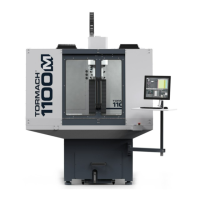
This document gives instructions on installing and using an Automatic Tool Changer (ATC)for 1100M.
PRODUCT INFORMATION
Product: Automatic Tool Changer (ATC)for 1100M (PN38400)
The Automatic Tool Changer (ATC) holds up to 12 tools in a single tray. If your program requires more tools, the
ATC changes tools automatically for all tools assigned to the tray, and pauses for a manual tool change for all tools
not assigned to the tray.
Quantity Description
1 ATCAssembly
3 ATCFixed Standoff Assembly (PN38492)
10 Plastic Screw (PN32173)
1 ATCTilt Adjust Eccentric Standoff Assembly (PN 38493)
Note: If any items are missing, we can help. Create a support ticket with Tormach Technical Support at
tormach.com/how-to-submit-a-support-ticket for guidance on how to proceed.
Page 2
©Tormach® 2024
Specifications subject to change without notice.
tormach.com
TD10426: Owner's Guide: 1100M Automatic Tool Changer (0224A)


 To Next Page