English 11
Zone.Press OK button to select.
Timers
Press up/down button to select Timers.
Press OK button to enter sub-menu.
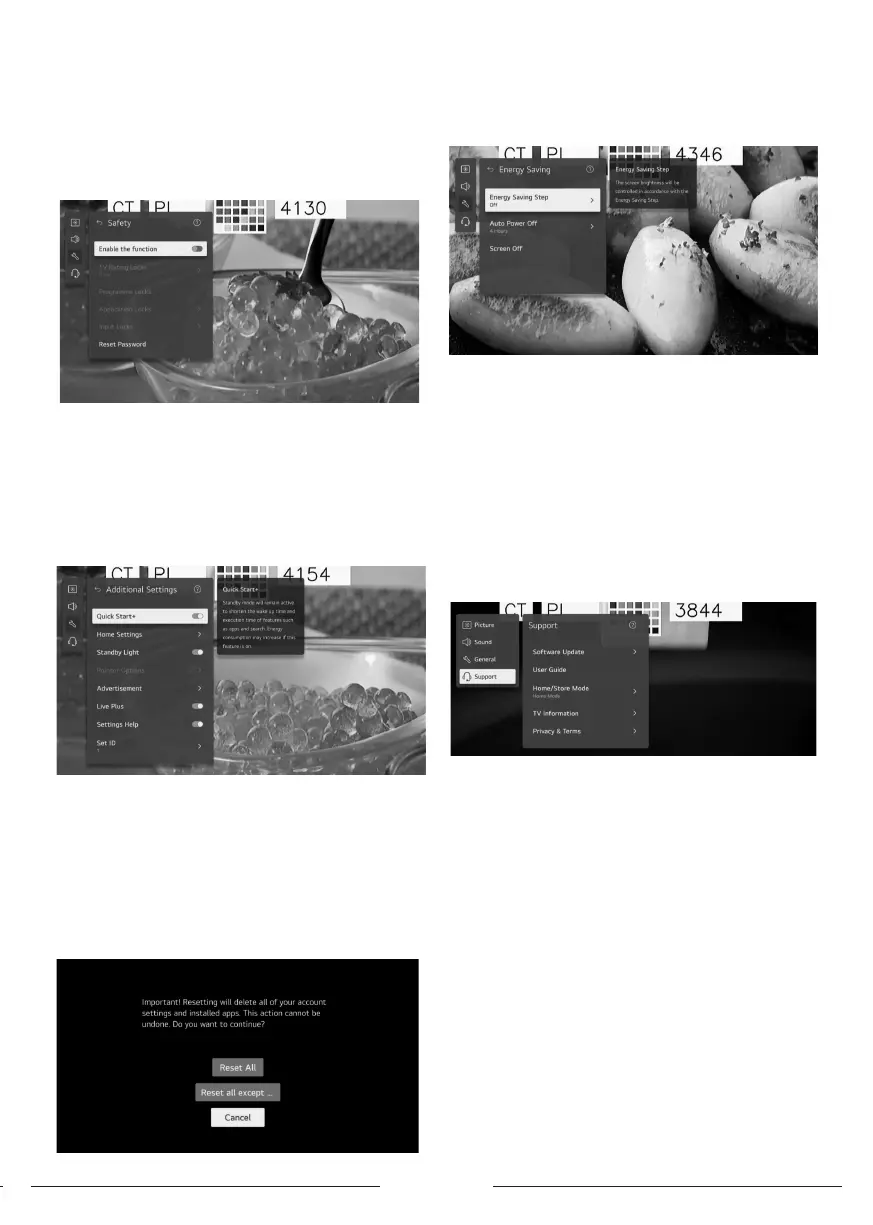
Safety
Press up/down button to select Safety.
Press OK button to enter sub-menu.
All the Options are available only when the Safety select
On.
The initial password is set as “0000”.
Press up/down button to select the option then press OK
button to setup.
Additional Settings
Press up/down button to select Additional Settings.
Press OK button to enter sub-menu.
Reset to Initial Settings
Press up/down button to select Reset to Initial Settings.
Press OK button to enter sub-menu.
Return TV to its initial settings. This will revert all settings
to their default values.
After reset, the TV will automatically turn o and on.
Note:If Safety is set to On, you should type the password
to Reset to Initial Settings.
Energy Saving
Reduces power consumption by adjuing screen
brightness.
Press up/down button to select Energy Saving Step/ Auto
Power O/ Screen O.
. Energy Saving Step
Press up/down button to Energy Saving Step.
Press OK button to enter sub-menu.
(Optional: O/ Minimum/ Medium/ Maximum)
. Auto Power O
Press up/down button to select Auto Power O.
Press OK button to enter sub-menu.
(Optional: O/ 2 Hours/ 4 Hours/ 6 Hours/ 8 Hours)
4- Support
Highlight the item and press OK button to enter the sub-
menu.
Press up/down button to select Support.
. Software Update
Uses software update to check and obtain the late
version.
Press up/down button to select Software Update.Press OK
button to enter sub-menu.
Then press up/down button to select and setup.
. User Guide
Press up/down button to select User Guide.Press OK
button to enter sub-menu.
Then press up/down button to select and setup.
. Home/Store Mode
Press up/down button to select Home/Store Mode.
Press OK button to enter sub-menu.
Then press up/down button to select and setup.
. TV Information
Press up/down button to select TV Information.
. Privacy & Terms
Press up/down button to select Privacy & Terms.
Press OK button to enter sub-menu.
Then press up/down button to select and setup.
Media
Connect a USB orage device (USB HDD, USB ick) to



 To Next Page