English 12
the USB port on the TV to enjoy the content les ored on
the USB orage device on your TV.
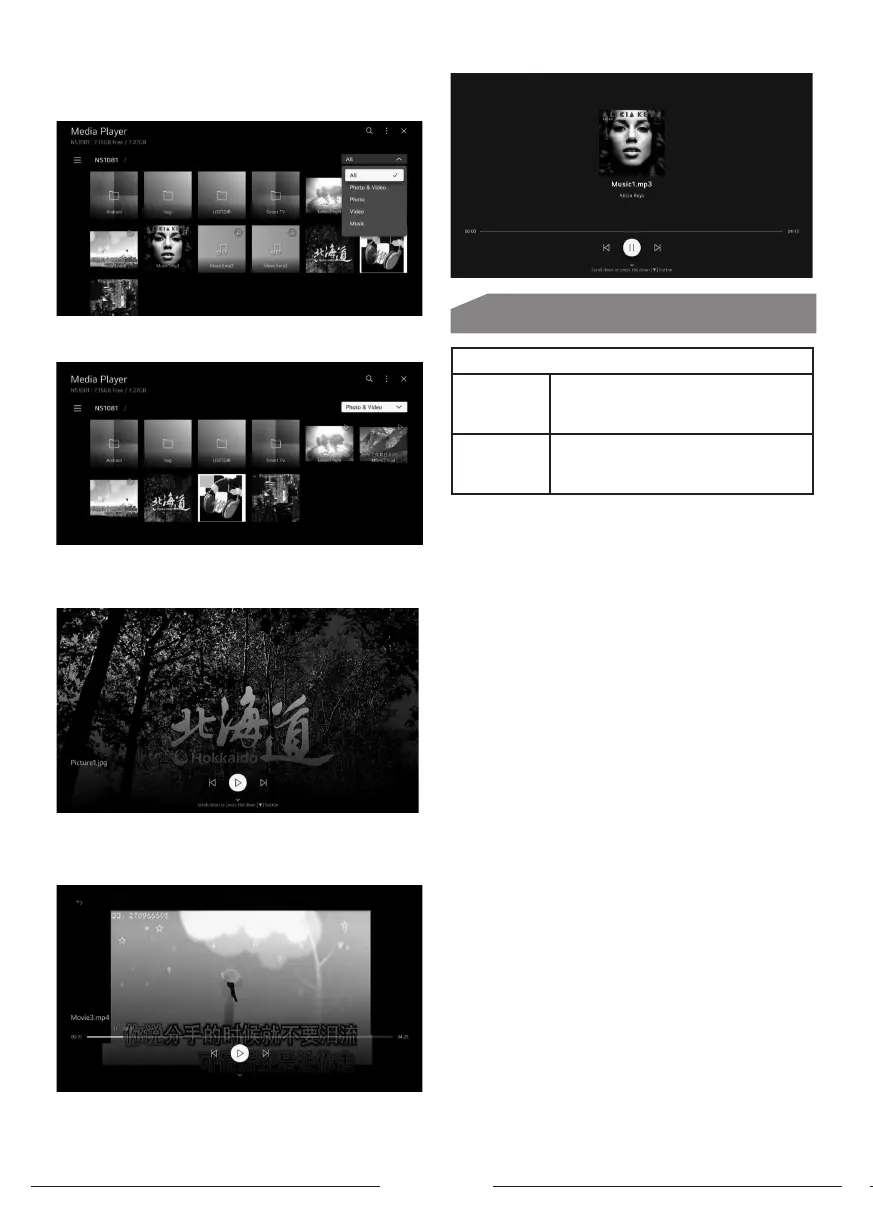
Press up/down button on to select Photo & Video/Photo/
Video/Music.
. Photo and Video
You can view photos and videos using the Photo & Video app.
. Photo
Selecting a photo in the Photo & Video app runs the photo
player. You can view your saved photos.
. Video
Selecting a video in the Photo & Video app runs the video
player. You can view your saved videos.
. Music
You can play music conveniently by selecting the music
les saved in the Music app or by selecting the music
player icon during content playback in apps such as Photo
& Video.
Other Information
Media Format
Video Codec
Xvid except GMC, H.264/AVC, Motion
Jpeg, MPEG4, HEVC, AV1, MPEG-2,
VP8, VP9, MPEG-1
Audio Codec
MPEG-1, MP3, Dolby digital, LPCM,
ADPCM, Dolpy digital plus, AAC, Dolby
AC-4, AMR-NB, AMR-WB, PCM
Attention and Frequently Asked Queions
Attention:
1. Some non-andard mobile orage device may not be
recognized. Please change to use the andard device.
Note: For coding les, there are many kinds nonandard
coding method, so this syem cannot be guaranteed to
support the le formats using any coding method.
Frequently Asked Queions:
1. Under the following conditions, this syem can’t Decode
the le and the le can’t be play normally:
- The parameters of le, such as the pixel of picture,
Code rate of audio and video le or sampling rate of Audio
le exceed the limit of the syem.
- The format of le isn’t matched or the le is harmed.
2.Hot plug: Don’t disconnection when the syem is
Reading or transmitting data to avoid damaging The
syem or the device.
3. Pay attention to the power supply of the device When
you are using a mobile hard disk or a digital Camera. If the
power supply isn’t sucient or
Not able, you may encounter problems during Operating
or can’t operate at all. In this case, Please reart the
device or unplug the device and Plug it again and ensure
that its power supply is Normal.
4. The syem supports andard USB1.1 and USB2.0
Devices such as andard USB disks, MP3 players, Mobile
hard disks and etc.
5. For obtaining better audio and video quality, Sugges
to use the external device which accords With USB2.0
andard.
6. When playing the video with high compression ratio,
These phenomenons such as picture andill and Menu
long time response are normal.
7. For some USB device with power supply such as Large
size hard disk, MP4 and etc., sugges using it With power
to avoid electric power shortage.



 To Next Page