English 4
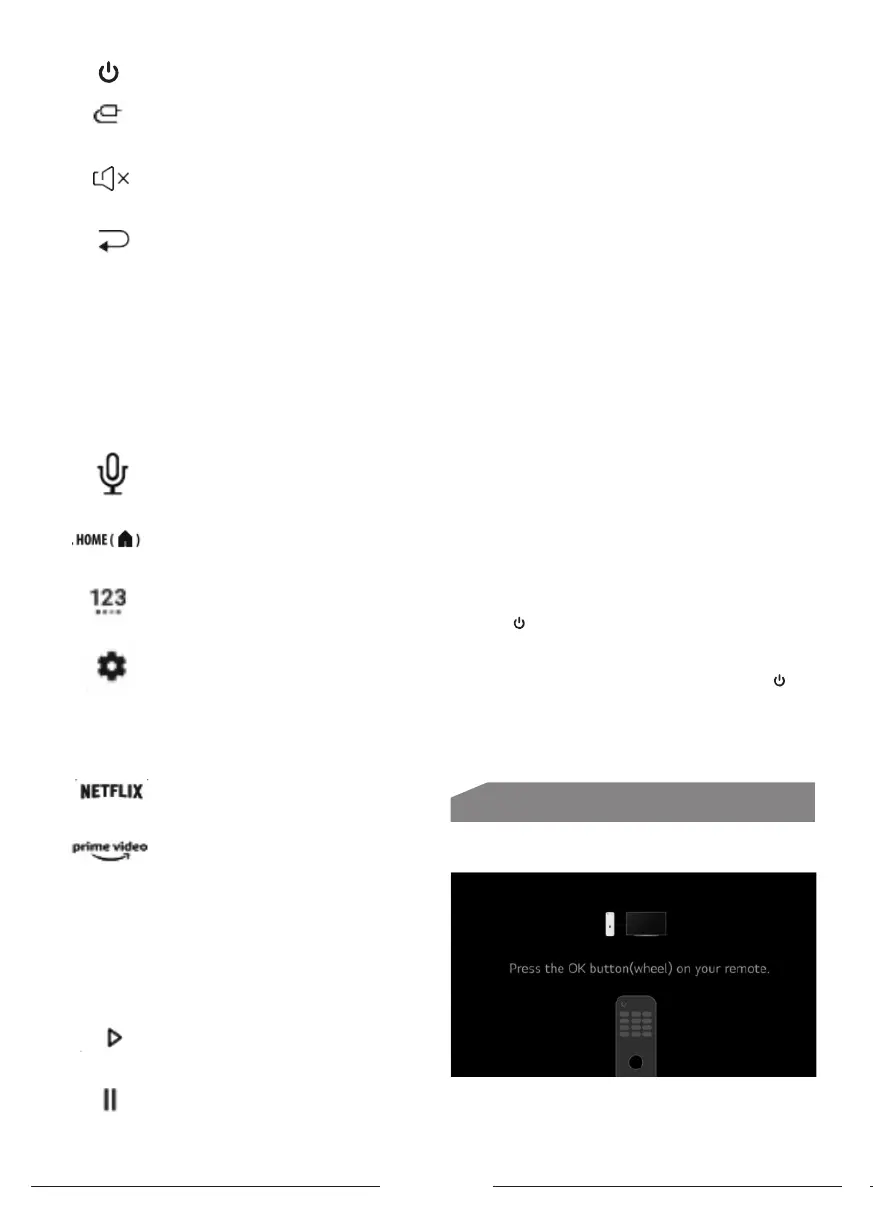
(POWER) Turn on/andby apparatus.
Change input source.
Mute sound.
Return to previous channel under ATV/DTV
source
To change channels under ATV/DTV Source.
CH ˄/˅
Adju the sound Volume.
VOL+/-
Access DTV or access the electronic
program guide in DTV Mode.
Guide
Long press this button to art receiving your
voice command, after your speaking release
this button to run voice function
Access the home screen.
To display more actions menu that contain
(keyboard with only Live TV input) and other
settings.
To display the dashboard settings
Navigate the menu to select the content
you need.
Navigation
buttons (Left/
Right/Up/Down)
To Access Netix App.
To Access Prime video App.
To display All Apps.
Apps
For displaying Search engine to art
searchingabout movies.
Movies
To play video/audio in usb and apps.
To pause video / audio in usb and apps
Switching On
Follow the inructions on this page on how to switch on
your apparatus and the remote control before going on to
following pages describing how to use the channel set-up
procedure.
1. Insert two AAA batteries in the remote control.
Precautions on using batteries:
- Only use the battery types specied.
- Make sure you use the correct polarity.
- Do not mix new and used batteries.
- Do not use rechargeable batteries.
- Do not expose batteries to excessive heat such as
sunshine, re or the like, throw them in a re, recharge
them or try to open them as this could cause them to leak
or explode.
- Remove the batteries from the remote control if you are
not using it for a long period of time.
2. Connect the power cable r to the apparatus then
to a mains socket. Your apparatus set should only be
connected to an AC supply. It mu not be
connected to a DC supply. If the plug is detached
from the cable, don›t use it under any circumances and
don›t connect it to a mains socket as there is a risk of
electric shock.
3. Connect an outside aerial to the ANTENNA socket at the
back of the TV set. The aerial socket
(75 OHM - VHF / UHF / cable) can be used for connecting
an external aerial or other equipment tted.
4. When powered on, the apparatus will be turned on
directly or be in andby. If the power indicator lights up
red, the apparatus is in andby mode.
Press the button on the remote control or on the
apparatus to turn on the apparatus.
Switching O
• To put the apparatus into andby mode, press the
button on the remote control
the apparatus remains powered up but with low energy
consumption.
• To switch o the apparatus, unplug the mains socket from
the mains outlet.
Connections and Setup
Fir Time Inallation
1- Press OK Button on your remote for art inalling TV.
2- Country & Language selection
Press Up/down/left/right to select your language
and country.



 To Next Page