English 10
vica versa
TV to usb: export channels to usb
Usb to TV : import channels to TV
. Hbb TV
Press up/down button on to select Hbb TV.
Press ok to enter sub-menu.
This function provides additional information and relevant
content on the programmes being watched.
Network
Press up/down button on to select Network.
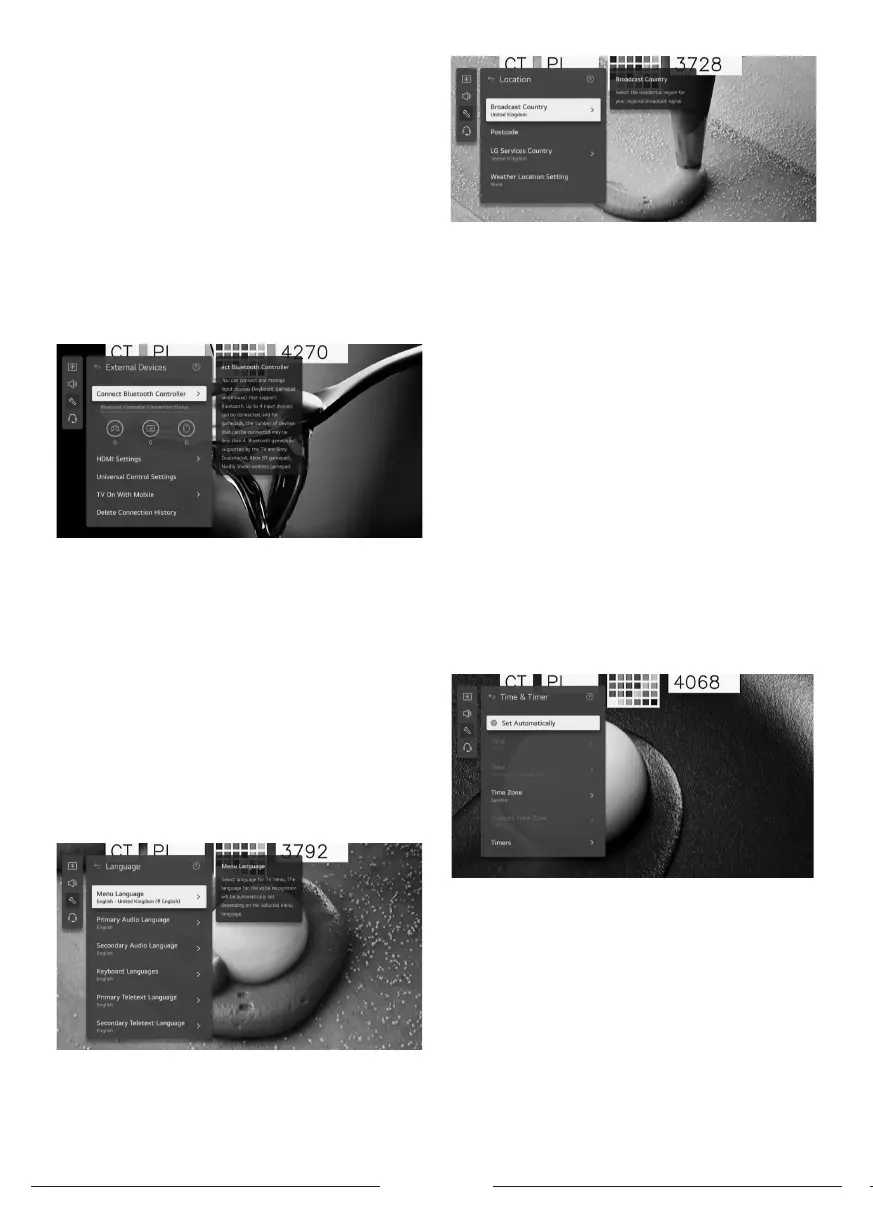
External Devices
Press up/down button on to select External Devices.
Press OK button to enter sub-menu.
(Optional: Connect Bluetooth Controller/ HDMI Settings/
Universal Control Settings/ TV On With Mobile/ Delete
Connection Hiory)
Syem
Press up/down button on to select Syem.
Press OK button to enter sub-menu and setup.
(option: Language/ Location/ Time & Timer/ Safety/
Additional Settings/Reset to Initial Settings)
. Language
You can choose the menu language displayed on the
screen and the audio language of the digital broadca.
Press up/down button to select Language.Press OK button
to enter sub-menu.
(Optional: Menu Language / Primary Audio Language
/ Secondary Audio Language/ Keyboard Languages
/ Primary Teletext Language / Secondary Teletext
Language)
Press up/down button to select the menu and setup the
language.
. Location
You can change the location setting of your Smart TV.
Press up/down button to select Location.
Press OK button to enter sub-menu.
. Broadca Country
Press up/down button to select Broadca Country.
Press OK button to enter sub-menu.
You can set the broadca country on your TV.
. Pocode
Press up/down button to select Pocode.
Press OK button to enter sub-menu.
This function is used to set the broadca location of the
TV by entering your pocode.
. Services Country
Press up/down button to select Services Country.
Press OK button to enter sub-menu.
If you don’t set the Set Automatically, you can select the
country manually.
Weather Location Setting
Press up/down button to select Weather Location Setting.
Press OK button to enter sub-menu.
You can set the Weather Location Setting.
. Time & Timer
You can check the time or congure related settings.
Press up/down button to select Time.
Press OK button to enter sub-menu.
Set Automatically
The TV time is automatically set to the time of digital
broadcaing information sent from the broadcaing
ation or the time sent from the server.
Press up/down button to select Set Automatically.Press OK
button to select On/O.
Time / Date / Time Zone
You can manually set the time and date if the automatically
set current time is incorrect.
Press up/down button to select Set Time / Date / Time



 To Next Page