English 9
. Audio Guidance
Press up/down button to select Audio Guidance.
Press OK button to enter sub-menu.
All the Options are available only when the Audio
Guidance select On.
. Audio Description
Press up/down button to select Audio Description.
Press OK button to select On/O.
. Learn Remote Control
Press up/down button to select Learn Remote Control.
. Enjoy TV Sound Together
Press up/down button to select Enjoy TV Sound Together.
Press up/down button to select O/ Bluetooth Device/
HDMI(ARC)Device.
. Hard of Hearing
Press up/down button to select Hard of Hearing.
Press OK button to select On/O.
. Subtitles
Press up/down button to select Subtitles.Press up/down
button to select Subtitle Fir Choice Language and
Subtitle Second Choice Language and press OK button to
setup the language.
. High Contra
Press up/down button to select High Contra.
Press OK button to select On/O.
. Greyscale
Press up/down button to select Greyscale.
Press OK button to select On/O.
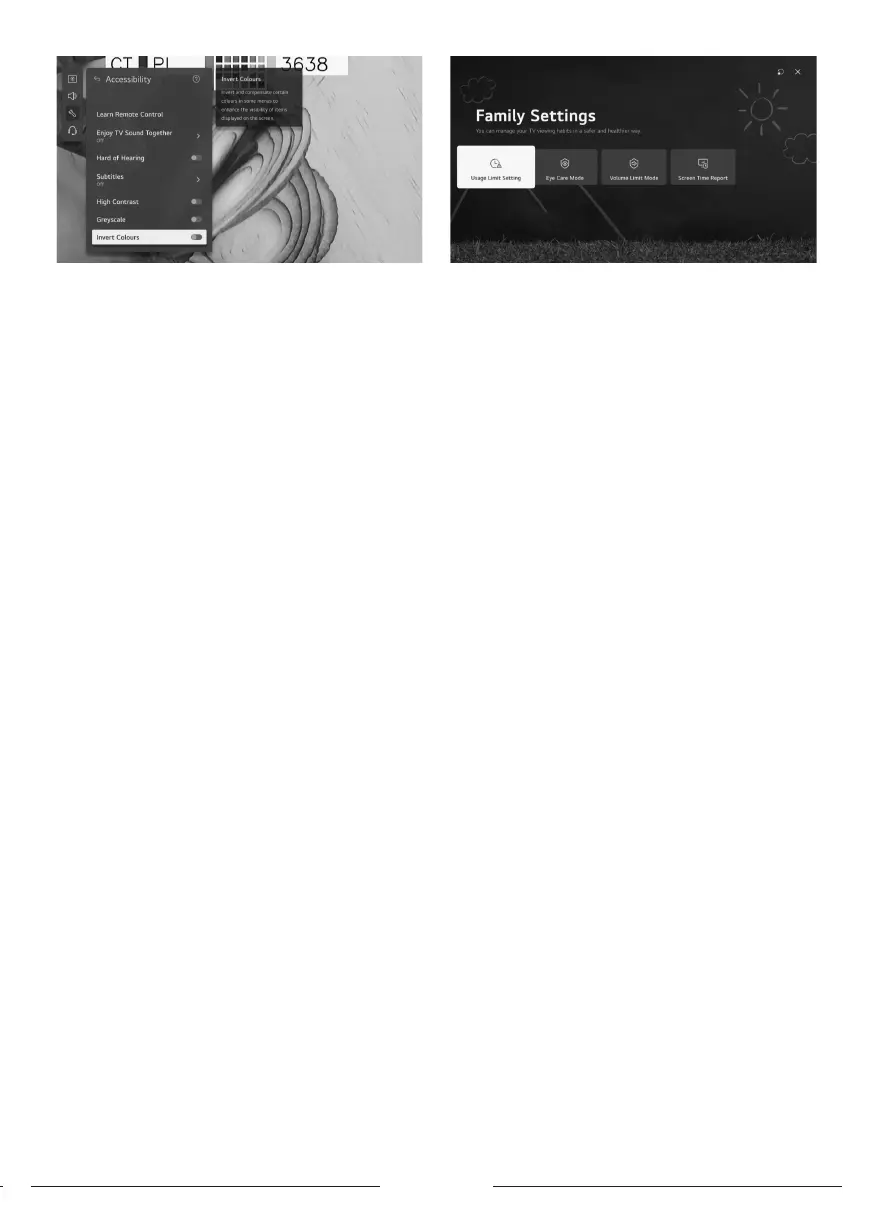
. Invert Colours
Press up/down button to select Invert Colours.
Press OK button to select On /O.
Al Service
You can enable the recommended services based on the
usage hiory.
Press up/down button to select Al Service.
Press OK button to enter sub-menu.
. Game Optimizer
Press up/down button on to select Game Optimizer.
. Family Settings
Press up/down button on to select Family Settings.
Press left/right button to select Usage Limit Setting/ Eye
Care Mode/ Volume Limit Mode/ Screen Time Report.
Press OK button to enter sub-menu.
Press OK button to enable the function.
Programmes
Press up/down button on to select Programmes.
Press OK button to enter sub-menu.
(Optional:Programme Tuning & Settings/ Programme
Manager/ CI Information/ Copy Programmes/ HbbTV)
. Program tuning & Settings
Press Up/down button to select program tuning
Press OK button to enter sub menu.
Optional: Auto tuning/Manual tuning/satellite settings/
transponder edit/Antenna mode/ program li update.
Note: There are two types for searching about DTV
channels:
1- Auto tuning:Connect a coaxial cable to receive signal
from the satellite.
Press up/down to select auto tuning option and press ok to
enter sub-menu.
Select the available satellite and art searching.
2- Manual tuning: Connect a coaxial cable to receive signal
from the satellite.
Press up/down to select transponder edit and press ok to
enter sub-menu.
Add the required transponder to li then press back to
enter to manul tuning.
Select the added transponder and art searching.
. Program Manager
Press up/down button on to select Program manager
Press ok to enter sub-menu.
Options: Lock, Move, skip and edit program
Note: The highlighted colors besides the options depends
on the used remote control.
To choose the required option press left/right/up/down
buttons on remote control.
. CI Information
Press up/down button on to select CI Information
Encrypted DTV Channels can be decoded with a (CAM)
and a card provided by a digital TV service operator
The CAM may enable several digital services depending
on the operator and services you choose.
Contact your digital service operator for more information
about services and terms.
. Copy Programms
Press up/down button on to select copy programs.
Press ok to enter sub-menu.
Two option used for copying Channels from TV to usb and



 To Next Page