14
How To Empty the Recovery Tank
ThemachinewillautomacallyshutthevacuummotorOFF
whentherecoverytankisfullofdirtywater.
A red light comes on at the control panel.
1 StopthemachinebyreleasingtheControlBar
andraisingthebrushdrivehousing.
2 Stopthesoluonow.
3 TurnOFFall3powerswitches(brushmotor,
vacuummotor,mainpower)
4 Movethemachinetoanareathatwillallowyou
toemptytherecoverytankintoaoordrainor
basin.
5 Lowerthebrushdeck.
6 Removetherecoverytankdrainhosefromthe
frontofthemachine.
7 Raisethehoseabovethesoluontankand
removetheplug.
8 Putthehoseoveradrainorinabasinand
removetheplug.
9 Emptythetank.
10 Replacetheplugandghtenit.
11 Replacethehoseandsecureitwiththeclips.
Remembertollthesoluontankwithfreshwaterbefore
operangthemachine.
Preventave Maintenance Schedule
Daily-
1 Emptythetankandrinsetherecoverytankwith
cleanwater.Leavethetankcoveropenontop
toairdry.
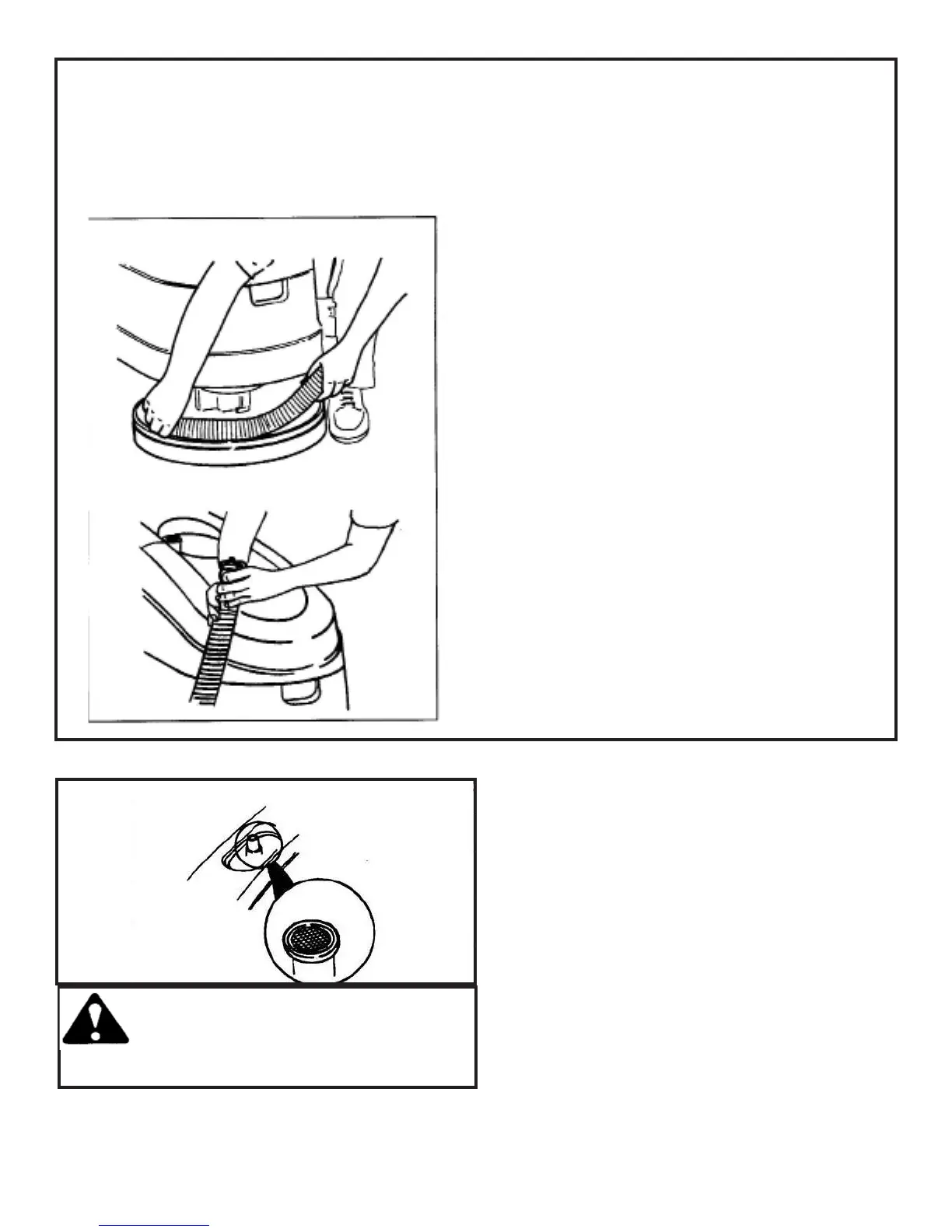
2 Removeandcleanpadorbrush.
3 Cleanthelterscreenlocatedatthetopofthe
vacuuminlet.
4 Removethesqueegeeassembly,rinseandwipe
clean.Checkthesqueegeeinletforclogsor
debris.
5 Cleanandwipethetopsofbaerieswithan
ammoniatedwindowcleaner.
6 Chargethebaeriesasdescribedinthis
manual.
CAUTION: Avoid geng the
water into the vacuum intake
with lter screen in the recovery
tank.
Maintenance



 To Next Page