39
The T-1 Notebook : Reference & Guide
38
The T-1 Notebook : Reference & Guide
2.7 Clear and Copy
There are two editing options that can be applied to multiple T-1 functions.
Copy can be used to duplicate elements such as banks, tracks and patterns
while clear will reset to an empty or default state. The [CLEAR] button will
be used in conjunction with another function and additionally [CTRL] is
used when accessing [COPY]. Examples are shown for banks.
▌ CLEARING A BANK
1. Hold [CLEAR] + [BANK] + [VBx], where ‘x’ is the existing saved bank to
clear represented by value buttons 1-16. Keep [CLEAR] + [BANK] Held
through the process.
2. The value button will ash. Release [CLEAR] + [BANK] to exit without
clearing at this point.
3. With [CLEAR] + [BANK] still held, press [VBx] again to conrm clear.
4. The selected bank is cleared. Clear will permanently remove the banks
and cannot be undone. Unsaved, empty banks are already empty and
cannot therefore be cleared.
▌ COPY / PASTE A BANK
1. Hold [CTRL] + [COPY] + [BANK] + [VBx], where ‘x’ is the source bank
to copy. Banks 1-16 represented by value buttons.
2. The value button will slowly ash to indicate copy to the clipboard
memory. Keep holding [CTRL] + [COPY] + [BANK].
3. While Holding [CTRL] + [COPY] + [BANK] + Press [VBx], where ‘x’ is
the destination bank into which to paste the previously copied bank.
4. The value button will quickly ash to indicate the bank has been pasted
from the clipboard memory. Multiple pastes are possible.
5. Release the buttons.
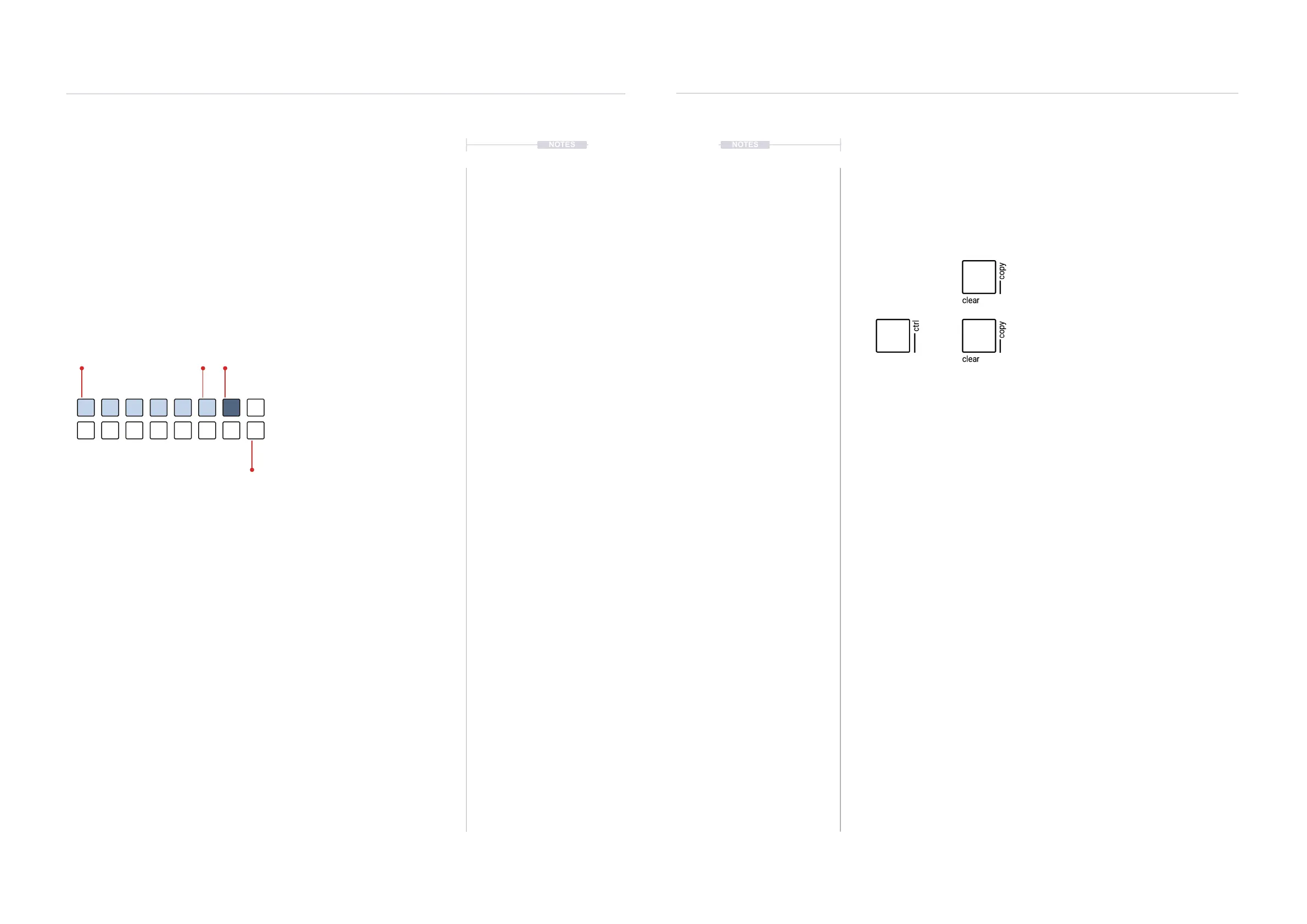
Hold [CLEAR] + Target, when using the clear option.
Target is the function to clear.
Hold [CTRL] + [CLEAR] + Target source, to copy.
Still Holding [CTRL] + [CLEAR] + Destination, to paste.
+
NOTES
Generic Setup
2
Generic Setup
2
NOTES
2.6 Tempo
The tempo is measured in Beats Per Minute ranging between 24 BPM and
280 BPM. Tempo is a generic parameter, operating across all patterns and
tracks in a bank. The tempo setting is saved within the bank.
▌ VIEWING THE TEMPO
1. Hold (TEMPO). Double Press (TEMPO) will lock the tempo view.
2. The value buttons will display the tempo status. The tempo setting is
shown as BLUE GREY ⬛ on the value buttons and DIMMED BLUE ⬛.
▌ CHANGING THE TEMPO
1. To change tempo in 1 BPM increments. Turn (TEMPO). Each knob click
rotation represents 1 BPM. To view and adjust, Hold & Turn (TEMPO).
2. To change tempo in 16 BPM increments. Hold (TEMPO) + Press [VBx]
where ‘x’ is a value button. The rst value button is set to the minimum
24 BPM state and the last button 280BPM.
3. The value buttons will display the tempo status. The tempo setting is
shown as DIMMED BLUE ⬛ and the BLUE GREY ⬛ shaded value
buttons.
4. As a quick reset to 120 BPM, Hold (TEMPO) + [VB6].
The value buttons will display
incrementally in shades of white
and blue to represent the tempo.
BLUE GREY ⬛
Tempo Setting
DIMMED BLUE ⬛
Granular increments
MIN
24 BPM
MAX
280 BPM
104887224 56 120 136 152
280264216 232184 248200168


 To Next Page
 Loading...

