59
The T-1 Notebook : Reference & Guide
58
The T-1 Notebook : Reference & Guide
3.5 Steps, Pulses & Rotate - Basic Euclidean Patterns
Shape Section
The shape section is the primary area for the pattern generation
parameters and is where a melodic or beat driven pattern cycle is created.
At this point, these parameters control the patterns ‘linear note’ structure
and the pitch based elements are applied later using other parameters.
There are 8 physical push knobs, some of which provide dual control of
primary and secondary parameters and can be pressed to view the
parameter status on the value buttons.
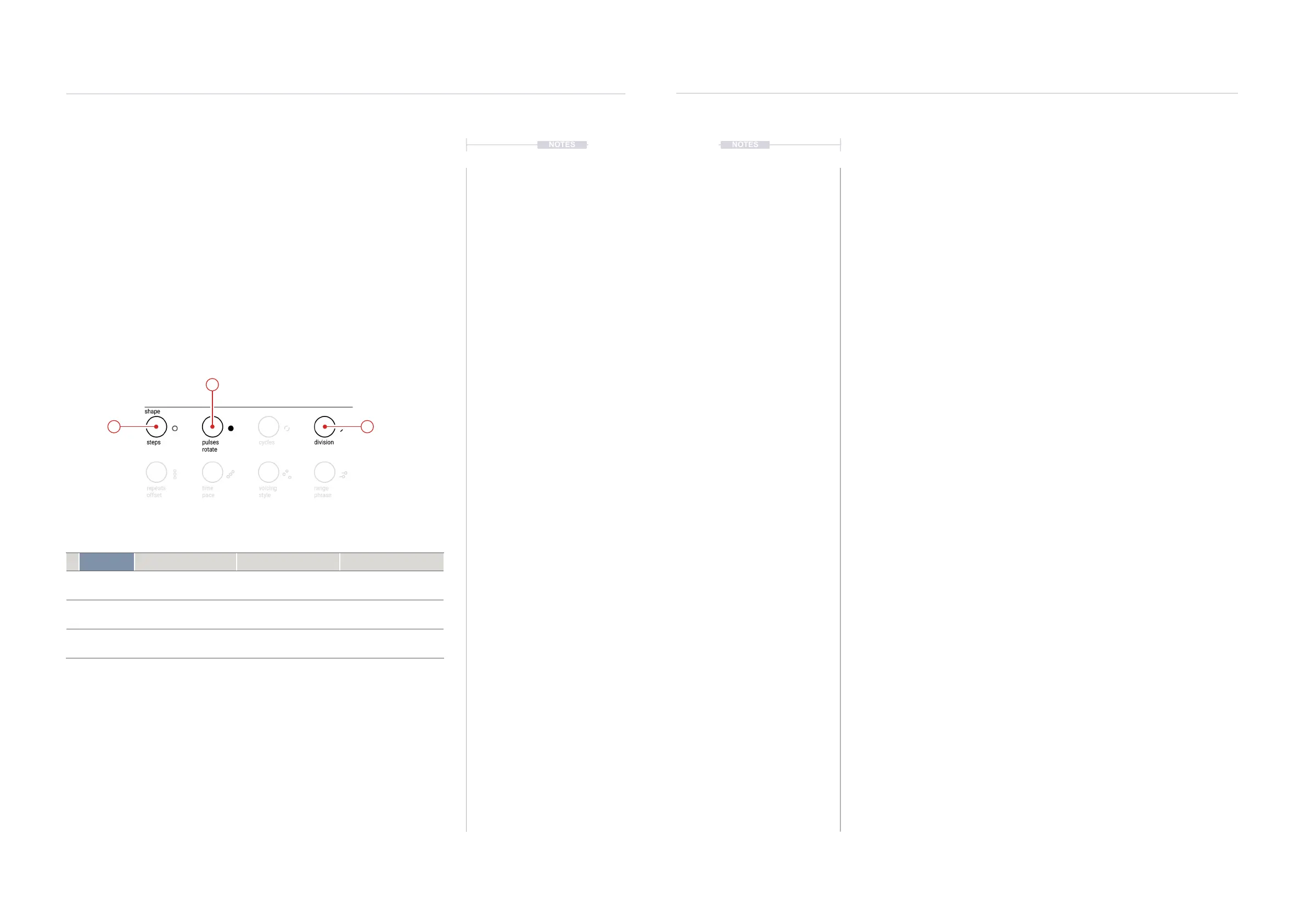
This section concentrates on four of the most basic shape parameters;
Steps, Pulses, Rotate and Division. The Rotate parameter is accessed as
the secondary parameter using the [CTRL] button along with Pulses.
Parameter Turn Push Ctrl + Turn
1 steps
Sets total number of
steps in track pattern.
Step sequencer view.
Shows steps and pulses.
2
pulses
rotate
Number of Euclidean
pulses in a track pattern.
Pulse sequence view.
Shows steps and pulses.
Sets pattern start point.
3 division
Adjusts each note value
of each step in the cycle.
View division status and
options in value buttons.
NOTESNOTES
1
2
3
Steps & Pulses
The following examples assume that an audio device, DAW or instrument is
connected as the sound destination. Also that bank and pattern to edit have
already been chosen prior to selecting the track and creating a pattern.
Note that editing a Euclidean pattern will only change the pulses generated
by the Euclidean pulse option. Manually added pulses will not be affected
when editing using the (PULSES) function.
▌ CREATING A BASIC EUCLIDEAN PATTERN - STEPS / PULSES
1. Press [BANK] to ensure the ‘home’ mode is in focus.
2. Select a track. Press [VBx], where ‘x’ is the value button that represents
the desired track. Example, Press [VB1] to select Track 1.
3. Set the number of steps. Turn (STEPS). This will also temporarily
display, the state of the pattern whilst editing. Alternatively, Hold
(STEPS) + Press [VBx] where ‘x’ is the last step in the step count,
represented by the value buttons.
• Just turning (STEPS) adjusts the number of steps.
• Press (STEPS) Twice, will retain the step sequence view even when
the control knob is released.
4. Generate Euclidean pulse events. Turn (PULSES). This will also
temporarily display the state of the pattern whilst editing. Each rotation
click clockwise will add a pulse and each rotation click anti-clockwise
will remove a pulse. Pulses are distributed evenly across the steps.
• Just turning (PULSES) adjusts the number of steps.
• Press (PULSES) Twice, will retain the pulse sequence view even
when the control knob is released.
5. Play the pattern. Press (PLAY). Press again to stop playback. Press
(PLAY) again to re-start playback from the beginning.
Note that if the number of steps are increased or decreased in an existing
pattern, any Euclidean generated pulses will be redistributed evenly across
the new range of steps.
Rhythmic Patterns
3
Rhythmic Patterns
3



 To Next Page
 Loading...
