67
The T-1 Notebook : Reference & Guide
66
The T-1 Notebook : Reference & Guide
NOTESNOTES
3.7 Division - Pattern Time Signatures
A pattern is made up of a sequence of steps where the note value of steps
is governed by the division parameter. This sets the tracks time signature.
The default state is 1/16
th
but other options are available using the value
buttons or parameter knob. State and options are viewed by pressing
(DIVISION). Double tap (DIVISION) to lock the value button division view.
▌ SELECTING A DIVISION SETTING
1. Optionally lock the division view. Double tap (DIVISION). This is not
essential but is good practice. Just holding (DIVISION) will temporarily
view the state until the knob is released.
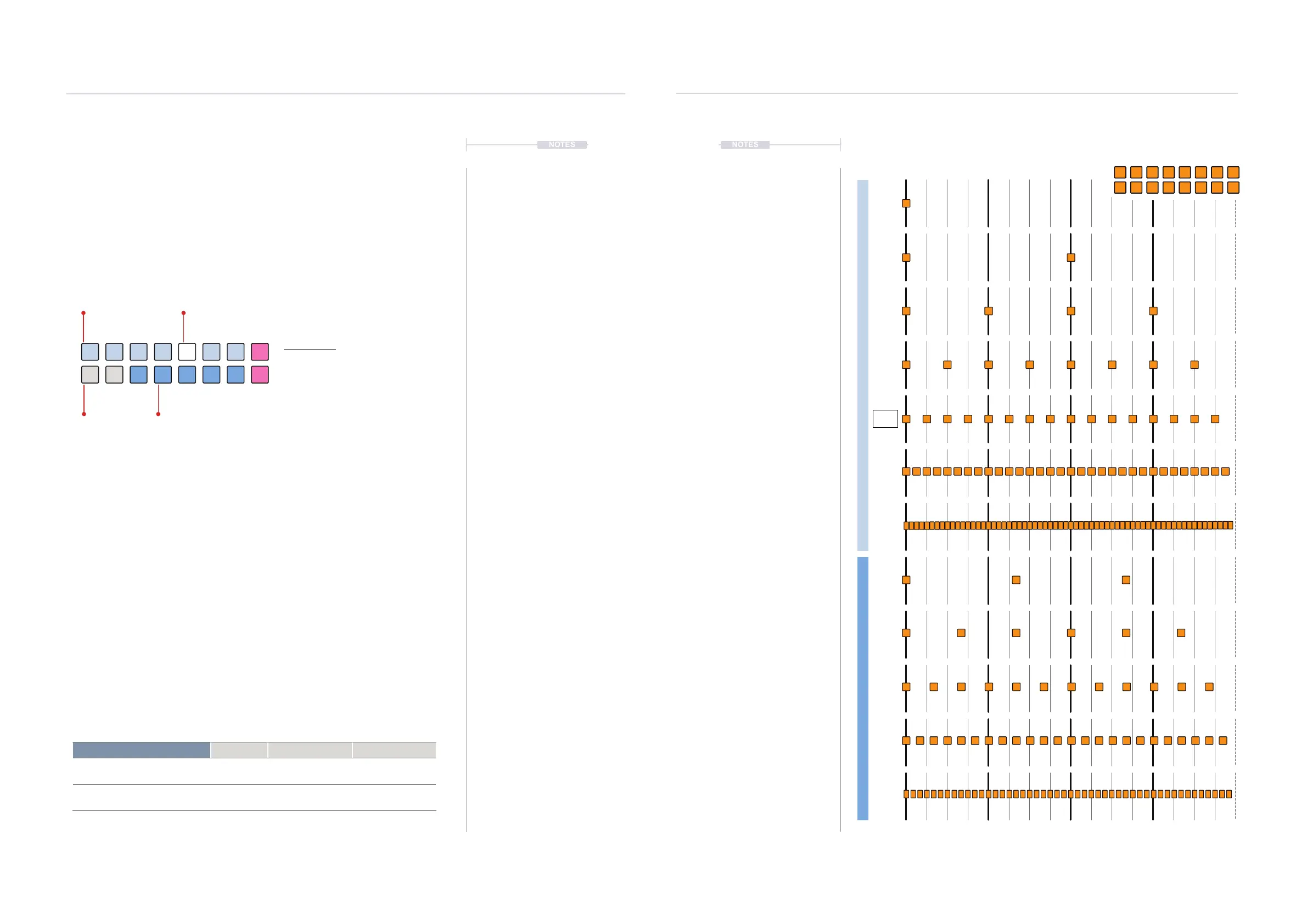
2. Value button state. The active division is displayed on a value button
illuminated WHITE ⬛. Top row BLUE GREY ⬛ Indicates available
quadruplet divisions and bottom row BLUE ⬛ available triplets.
3. Selecting a division option. Turn (DIVISION) to quickly view and
change. When in locked division view, Press [VBx] Where ‘x’ is value
button 1-7 or 11-15 to select row and division.
4. The division can also be set to freely with a resolution of 96 PPQN.
Hold [CTRL] + Turn (DIVISION) to adjust. The WHITE ⬛ Status value
button will ash when a free division is applied.
Division Options Group Value Button Option Colour
1/1, 1/2, 1/4, 1/8, 1/16, 1/32, 1/64 Quadruplets 1, 2, 3, 4, 5, 6, 7
BLUE GREY ⬛
1/3, 1/6, 1/12, 1/24, 1/48 Triplets 11, 12, 13, 14, 15
BLUE ⬛
Division View Mode.
Division View
Hold (DIVISION). Double tap (DIVISION)
to retain the value button display.
Example: 4 Bar / 16 Step Length
1/1
1/2
1/4
1/8
1/16
1/32
1/64
1/3
1/6
1/12
1/24
1/48
QUADRUPLETS - 4 Beats per BarTRIPLETS - 3 Beats per Bar
WHITE ⬛
Selected division
BLUE GREY ⬛
Quadruplets
BLUE ⬛
Triplets
OFF
Inactive Option
Division Time Signatures
1/1 1/4
1/3
1/32
1/24
1/2
1/16
1/12
1/8
1/6
1/64
1/48
Rhythmic Patterns
3
Rhythmic Patterns
3



 To Next Page