71
The T-1 Notebook : Reference & Guide
70
The T-1 Notebook : Reference & Guide
NOTESNOTES
3.10 Muting Tracks
Tracks contain musical data. These can be muted and unmuted when
developing compositions and when playing live improvisations. Muting can
form a key part of a performances and in retaining musical interest.
▌ MUTING / UNMUTING TRACKS
1. Select track view. Press [BANK].
2. To view muted tracks, Hold [MUTE].
3. Mute a track. Press [MUTE] + [VBx], Where ‘x’ is an unmuted value
button. Multiple tracks can be muted simultaneously.
4. Release [MUTE]. Muting and unmuting occurs only when the mute
button is released. Muted tracks are lit BLUE GREY ⬛.
5. Unmute a track. Press [MUTE] + [VBx], Where ‘x’ is a muted value
button. Multiple tracks can be unmuted simultaneously.
▌ INSTANT MUTING / UNMUTING TRACKS
1. Select track view. Press [BANK].
2. To view muted tracks, Hold [MUTE].
3. Mute a track. Press [CTRL] + [MUTE] + [VBx], Where ‘x’ is an unmuted
value button. Multiple tracks can be muted simultaneously.
4. Muting / Unmuting occurs instantly in this mode. Muted tracks are lit
BLUE GREY ⬛.
5. Unmute a track. Press [CTRL] + [MUTE] + [VBx], Where ‘x’ is a muted
value button. Multiple tracks can be unmuted simultaneously.
Rhythmic Patterns
3
Rhythmic Patterns
3
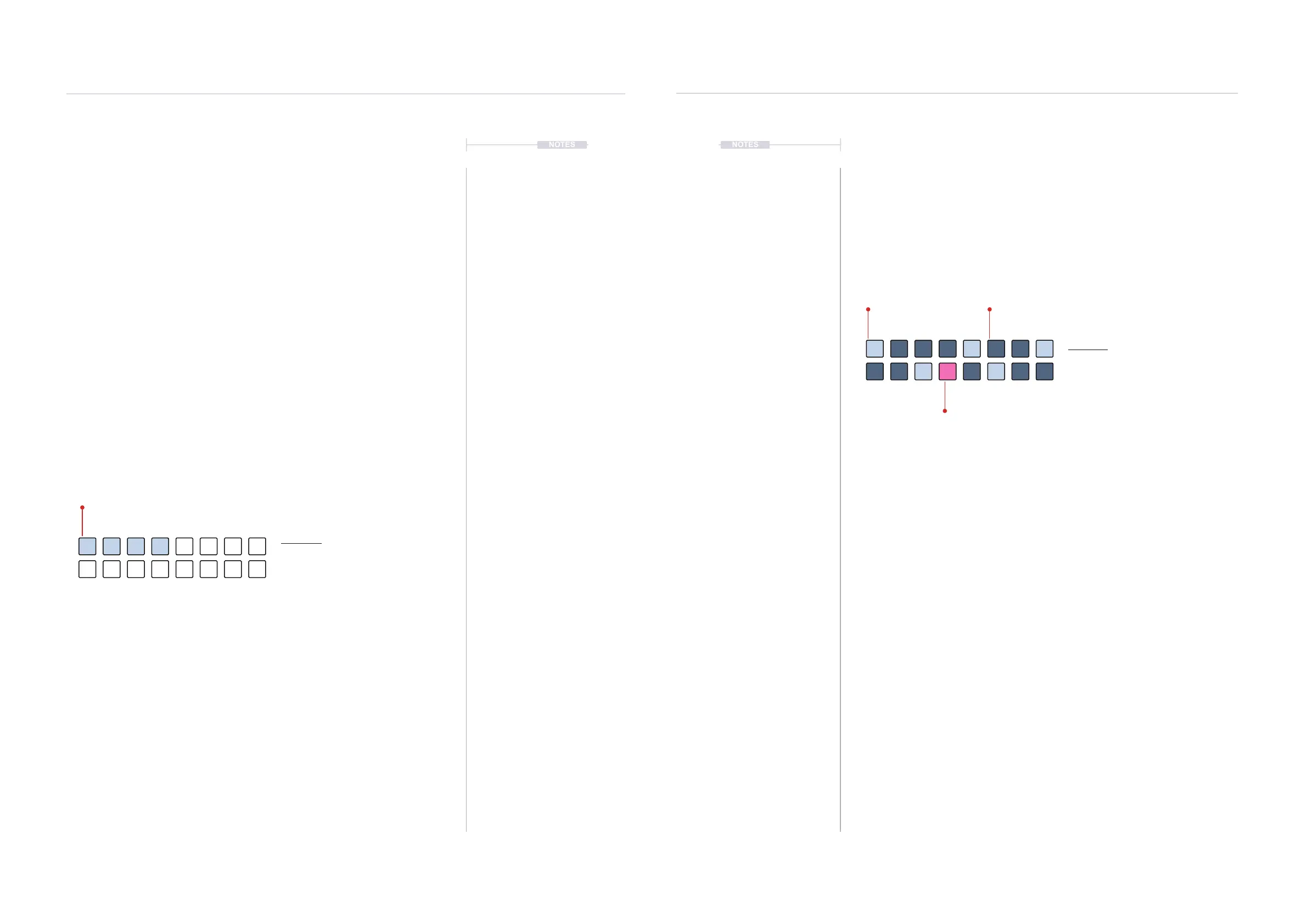
Mute View Mode.
Mute View
Hold [MUTE]. Double tap [MUTE] to lock
the mute view on the value buttons.
BLUE GREY ⬛
Muted
3.11 Retriggers
As well as note and CC steps, retriggers can be added into a pattern. A
retrigger is a step that will reset / restart functions within the sequence
when the associated step is activated. This is useful to synchronise
sequence cycles and especially voicing and range which are freely
assigned. The random, phrase, groove and style functions are all reset and
restarted when a retrigger step is activated.
▌ CREATING A RETRIGGER STEP
1. Double press (STEPS) to lock the steps view on the value buttons.
2. Hold [CLEAR] + Press [VBx], where ‘x’ is the value button of step to add
a retrigger. The button will illuminate PINK ⬛.
3. To view, Hold [CLEAR]. The retrigger button will illuminate PINK ⬛.
4. To remove a retrigger, Hold [CLEAR] + Press [VBx], where ‘x’ is the
value button of an existing retrigger, illuminated PINK ⬛.
5. When retrigger step is activated during playback, dened sequence
functions are reset and restarted. Functions that are reset and restarted
on a retrigger are:-
• Random
• Groove
• Phrase
• Style
Step View
Hold (STEPS). Double tap (STEPS) to
retain the value button display.
BLUE GREY ⬛
Pulses
DIMMED BLUE ⬛
Active Steps
PINK ⬛
Retrigger.
View when [CLEAR] is held



 To Next Page