83
The T-1 Notebook : Reference & Guide
82
The T-1 Notebook : Reference & Guide
NOTESNOTES
4.3 Base Velocity
Velocity is the parameter that represents how hard a note is played. In the
digital MIDI world this is typically represented as a value between 1-127.
T-1 has a base velocity of 100 which triggers on all notes as the default
value. This can be adjusted using the (VELOCITY) parameter.
Velocity View Mode.
Velocity View
Hold (VELOCITY). Double tap (VELOCITY)
to retain the value button display.
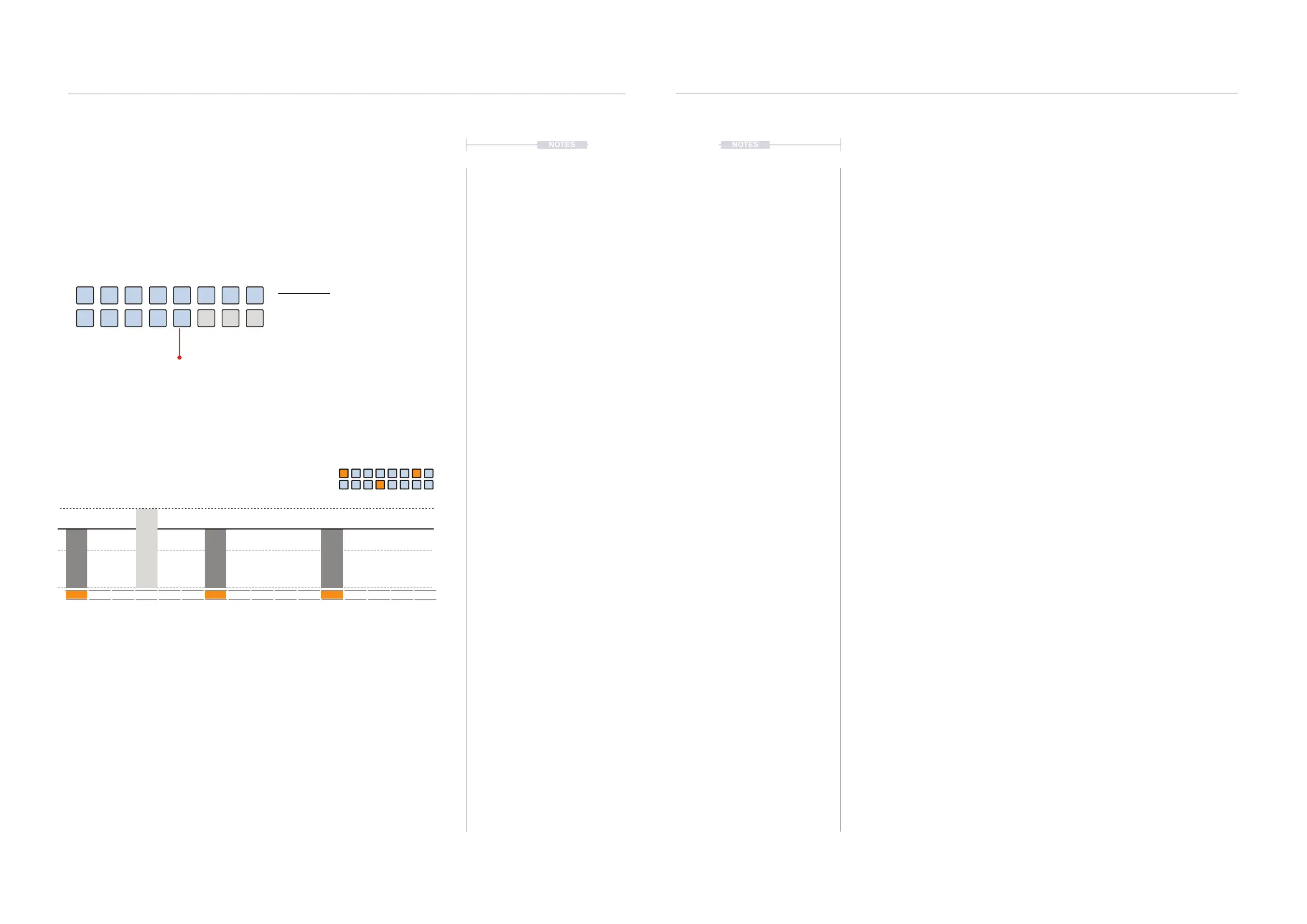
Brightness will reect velocity level adjusted by turning the (VELOCITY) knob.
For example default 100 is set as 3 knob ‘clicks’ down from [VB13] value button.
BLUE GREY ⬛
Velocity Level
23
95
39
103
47
111
63
119
151
8779
31
100
71
127
3 Pulses (Velocity 100)
1
127
64
100
1 5 9 13
Range 0-127
Default 100
Default 100
Default 100
▌ ADJUSTING THE BASE VELOCITY
1. Select the pattern and track.
2. To view the current note length Hold (VELOCITY). Also double Press
(VELOCITY) to lock the view. The value buttons will be lit to indicate the
current velocity level. Default is 100 indicated by the value buttons.
3. The velocity set will be used for the basis of any played notes
4. To change the velocity level either:-
• Turn (VELOCITY). This will adjust the value but is useful when
adjusting velocity by ear. Approx 1 Click on the knob rotation will
generate 1 velocity change.
• Hold and Turn (VELOCITY). This will make 1 unit changes with the
value displayed on the value button brightness.
• While the value buttons are showing the velocity state, press one of
the [VB1] - [VB16] buttons. This is the best method for specic
changes where [VB16] represents 127 and [VB1] represents 1.
Rhythmic Variation
4
Rhythmic Variation
4



 To Next Page