147
The T-1 Notebook : Reference & Guide
146
The T-1 Notebook : Reference & Guide
NOTESNOTES
7.5 Arranging Cycles
Cycles can be copied and pasted into other cycle slots. Cycle 1-16 can be
copied to any other 1-16 slots. Note that while cycles can be copied to
inactive slots, this will require a cycle to be active in order for it to play.
▌ COPYING & PASTING OF CYCLES
1. Select the pattern and track.
2. To view the cycle page, Hold or double tap (CYCLES).
3. Copy / Paste can be performed in or out of edit mode.
4. Keep holding [CTRL] + [COPY] throughout.
5. To copy a cycle, Hold [CTRL] + [COPY] + Press [VBx] value button of
the source cycle ‘x’ to copy. Keep holding [CTRL] + [COPY].
6. The button will ash GREEN ⬛ to indicate copy to clipboard.
7. While still holding [CTRL] + [COPY] + Press [VBx] to paste into the
destination cycle slot ‘x’.
8. The destination button will ash GREEN ⬛ to indicate paste.
9. Note that existing cycles are overwritten.
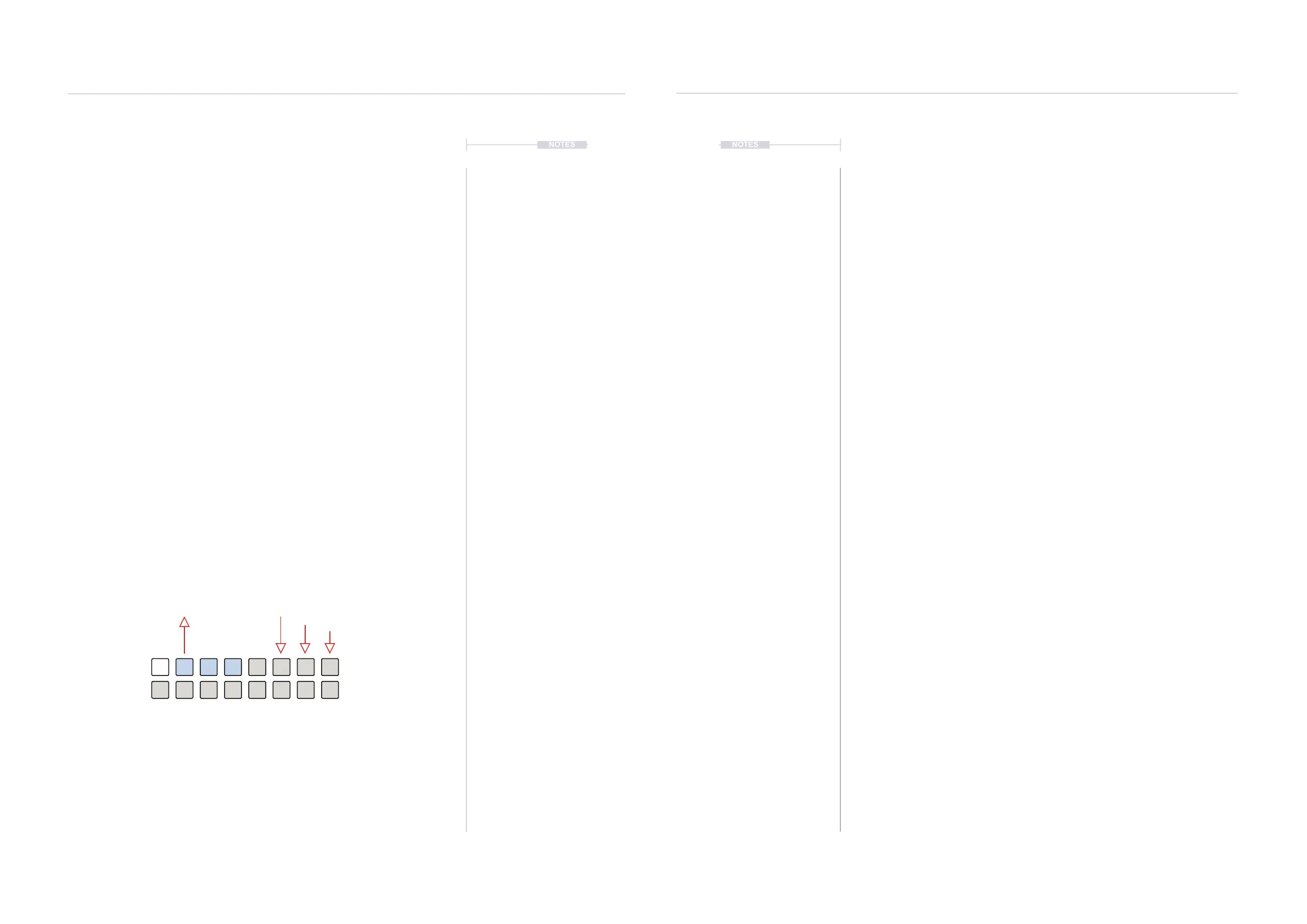
Copy
+ [VB2]
Paste
+ [VB6]
Hold [CTRL] + [COPY] throughout
Cycles, in this case [VB6} must be active in
order for the pasted cycle to be played.
7.6 Cycle Behaviour Notes
Editing individual cycles is possible in edit mode. When not in edit mode,
any adjustments will apply across all cycles. The [BANK] button is unlit
when cycle edit mode is inactive and when active is lit RED ⬛.
• Edits to parameters outside of cycle mode will be applied to all
automated cycles.
• Changes made outside of edit mode to parameters will be applied
relatively to all cycles.
• Using [VBx] Value buttons when editing inside a parameter out of
cycle edit mode will make absolute changes to all cycles. This means
automation is cleared.
• Each cycle can have its own per-step edit settings. All parameters
can be automated within cycles.
• Double tap a cycle value button to switch directly to the pulse
sequencer view.
Cycles & Random
7
Cycles & Random
7



 To Next Page