169
The T-1 Notebook : Reference & Guide
168
The T-1 Notebook : Reference & Guide
NOTESNOTES
▌ CHANGING T-1 CC KNOB ASSIGNMENTS
1. Press [BANK] to ensure the ‘home’ track view is in focus.
2. Select a track in CC mode. Hold [CTRL] + [VBx] where ‘x’ is the value
button for the track to select. CC Tracks will illuminate CYAN ⬛. Notes
tracks will illuminate ORANGE ⬛ and FX Tracks are coloured
MAGENTA ⬛.
3. The 14 rotary knobs in the Shape, Groove and Tonal section will be
preassigned to CC numbers, 70-76 Top row and 77-83 bottom row or
will contain edited CC number assignments.
4. The mapping of the external device parameters is usually documented
in the manual. This is called the ‘MIDI Implementation’ of a device. CC’s
would normally be dened based on the target parameters required.
5. Enter edit mode for CC assignments:
• Double Press [VBx], for the rotary knob to edit. The value will be
shown on the value buttons.
• Press [CTRL] + [PATTERN] to enter edit mode.
• The display is now locked to the CC edit view.
6. To check or edit the setting, example sets the value of velocity from the
default 74 to 95:-
• Press [VB14]. This represents the ‘100’ digit range. Press to toggle
[VB1] = ‘0’ or [VB2] = ‘1’. These toggle the hundreds digit. In this
example, should be off for 095.
• Press [VB15]. This represents the ‘100’ digit range. Press to toggle
[VB1] = ‘0’ to [VB10] = ‘9’. These toggle the tenths digit. In this
example, should be [VB10] for 095.
• Press [VB16]. This represents the ‘100’ digit range. Press to toggle
[VB1] = ‘0’ to [VB10] = ‘9’. These toggle the units digit. In this
example, should be [VB6] for 095.
7. Once completed, press [BANK] to return to the track view.
8.8 MIDI CC Tracks as Presets
The T-1 has the ability to store CC numbers along with values within a
track. Each time the track is then loaded / launched the CC values are
transmitted to the device. It may be useful to reserve CC tracks purely to
set a parameter state on connected devices.
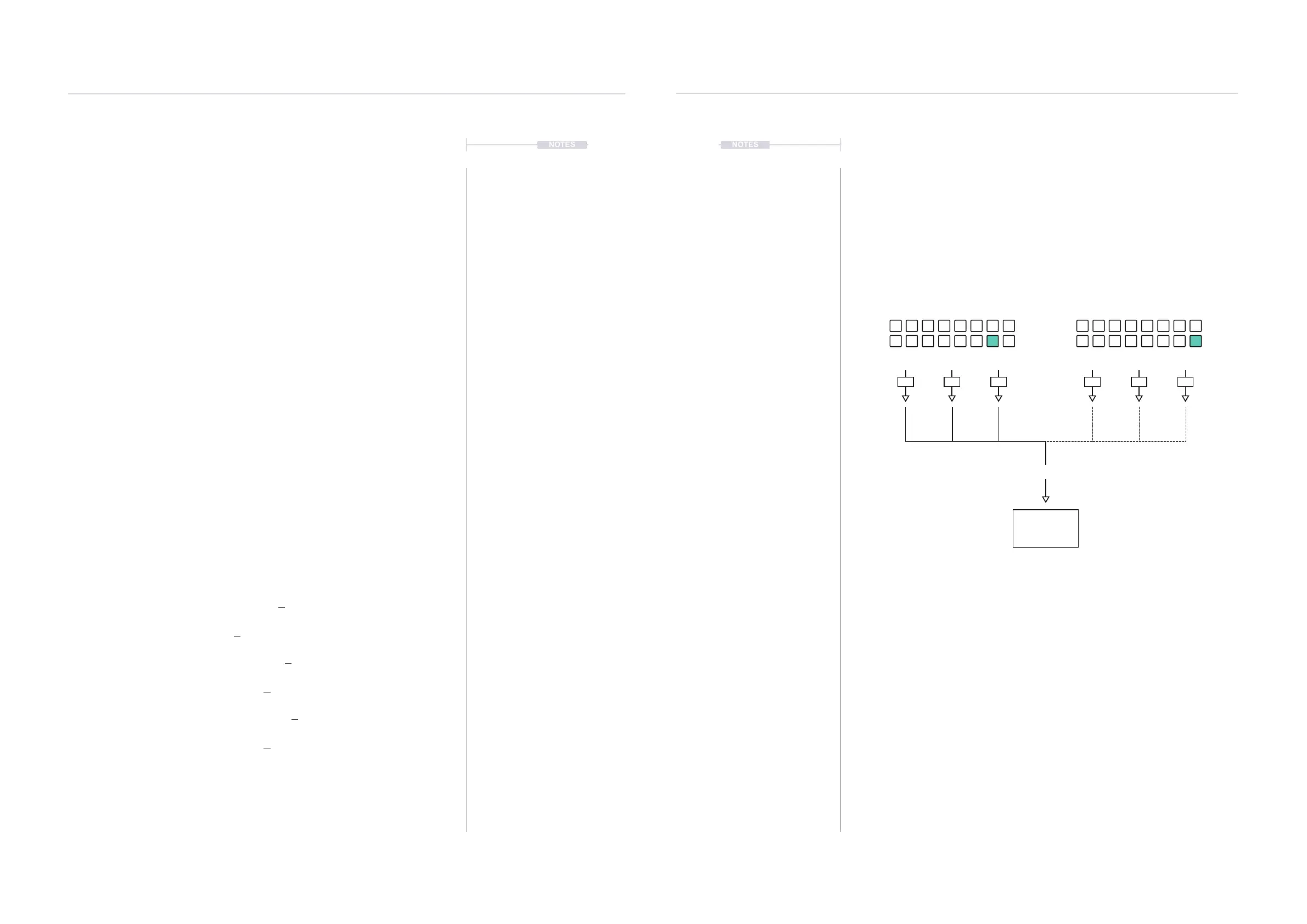
CC Track 15
Active Track
Example: CC Track Presets
OR
MIDI Channel
Destination
Device
CC Track 16
Pending Track
CC #74 CC #74
127 064 12710 99
CC #77 CC #77CC #82 CC #82
Tracks can be used to trigger or change a bank of CC values sent to a destination
device. This is ideal for example in automatically setting up a synth parameter
conguration at the start of a T-1 pattern.
Tracks: Tracks can be muted and unmuted to select the parameters to transmit. The
CC values will be updated and transmitted when a track is triggered i.e. pressing Play.
Patterns: Changing patterns will also trigger the track. This is useful when changing
CC’s on the y, within a song. A copy of the same pattern can be made, then change
only the CC values for the preset tracks. This will then trigger the CC change with a
pattern change but as the patterns are otherwise identical, the song will play as normal.
MIDI & WiFi Connectivity
8
MIDI & WiFi Connectivity
8



 To Next Page