181
The T-1 Notebook : Reference & Guide
180
The T-1 Notebook : Reference & Guide
NOTESNOTES
MIDI & WiFi Connectivity
8
MIDI & WiFi Connectivity
8
8.15 Ableton Link
Ableton Link is a technology developed to keep instruments and devices in
sync when connected on the same network. This supports multiple devices
operating in time and their transport controlled together. T-1 supports Link
and allows interfacing with other link connected gear. These devices must
be link enabled and connected on the same network.
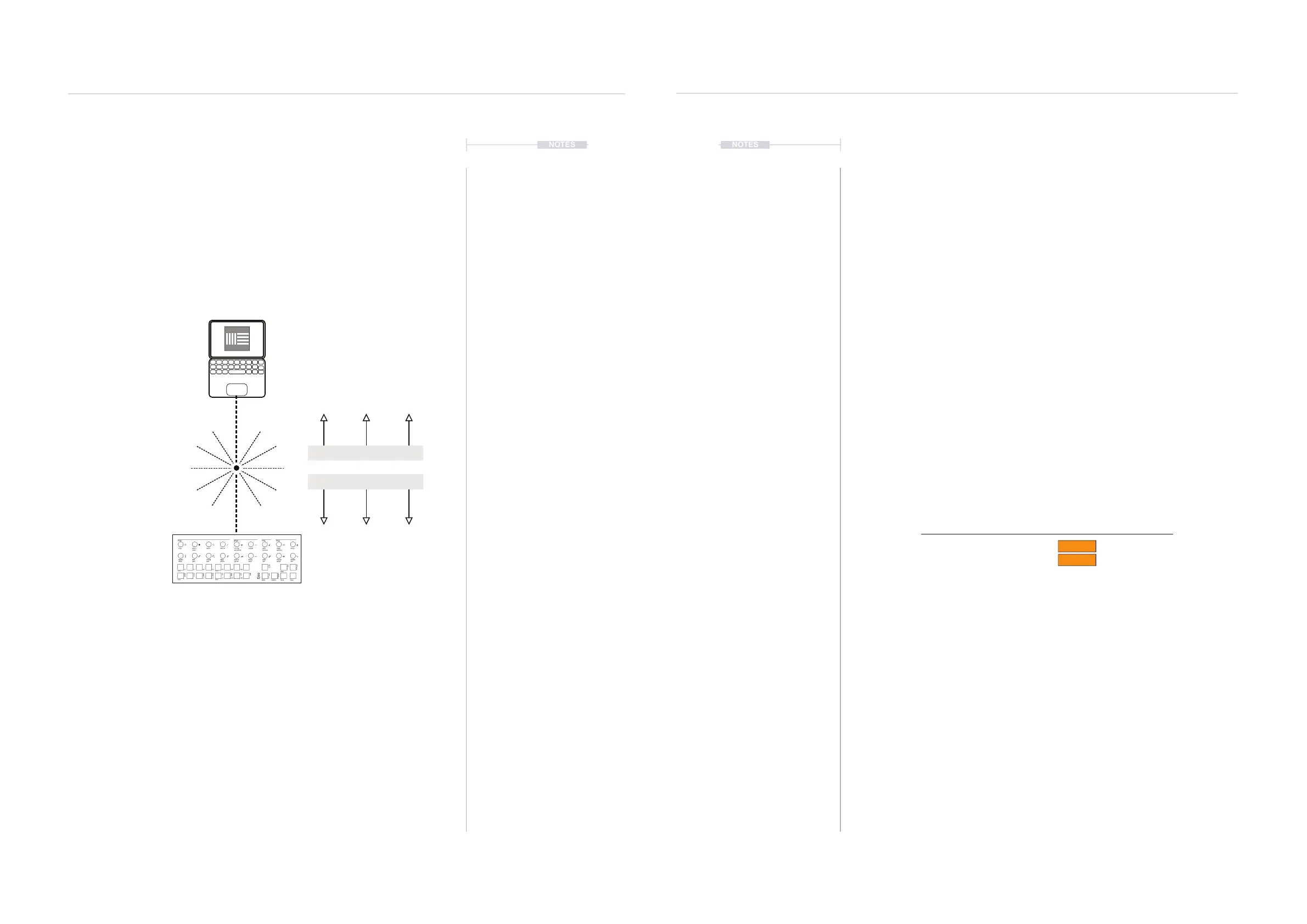
Link
Example between Ableton Live & T-1
PC/Mac
Ableton Live Link enabled
Link ‘On’
All devices connected to the
same network or hotspot.
Wireless Connection
T-1
▌ OPENING A WIRELESS LINK SESSION
1. Ensure T-1 is connected to the same network as the other link enabled
devices. For example, connect a PC/Mac with Ableton Live to the T-1
Hotspot.
2. Ensure T-1 Cong has set the Link settings in the ‘Sync’ page
congured as desired:-
• Link Synchronisation: On - Automatically connects to link enabled
devices recognised on the same network.
• Start / Stop Sync: On - recognises and acts upon the incoming start
/ stop commands from other link connected devices.
3. The number of devices connected on the same network is shown in the
T1-Cong ‘Sync’ page.
4. The timing and transport features will be synchronised with the
connected devices. So tempo can be adjusted centrally.
5. Link devices can control start / stop on devices that are set to allow. T-1
[PLAY] button will pulse ORANGE ⬛ if a link session is active.
On
On
Link
Link Synchronisation
Start Stop Sync
Devices in Link session: 0
Tempo ClockStart / Stop
SynchronisationSynchronisation
Synchronisation
Ensure T-1 is connected to the same network as the other link enabled devices. For
example, connect the PC/Mac hosting Ableton Live to the T-1 Hotspot (set to on) or
connect both to an available network.
Clock Hierarchy.
When multiple clocks are connected, the hierarchy places the link clock last. The T-1
Clock hierarchy is 1. Analog Clock 2. MIDI Clock 3. Link.



 To Next Page