EasyManua.ls Logo

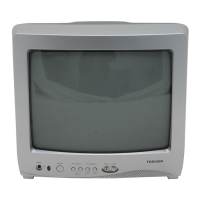
Toshiba 13A25 - User Manual

Toshiba 13A25
14 pages
Print Icon
To Next Page IconTo Next Page
Loading...
13A25
J3M13121A(E)_COVER 01/12/2004, 12:34 PM1

Other manuals for Toshiba 13A25

Questions and Answers

  • R
    Rodney FrancisAug 17, 2025
    What to do if Toshiba 13A25 CRT TV remote is not working?
    • W
      wheelerangelaAug 17, 2025
      If your Toshiba CRT TV remote isn't working, start by checking the batteries. Make sure they aren't weak, dead, or inserted incorrectly. If the batteries are fine, try moving closer to the TV, staying within 15 feet. Ensure that the remote is aimed directly at the sensor on the TV and that there are no obstructions blocking the signal. Finally, verify that the TV's power cord is properly plugged in.
  • D
    Daniel BurnsAug 20, 2025
    How to fix Toshiba 13A25 that does not operate?
    • T
      Tina ClarkAug 20, 2025
      First, ensure the power cord of your Toshiba CRT TV is securely plugged into an outlet. If it is, try plugging it into a different AC outlet to rule out any issues with the original outlet. Also, check your fuse or circuit breaker to ensure they are functioning correctly. As a last resort, unplug your TV for an hour, then plug it back in to see if that resolves the issue.
  • J
    Jordan ConradAug 22, 2025
    Why is there a poor picture on my Toshiba 13A25 CRT TV?
    • R
      rgarnerAug 23, 2025
      If you're experiencing poor picture quality or no picture on your Toshiba CRT TV, first tune to another channel to rule out any issues with the current broadcast. Ensure that your channels are properly set into the memory. Check the connections of your antenna or cable TV and adjust the antenna for optimal reception. Look around for any potential sources of interference that might be affecting the signal. Also, verify your picture control adjustments. Finally, try pressing the CAP/TEXT button to turn off the closed caption mode, as this can sometimes interfere with the picture.
  • C
    Christine DayAug 25, 2025
    How to troubleshoot poor sound on Toshiba CRT TV?
    • C
      Carl CochranAug 26, 2025
      If you are experiencing poor sound quality or no sound on your Toshiba CRT TV, try tuning to another station to rule out any problems with the current broadcast. Then, check your sound adjustments, specifically the volume and mute settings, to make sure they are properly configured. Lastly, identify and eliminate any potential sources of interference that might be affecting the audio signal.
  • D
    Dana RobinsonAug 27, 2025
    What to do if there is no cable TV reception on Toshiba 13A25 CRT TV?
    • T
      tmoralesAug 27, 2025
      If you're getting no cable TV reception on your Toshiba CRT TV, first tune to another channel to rule out any issues with the current broadcast. Check all your cable TV connections to ensure they are secure. Also, make sure the TV/CABLE menu option is set to the CABLE mode.
  • S
    Stephen SnyderAug 30, 2025
    Why is there poor color on my Toshiba CRT TV?
    • W
      wigginspatriciaAug 30, 2025
      If you're experiencing poor color or no color on your Toshiba CRT TV, start by tuning to another station to rule out any issues with the current broadcast. Ensure that your channels are properly set into the memory. Check your picture control adjustments to make sure they are correctly configured. Check your antenna or cable TV connection and adjust the antenna.
  • D
    Debbie BushSep 1, 2025
    Why does my Toshiba CRT TV keep shutting off?
    • S
      Suzanne JohnsonSep 1, 2025
      If your Toshiba CRT TV is shutting off unexpectedly, it could be due to several reasons. The tuned station may not be broadcasting, or the Sleep Timer might be activated. It's also possible that there was an interruption in the power supply.
  • A
    Alexander Kim MDSep 4, 2025
    How to improve poor reception on Toshiba CRT TV?
    • M
      Molly WhitneySep 4, 2025
      If you're experiencing poor reception on some channels with your Toshiba CRT TV, first tune to another station to rule out any issues with the current broadcast. Ensure that all channels are correctly set into the memory. If a particular station is weak, adjust the antenna to improve reception. Also, identify and eliminate any potential sources of interference.
  • E
    Evan RomeroSep 6, 2025
    Why is there no reception above channel 13 on my Toshiba CRT TV?
    • S
      Sharon MitchellSep 6, 2025
      If you're not getting any reception above channel 13 on your Toshiba CRT TV, make sure the TV/CABLE menu option is in the appropriate mode. If you're using an antenna, check the UHF antenna connections to ensure they are properly connected.
  • E
    Evan StevensonSep 9, 2025
    How to remove horizontal bars from Toshiba 13A25 screen?
    • D
      darrellthomasSep 9, 2025
      If you see horizontal or diagonal bars on the screen of your Toshiba CRT TV, check the antenna connections and try reorienting the antenna. Also, look for and eliminate any potential sources of interference.

Summary

Safety Precautions

General Safety Warnings

Essential warnings to reduce risk of fire, electric shock, and injury.

Child Safety

Safe TV Placement Tips

Guidelines to prevent injuries from TV tip-overs and improper placement.

Important Safety Instructions

Key User Safety Guidelines

Key instructions for safe operation, installation, and maintenance.

Installation, Care, and Service

Installation Precautions

Recommendations for safe TV installation and environmental factors.

Installation, Care, and Service

Service Information

Remote Control Operation

Remote Control Button Functions

Explains the function of each button on the remote control.

Antenna and Cable TV Connections

Channel Memorization

Picture Adjustment

Picture Setting Adjustments

How to adjust brightness, contrast, color, tint, and sharpness.

V-Chip Parental Control

Lock Menu Features

Troubleshooting

Common Problems and Solutions

Lists common TV issues and their recommended solutions.

Limited United States Warranty

Warranty Terms and Conditions

Details the warranty period, coverage, and limitations for the TV.

Toshiba 13A25 Specifications

General IconGeneral
Screen Size13 inches
Display TechnologyCRT
Aspect Ratio4:3
Audio OutputMono
InputsComposite

Related product manuals