(2/2)
6. After finish writing the “OK” and “Serial number” appear on TV.
OK!!
Serial No: C35244C00001D1
7. Unplug USB mass storage device.
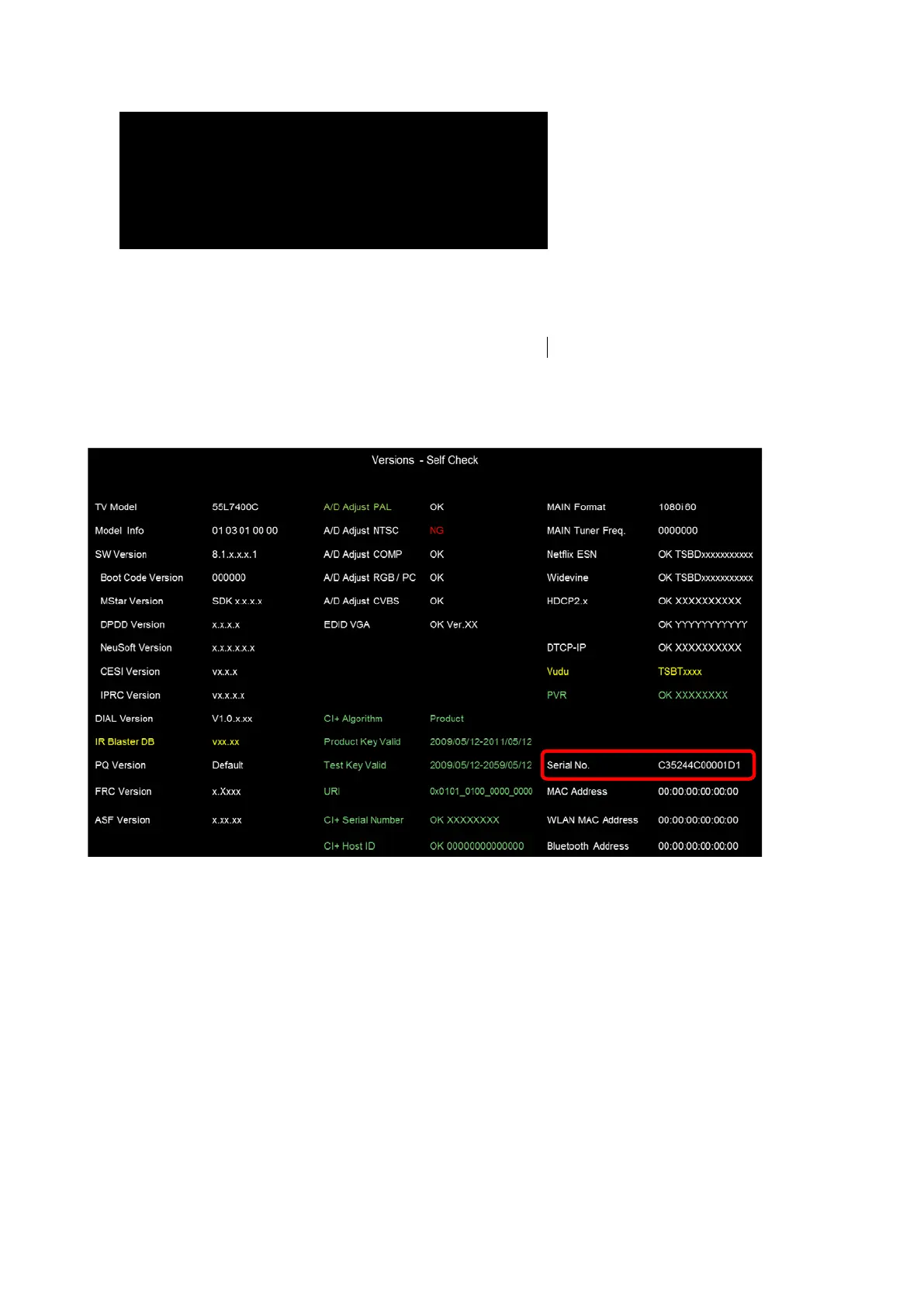
8. Check the serial number by using self check screen.
How to enter the self check screen.
1 Press SETUP on remote control unit.
2 Select “Get Help” >> “System Information”
3 Press “3” “5” “7” “4”



 To Next Page
 Loading...