16
EN
Guide to On-Screen Displays
DISPLAY Menu
Press [DVD] first.
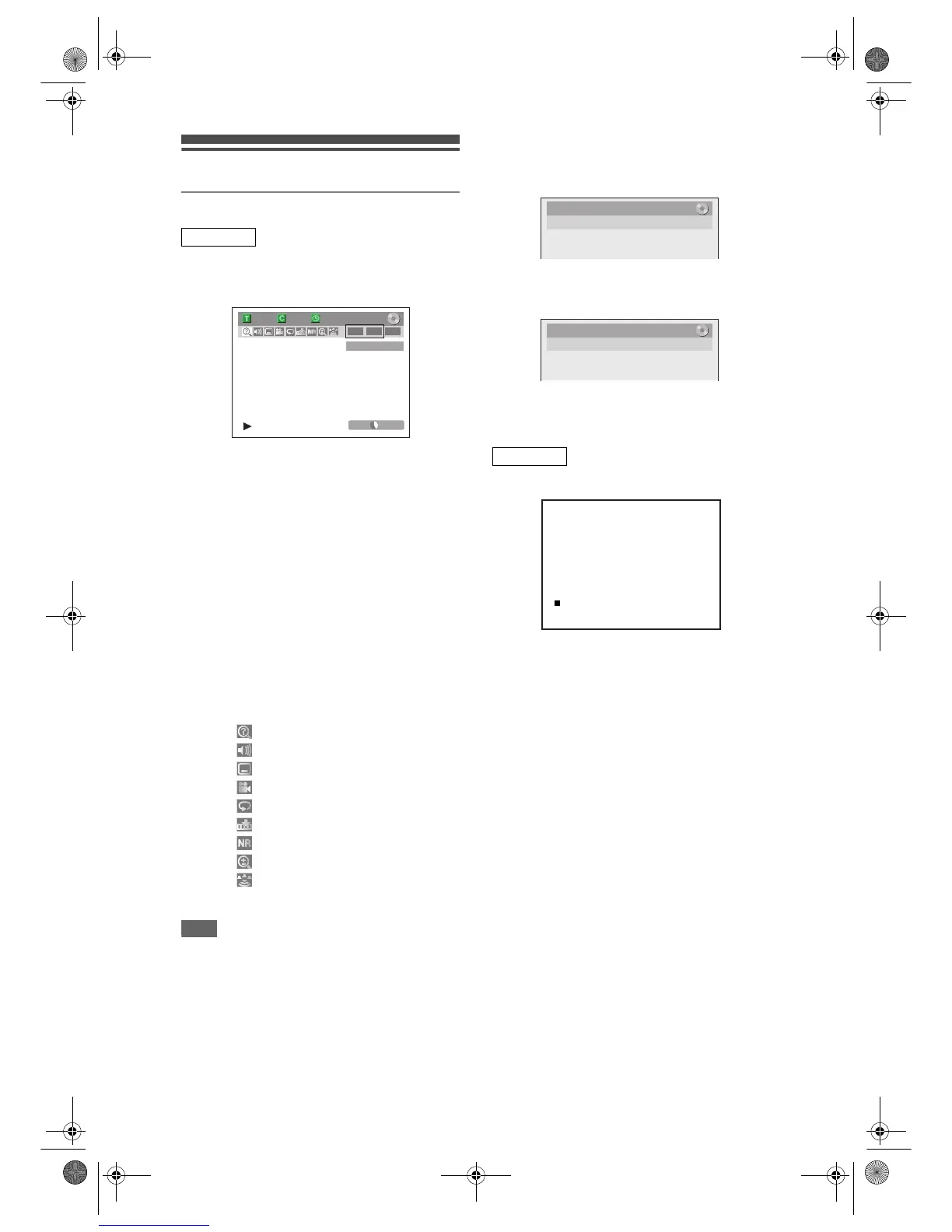
With a disc inserted into the unit, press [DISPLAY] to
display the On-Screen Display. The menu shows
information about what is recorded on the disc.
This is an example screen for explanation. Displayed
items vary depending on the actual mode.
1 Indicates a disc type and format mode.
2 Indicates a type of titles for VR mode
DVD-RW disc.
3 Indicates a channel number, station
name or selected external input mode.
4 Indicates a recording mode and possible
recording time left.
5 Indicates a title number, chapter number,
elapsed time and total of disc playback.
6 Each icon means:
7 Indicates an operation status.
Note
• In some descriptions on this manual, only one disc
type is indicated as an example.
Press [DISPLAY] while the On-Screen Display is
displayed to display Title Name Information or File
Name Information.
<Title Name Information>
(only when DVD+RW/+R, VR mode DVD-RW/-R,
or unfinalised Video mode DVD-RW/-R disc is in
playback)
<File Name Information>
(only when a CD with MP3/JPEG/DivX
®
files is in
playback)
1 Displays title/file name.
Press [VCR] first.
Press [DISPLAY] to display the On Screen Display.
This is an example screen for explanation.
Displayed items are depending on the actual
mode.
1 Current time
2 Position number
3 Audio status of the receiving broadcast
or external equipment
4 Audio status of the currently playing
back video tape
5 Tape counter
6 Recording or playing back speed
7 Status of the current tape
While in the VCR mode, the On Screen Display of the
VCR mode is displayed.
DVD mode
P01 BBC1
1/ 5 1/ 5
-
RW VR ORG
0:01:00 / 1:23:45
SP 1:53
22
55
66 11
3
7
4
: Search
: Audio
: Subtitle
: Angle
: Repeat
: Marker
: Noise Reduction / Black Level
: Zoom
: Surround
VCR mode
Title Name
My Title
1



 To Next Page
 Loading...








