English - 24 -
English
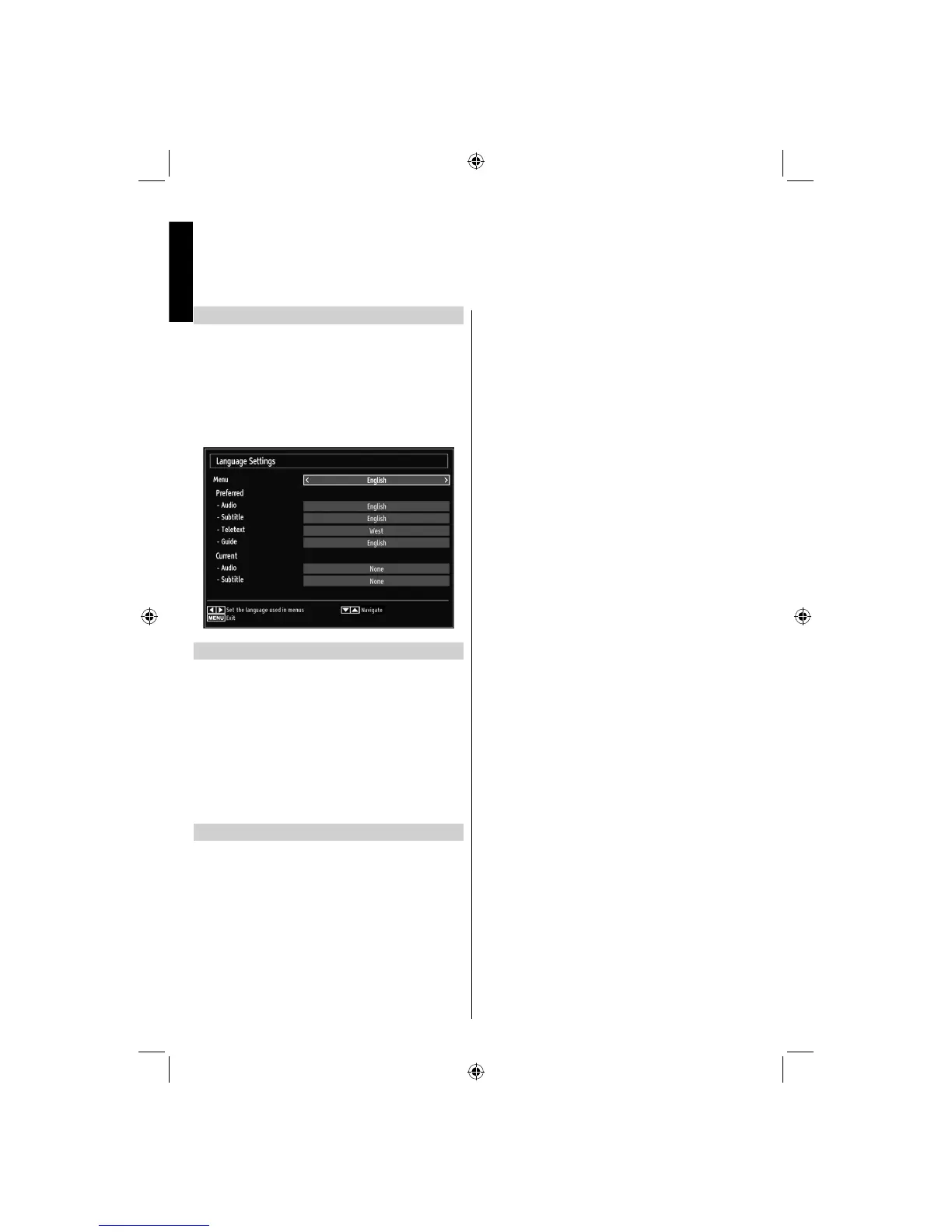
Language Settings
Using this menu you can adjust the preferred language
settings.
Press • MENU button and select Settings by using
Left or Right button.
Select Language from setup menu and press • OK to
view this menu. Press the RETURN button on the
remote control to exit.
Preferred
These settings will be used if available. Otherwise the
current settings will be used.
Audio: by pressing Left or Right button change the
audio language.
Subtitle: alter the subtitle language with Left or
Right button. The chosen language will be seen in
subtitles.
Teletext: changes the preferred teletext language.
Guide: By pressing Left or Right button change the
guide language.
Current
Audio: if audio language is supported, change the
audio language by pressing Left or Right button.
Subtitle: if subtitle is backed up, alter the subtitle
language with Left or Right button. The chosen
language will be seen in subtitles.
Language Selection
22DV501B_DVD_A01_MB60_[GB]_(01-TV)_(IB_INTERNET)_DVB-T_(1900UK)_10072934.indd 2422DV501B_DVD_A01_MB60_[GB]_(01-TV)_(IB_INTERNET)_DVB-T_(1900UK)_10072934.indd 24 03.10.2011 18:40:0003.10.2011 18:40:00



 To Next Page
 Loading...