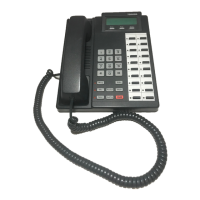
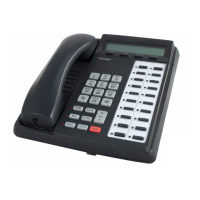
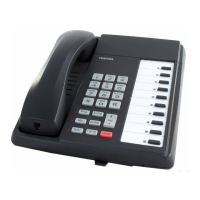
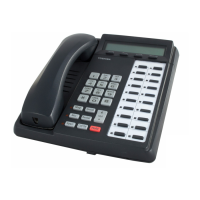
EasyManua.ls Logo

Toshiba DP5022-SDM - User Manual

Toshiba DP5022-SDM
20 pages
Print Icon
To Next Page IconTo Next Page
Loading...
Strata
®
CIX
Product Bulletin
© Copyright 2007
Toshiba America Information Systems, Inc.
Telecommunication Systems Division
9740 Irvine Blvd., Irvine, CA 92618-1697 (949) 583-3700
www.telecom.toshiba.com
TOSHIBA
PBCIX-0063
Nov. 5, 2007
Toshiba DP5000-Series Digital Telephones
Product Summary
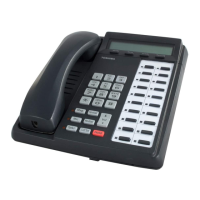
Toshiba’s next generation digital telephones are here. The DP5000 product line offers a sleek, low-profile
design with a stylish tilt stand, an integrated headset interface and a full set of display and call handling
features making Toshiba the obvious choice in leading-edge digital telephones. Toshiba continues to be
proud of its backward compatibility allowing customers a new look on their desktop while maintaining much
of their initial telephone system investment.
The most noticeable enhancements are the backlit displays, updated button placement and a high-end
model with LCD key strips.
The telephone models are referenced by the total number of keys that are on the telephone (excluding the
dial pad); the number of programmable keys have been specified in the descriptions and throughout the
document.
The DP5008 with one programmable key and DP5018-S with ten programmable keys are the two non-
display models offered for locations where a lower cost telephone is appropriate.
DP5008 DP5018-S
Question and Answer IconNeed help?

Do you have a question about the Toshiba DP5022-SDM and is the answer not in the manual?

Summary

Value Propositions

Modern New Look

Details the sleek, low-profile design, black body with dark gray keys, and metallic silver tilt stand.

Large Display Area for Call Information

Highlights the 24-character wide LCDs and line counts for call information display.

LCD Key-Strip

Describes integrated LCD key-strips and their programmability for various models and modules.

Backlight LCD

Covers availability and adjustable settings for backlit LCDs on specific models.

Features and Capabilities

Physical Specifications

DP5000-Series Telephone Tilt Angles

Details the various tilt positions available for DP5000 series telephones and extensions.

Storage and Operating Temperature Range

Specifies the temperature and humidity ranges for storage and operation of the telephones.

Compatibility and Migration

Order Information

License Requirements

Outlines the CIX Basic Port License and specific migration license for DP5022-SDM.

Station Wiring, Loop Length, Telephone Power Factors

Connections

Describes standard wiring, cable types, and connection requirements for DP5000 series.

Station Loop Length for CIX100, CIX200, CIX670

Details maximum line lengths for various models and configurations on specific CIX systems.

Station Loop Length for CIX40

Specifies maximum line lengths for CIX40 systems, noting wiring requirements.

DP5000-Series Telephone and ADM Power Factors

Lists the -24 VDC power factor for various telephone models and add-on modules.

Installation Guidelines

Wall Mounting

Provides instructions for wall mounting DP5000 series telephones, including DP5008 specifics.

Add-On Module Installation

Telephone Administration Reference

DP5130-SDL LCD Keystrip Setup

Steps to assign and program keystrip label resources for the DP5130-SDL telephone.

Program Keystrip Labels

Instructions for programming keystrip labels for various DP5000 series telephones.

LM5110 LCD Keystrip Setup

Steps to assign and program keystrip label resources for the LM5110 add-on module.

Program LM5110 Keystrip Labels

Procedure for programming specific keystrip labels for the LM5110 module.

End-user Reference Guide

Volume Control

Instructions for adjusting handset and speaker volume for most DP5000 series telephones.

Volume Control for DP5008 Telephone

Specific instructions for adjusting volume controls on the DP5008 telephone model.

Backlight Options

Brightness Control

LCD Contrast Adjustments

Guide on how to adjust LCD contrast for DP5000 telephones and LM5110 module.

Mic;Mute Key

Explains the function of the Mic/Mute key for muting microphone and handset.

Program LCD Keystrip Labels (for DP5130-SDL & LM5110)

Procedure for programming LCD keystrip labels on DP5130-SDL and LM5110.

Overview

The Toshiba DP5000-Series Digital Telephones represent the next generation of digital communication devices, offering a blend of modern design and advanced functionality. This product line is designed to provide a seamless communication experience while maintaining backward compatibility with existing Toshiba telephone systems, allowing customers to upgrade their desktop phones without sacrificing their initial system investment.

Function Description

The DP5000-series telephones are primarily designed for voice communication within a business environment, integrating with Toshiba's Strata CTX and CIX systems. They support a wide range of call handling features, making them suitable for various user roles, from executives to call center agents and receptionists. The core function revolves around providing reliable digital voice communication, enhanced by a suite of features that improve user interaction and productivity.

Key functions include:

  • Digital Voice Communication: Provides clear and secure digital voice calls.
  • Call Handling: Supports essential call features such as making, receiving, holding, transferring, and conferencing calls.
  • Programmable Keys: Offers a varying number of programmable keys across models, allowing users to customize shortcuts for frequently used features, lines, or trunks.
  • Display Information: Most models feature an LCD display that provides call information, feature labels, and other relevant data.
  • Headset Interface: Built-in headset interface on most models for hands-free communication.
  • Speakerphone: Half-duplex speakerphone capability on most models for hands-free conversations.
  • Off-Hook Call Announce (OCA): Allows stations to receive internal calls over their speaker while on another call using the handset (requires DOCA1A module, not supported on DP5008).
  • Add-On Modules (ADMs): Supports expansion modules (LM5110, KM5020, DDM5060) to add more programmable keys, catering to users with high call volumes or complex needs.

Usage Features

The DP5000-series telephones are designed with user convenience and efficiency in mind, incorporating several features that enhance the daily communication experience.

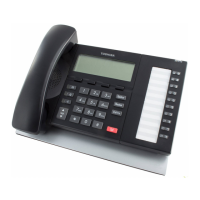
  • Modern Design: Features a sleek, low-profile design with a stylish tilt stand, offering a contemporary look for any desktop. The black body with dark gray keys and metallic silver curved tilt stand contribute to its aesthetic appeal.
  • Adjustable Tilt Stand: Most models (except DP5008) offer multiple tilt positions (15°, 27.5°, 40°) and an optional tilt stand extension for additional angles (35°, 47.5°, 60°), allowing users to adjust the phone for optimal viewing and comfort.
  • Backlit Displays: Available on select models (DP5122-SD, DP5132-SD, DP5130-SDL, and LM5110), backlit LCDs improve visibility in various lighting conditions, making them suitable for regular offices, reception areas, home studios, and low-light environments. The backlight can be set to always on, always off, or synchronized to activate with activity and shut off after a period of inactivity to conserve energy.
  • LCD Key-Strips: The high-end DP5130-SDL model features integrated LCD keys, and the LM5110 add-on module provides LCD keys, allowing for dynamic changes to key labels. These labels are programmable via eManager, MyPhoneManager, or user programming mode, supporting user-programmable line, trunk, and feature labels for ease of deployment and dynamic changes.
  • Large Display Area: All LCDs are 24 characters wide, with four lines of display on most display models and nine lines on the DP5130-SDL, providing ample space for call information.
  • Enhanced Mute Functionality: The MIC key on the telephones toggles between Mic and Mute. When the Mic key is lit, hands-free communication is supported. When pressed and the light is off, Mute is enabled, simultaneously muting both the microphone and the handset microphone during a hands-free conversation.
  • Volume Control: Users can adjust handset, speaker, ring tone, hands-free answerback, speaker off-hook call announce, and handset beep tone volumes. These settings can be adjusted during a call or when the phone is idle, with some settings persisting until changed.
  • LCD Contrast Adjustments: Available on all DP5100-model LCD phones and the LM5110 ADM, allowing users to optimize display readability.
  • Backward Compatibility: The DP5000-series telephones can co-exist with DKT2000 and DKT3200 series telephones on Strata CIX systems with Release 5.1 software or above, protecting initial system investments. They can operate in DP5000 Mode, DKT3200 mode (with older CIX systems), or DKT2000 mode (with PDKU cards).

Maintenance Features

While the manual primarily focuses on installation and configuration, certain aspects touch upon maintenance and system management.

  • Software-Controlled Settings: Many features, such as headset settings and carbon type handset settings, are controlled by software, simplifying configuration and eliminating the need for physical adjustments (e.g., cutting jumpers as in older models).
  • eManager and MyPhoneManager Integration: These management tools (eManager R510A05 and MyPhoneManager R510A02 or later) are essential for full functionality and allow for remote programming and management of key labels, system assignments, and other telephone settings. This centralized management simplifies maintenance for administrators.
  • Easy Add-On Module Installation: ADMs are designed for straightforward attachment to the base telephone or other ADMs using included brackets and screws. The modular design facilitates expansion and replacement.
  • Self-Resetting Programming Mode: The telephones can be initialized to reset all programming mode options settings back to factory default by a specific key sequence, aiding in troubleshooting or re-configuration.
  • Clear Wiring Guidelines: Detailed instructions for station wiring, including loop length limitations and requirements for one-pair or two-pair cabling, ensure proper installation and minimize connectivity issues. The use of standard RJ11 modular connectors simplifies wiring.
  • Wall Mounting Capability: Most models can be wall-mounted, offering flexibility in deployment and potentially reducing desktop clutter. The DP5008 has a specific procedure for wall mounting by rotating its base.
  • Power Factor Information: The manual provides power factor details for each telephone model and ADM, which is useful for system planning and ensuring adequate power supply.
  • License Management: Specific licenses (e.g., CIX Basic Port License, DP5022-SDM Migration License) are required for full functionality, ensuring proper system configuration and compliance.

Toshiba DP5022-SDM Specifications

General IconGeneral
BrandToshiba
ModelDP5022-SDM
CategoryIP Phone
LanguageEnglish

Related product manuals