EasyManua.ls Logo

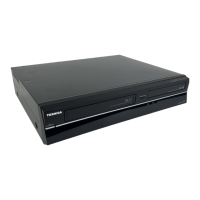
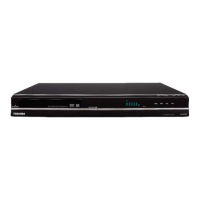
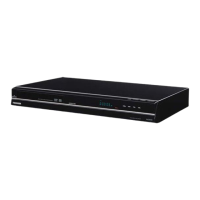
Toshiba DVR80KF - Service Manual

Toshiba DVR80KF
123 pages
Print Icon
To Next Page IconTo Next Page
Loading...
SERVICE MANUAL
TOSHIBA CORPORATION 2010
VCR
DVD
The above model is classified as a green product (*1), as indicated by the underlined serial
number. This Service Manual describes replacement parts for the green product. When
repairing this green product, use the part(s) described in this manual and lead-free solder (*2).
For (*1) and (*2), see the next page.
FILE NO. 810-2009135GR
DVD/
Video
Cassette
Recorder
DVR80KF
Published in Japan, Feb. 2010 GREEN

Other manuals for Toshiba DVR80KF

Questions and Answers

  • N
    nicholaselliottAug 16, 2025
    Why is my Toshiba DVD VCR Combo remote control not working?
    • B
      Bobby WilsonAug 16, 2025
      If the remote control for your Toshiba DVD VCR Combo isn't working, try replacing the batteries first. Make sure there are no obstructions between the remote control and the unit, and try moving closer to the unit.
  • W
    William FloresAug 19, 2025
    Why doesn't the clock display appear on my Toshiba DVD VCR Combo?
    • C
      Carrie ColemanSep 12, 2025
      If the clock display isn't showing on your Toshiba DVD VCR Combo's front panel, first, check that the AC power cord is securely connected. Next, check the breaker and the 'Clock' setting in case of a power failure. Also, note that when the unit is in standby mode, the front panel display is off due to the Power Saving mode.
  • K
    Katherine LiAug 22, 2025
    How to fix no image from HDMI connection on Toshiba DVD VCR Combo?
    • J
      Jessica MillsAug 22, 2025
      If you're not getting an image via HDMI on your Toshiba DVD VCR Combo, try these steps: * Check the HDMI connection to ensure it's secure. * Verify that your connected monitor or device supports HDCP. * Review your HDMI settings. * Ensure the output format of the unit (HDMI FORMAT) matches the supported input format of your connected devices. * Make sure the unit is connected to an authorized display device, as unauthorized devices may not output audio and video signals.
  • B
    Breanna WatkinsAug 26, 2025
    What to do if my Toshiba DVD VCR Combo power does not turn on?
    • M
      Mr. Edward HallAug 26, 2025
      If your Toshiba DVD VCR Combo isn't powering on, first ensure the AC power cord is securely connected. If that doesn't work, replace the remote control batteries. Also, try pressing the [TIMER SET] button to cancel any timer-standby mode that may be activated.
  • R
    Randy KennedyAug 28, 2025
    What to do if Toshiba DVD VCR Combo playback cannot be performed?
    • A
      ashley46Aug 28, 2025
      If your Toshiba DVD VCR Combo won't play, first ensure a playable disc is inserted correctly with the labeled side up. If it's a disc you made, ensure it has been finalized. Clean the disc if it's dirty or flawed. Check that all connections are correctly made. Finally, verify the 'Parental Lock' setting is not enabled.
  • J
    Jeremy PriceAug 31, 2025
    What to do if my Toshiba DVD VCR Combo unit does not function?
    • B
      Brandon StewartAug 31, 2025
      If your Toshiba DVD VCR Combo unit isn't functioning, check if a '' or an error message appears, which might indicate a prohibited operation. Also, try replacing the remote control batteries, as weak or exhausted batteries can prevent the unit from working.
  • M
    Margaret WatkinsSep 3, 2025
    How to fix DV signal input issues on Toshiba DVD VCR Combo?
    • J
      Jennifer AlvarezSep 3, 2025
      To resolve DV signal input problems with your Toshiba DVD VCR Combo, ensure that both the unit and the DVC are powered on and have completely stopped before making connections. Verify that only a 'DVC-SD' signal is being input from the DVC to the unit. Do not connect any device other than the DVC. If the DVC isn't recognized after connection, turn off the power to the unit and reconnect the DVC.
  • C
    Chelsey SanchezSep 6, 2025
    What to do if my Toshiba DVD VCR Combo does not operate properly?
    • R
      Roger CochranSep 6, 2025
      If your Toshiba DVD VCR Combo isn't operating properly, it could be due to moisture condensation inside the unit. Remove the disc and leave the unit turned on for about 2 hours to allow the moisture to evaporate.
  • D
    Danielle CarlsonSep 9, 2025
    Why can't I perform timer recording on my Toshiba DVD VCR Combo?
    • J
      Jeffrey ClarkSep 9, 2025
      If you cannot perform timer recording on your Toshiba DVD VCR Combo, it might be because the internal clock of the unit stopped due to a power failure lasting more than 30 seconds. Reset the clock.
  • J
    Jennifer CrosbySep 12, 2025
    Why can't certain DVC functions operate on my Toshiba DVD VCR Combo?
    • C
      collieranaSep 12, 2025
      Some functions of the DVC may not operate depending on the type of DVC. Please refer to the DVC's documentation for feature compatibility.

Toshiba DVR80KF Specifications

General IconGeneral
TypeDVD Recorder
TV TunerYes
Progressive ScanYes
Remote ControlYes
Audio Recording FormatDolby Digital
Recording FormatDVD-R, DVD-RW
Playback FormatDVD-Video, DVD-R, DVD-RW, CD, CD-R, CD-RW
Video Recording FormatMPEG2
Video InputComposite, S-Video
Video OutputComposite, S-Video, Component

Related product manuals