Checking Total Number Copied 75
Checking Total Number Copied
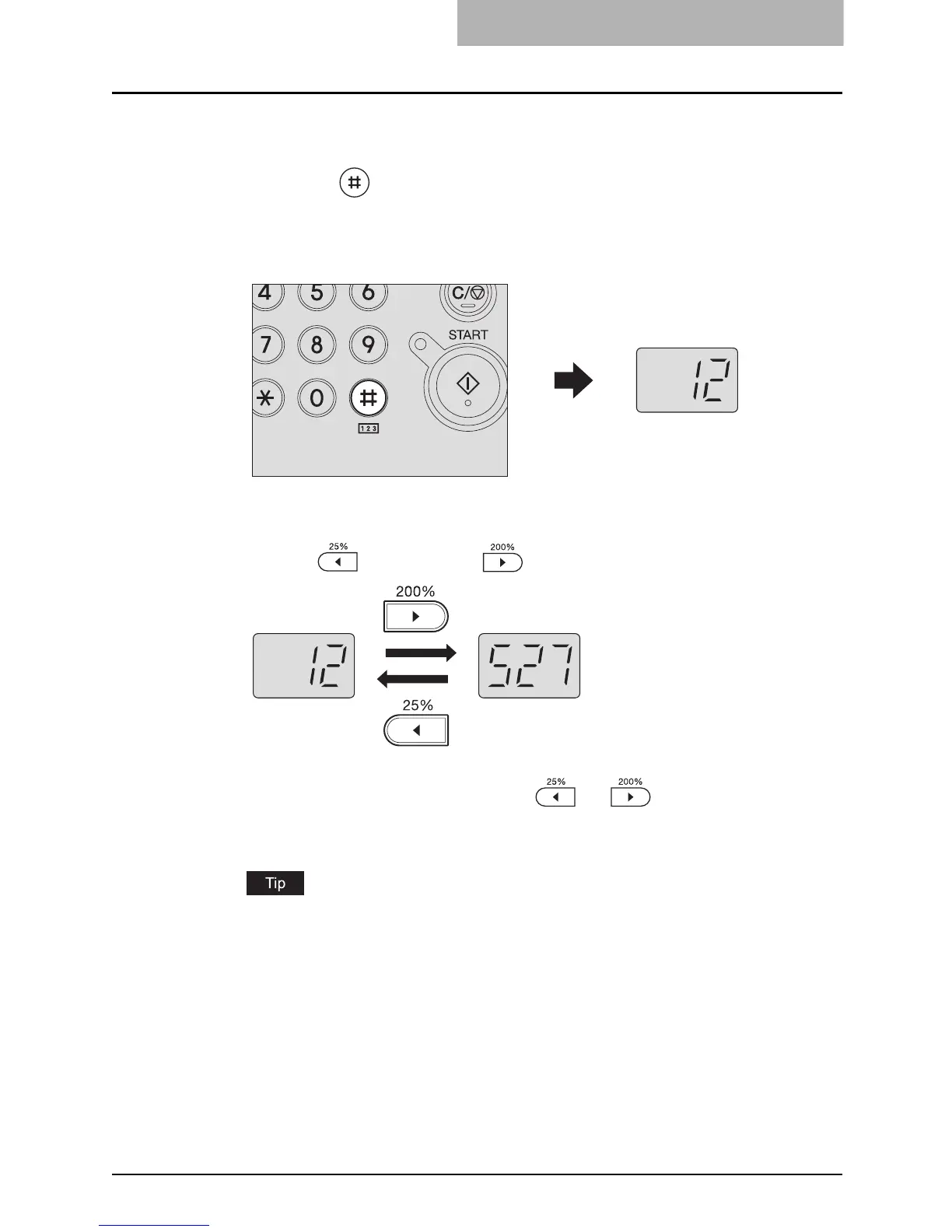
You can check the total number of sheets ever copied or printed. The total number of sheets
appears on the LED display.
1
Press the button for more than two seconds.
The upper digits of the total number appear on the LED display. The total number is
shown blinking.
e.g.) The total number is 12,527
2
Switch the display to check the rest of the total number.
Press the (zooming out) or (zooming in) button to switch the display.
3
Press any button other than the or button when you
have finished checking.
The equipment returns to its normal status.
The total number of sheets cannot be reset.



 To Next Page
 Loading...









