2.SETTING ITEMS (ADMIN)
Setting Copy Functions 167
2 SETTING ITEMS (ADMIN)
3
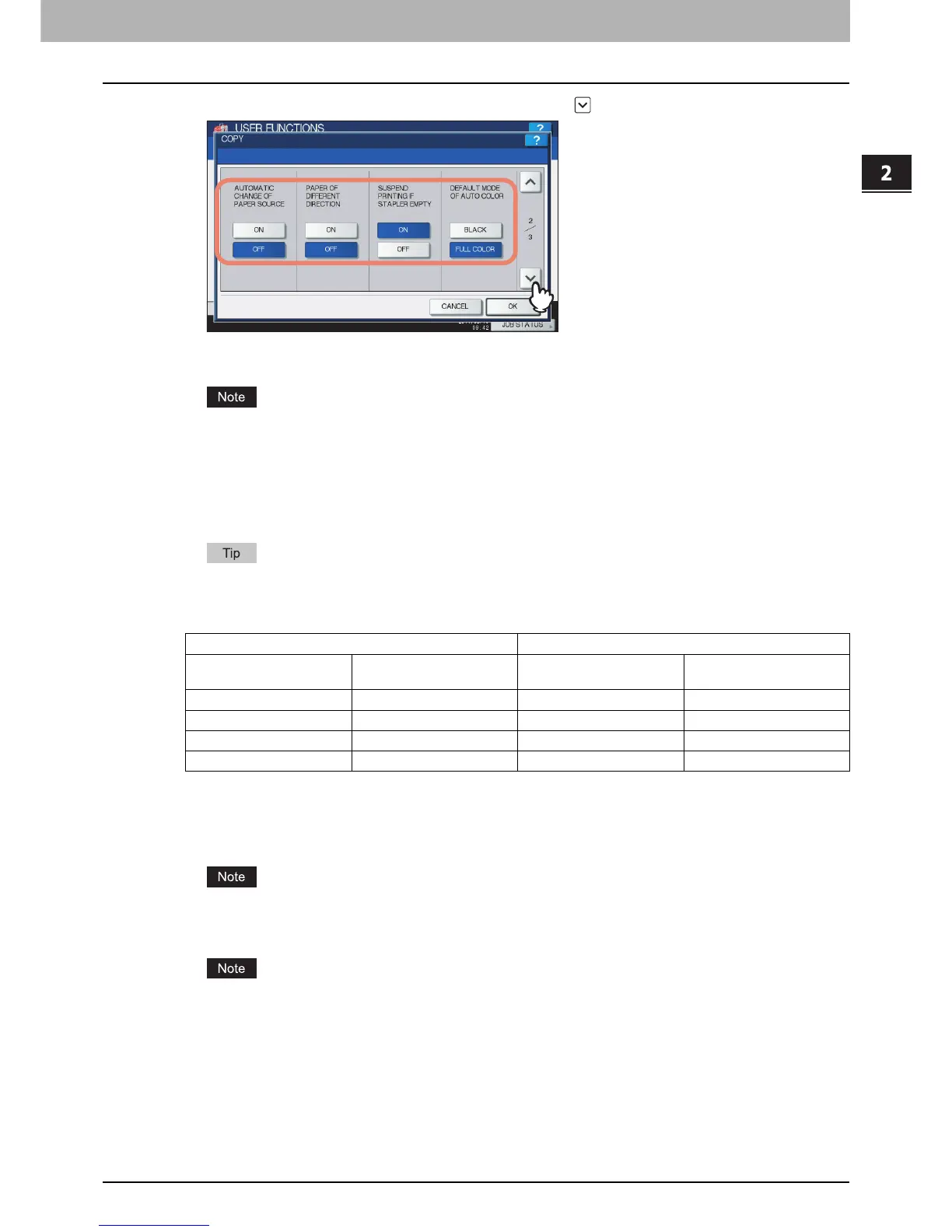
Specify the following items as required, and press .
AUTOMATIC CHANGE OF PAPER SOURCE — Selecting [ON] for this function allows the equipment to feed the
same size of paper from a different drawer even if the specified drawer from which paper is being fed is empty.
When an attribute other than “NONE” is set for a drawer, the Automatic Change of Paper Source function is
disabled for the paper in this drawer.
For instructions on how to verify and/or change an attribute for a drawer, see the following page:
P.31 “Setting Drawer”
PAPER OF DIFFERENT DIRECTION — Selecting [ON] for this function allows the equipment to feed the same
size of paper that is set in a different direction if the drawer from which paper is being fed is empty.
Paper feeding when the drawer is out of paper during copying is as follows:
This is an example when the drawer for feeding paper is automatically changed while data is being copied on
A4-size paper.
SUSPEND PRINTING IF STAPLER EMPTY — When the stapler is empty during stapling in other than the saddle
stitch mode, you can select whether to stop printing or not.
Selecting [ON] stops the job with stapling, while selecting [OFF] continues the job without stapling.
If the stapler is empty in the saddle stitch mode, printing stops.
DEFAULT MODE OF AUTO COLOR — Press the default color mode for auto color.
[DEFAULT MODE OF AUTO COLOR] is available only for the e-STUDIO6550C Series and e-STUDIO4540C
Series.
Options Paper Feeding
AUTOMATIC CHANGE OF
PAPER SOURCE
PAPER OF DIFFERENT
DIRECTION
Using Automatic Paper
Selection (APS)
Specifying the drawer
manually
ON ON A4 and A4-R paper are fed. A4 and A4-R paper are fed.
ON OFF A4 paper is fed. A4 paper is fed.
OFF ON — —
OFF OFF — —



 To Next Page
 Loading...


