3 MANAGING COUNTERS (COUNTER MENU)
238 Managing Department Codes
2
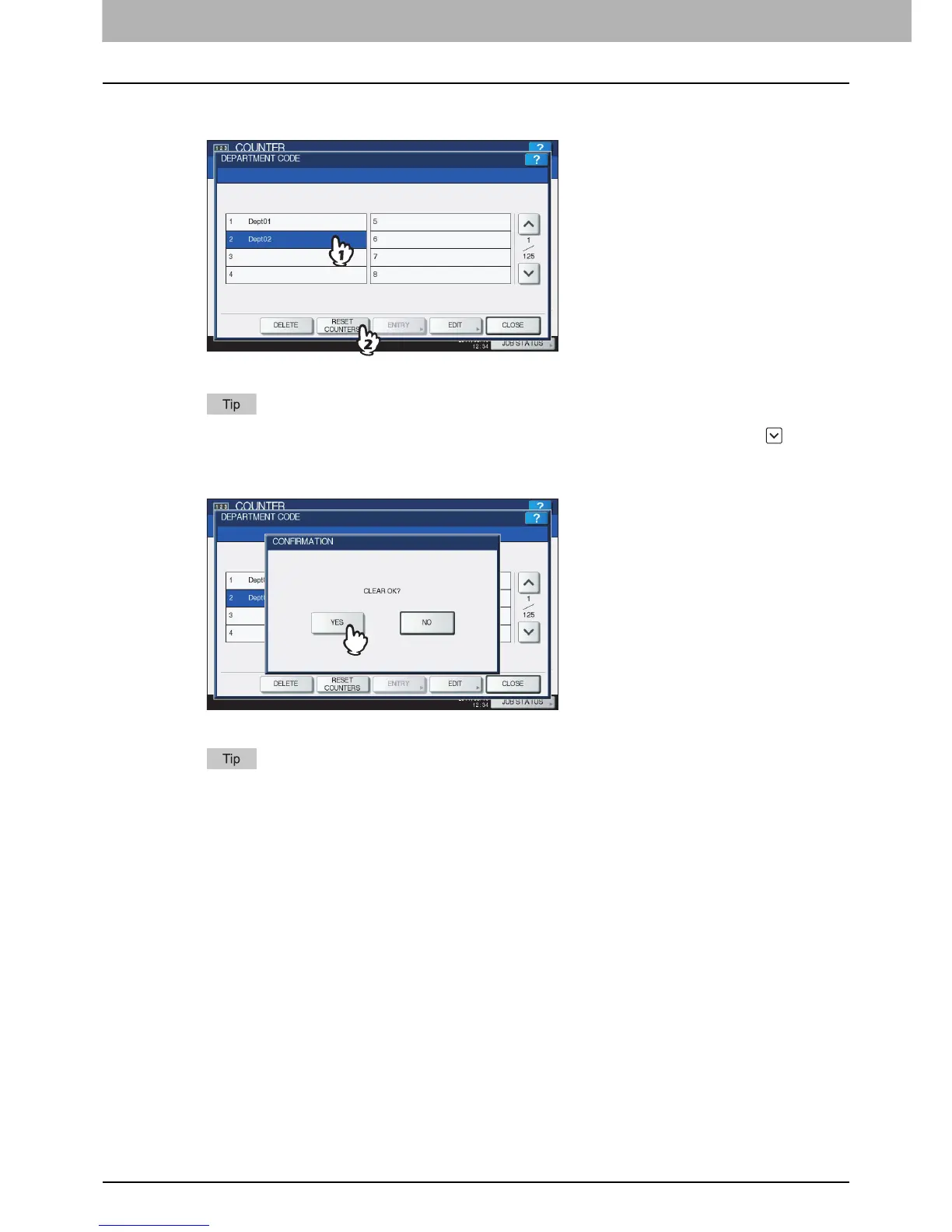
Press the department button whose counter you want to reset and press [RESET
COUNTERS].
The message “CLEAR OK?” is displayed in the CONFIRMATION screen.
If the touch panel does not display the department code whose counter you want to clear, press to display
the next screen.
3
Press [YES].
The counter is now cleared.
Press [NO] to cancel the clear operation.



 To Next Page
 Loading...


