3.USEFUL FUNCTIONS
Changing Scan Settings 51
3 USEFUL FUNCTIONS
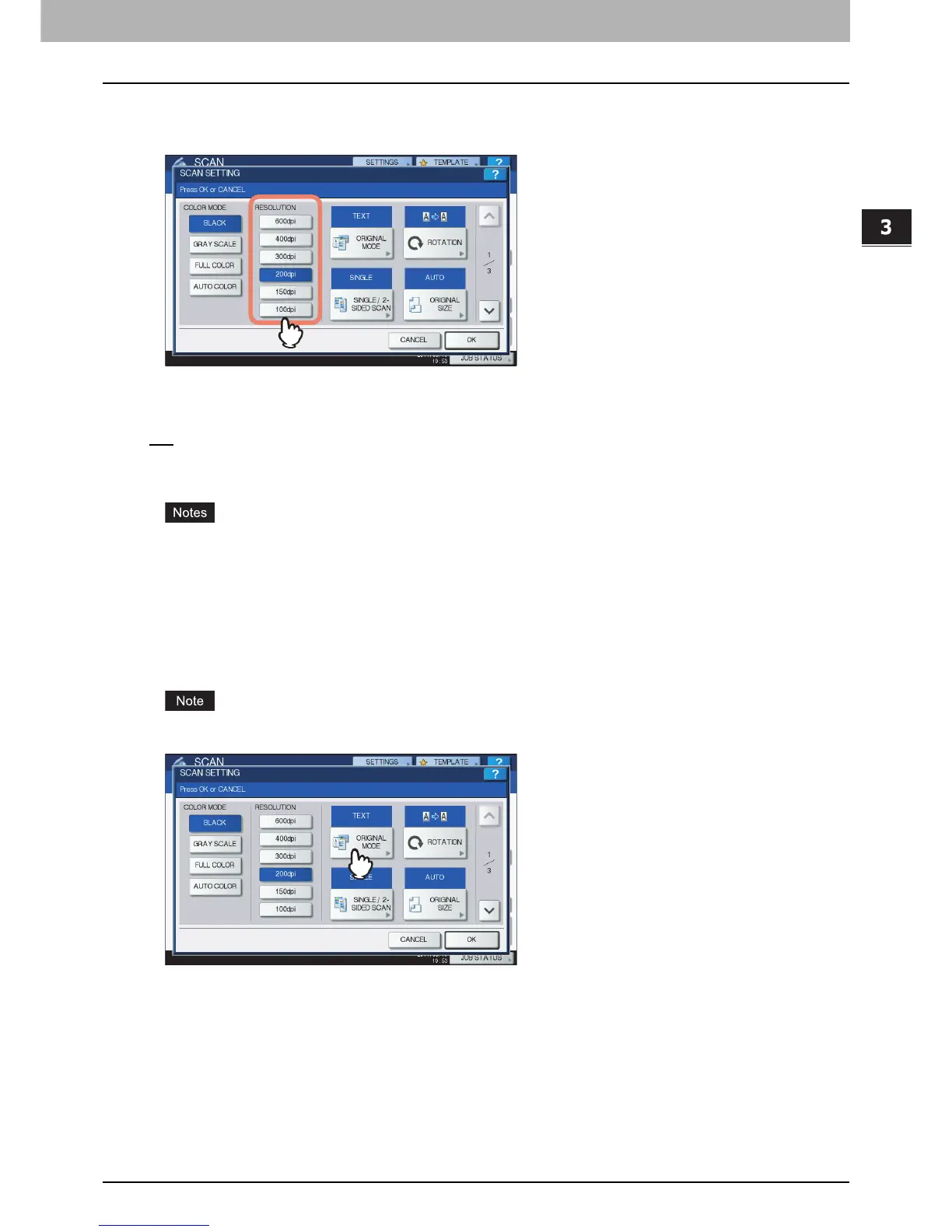
Specifying resolution
Select a resolution from the following options:
[600] — Select this option to scan originals at 600 dpi.
[400] — Select this option to scan originals at 400 dpi.
[300] — Select this option to scan originals at 300 dpi.
[200
] — Select this option to scan originals at 200 dpi.
[150] — Select this option to scan originals at 150 dpi.
[100] — Select this option to scan originals at 100 dpi.
With “Scan to File” or “Scan to USB”, A5, A6, ST-R, 8K or 16K size originals scanned at 100 dpi may be
handled as non-standard size depending on applications.
With “Scan to File”, “Scan to E-mail” or “Scan to USB”, the resolution setting is not available if [SLIM
PDF] is selected for the file format setting.
Selecting original mode
Select the original mode for the image quality best suited to your originals.
The Original Mode setting is not available when [GRAY SCALE] is selected for the color mode setting.



 To Next Page
 Loading...


