3.USEFUL FUNCTIONS
Changing Scan Settings 55
3 USEFUL FUNCTIONS
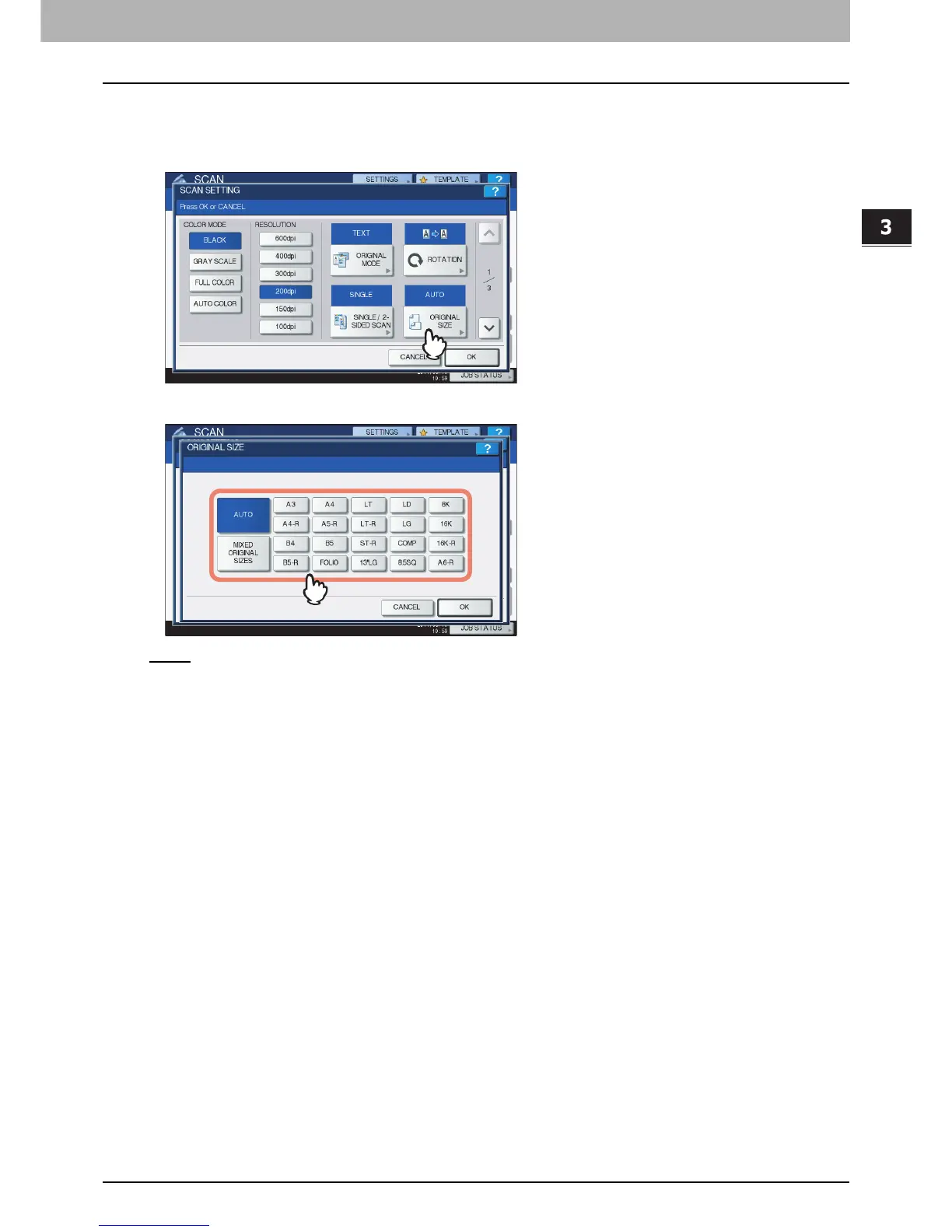
Specifying original size
To specify the original size, press [ORIGINAL SIZE]. Pressing the button displays the buttons for selectable
original sizes along with the following buttons:
[AUTO
] — Select this option to have the equipment automatically detect the size of your originals.
[MIXED ORIGINAL SIZES] — Select this option when placing originals of different sizes in the Reversing
Automatic Document Feeder
*
.
* The Reversing Automatic Document Feeder is optional for e-STUDIO4540C Series, e-STUDIO507 Series, e-STUDIO456 Series,
e-STUDIO2550C Series, e-STUDIO5055C Series, e-STUDIO307LP and e-STUDIO306LP.



 To Next Page
 Loading...


